Appendix C: Quick Answers to Common Questions... ● 163
Log out of Adaptec Storage Manager?
In the Enterprise View, click on the local system. In the menu bar, select Actions, then click
Log out.
See Logging Out of Adaptec Storage Manager on page 51.
Schedule a task?
Complete each step of the task until you are prompted to click Apply. (Don’t click Apply.)
Click Schedule.
Note:
The Schedule button won’t appear on tasks that can’t be scheduled.
See Scheduling a Task on page 81.
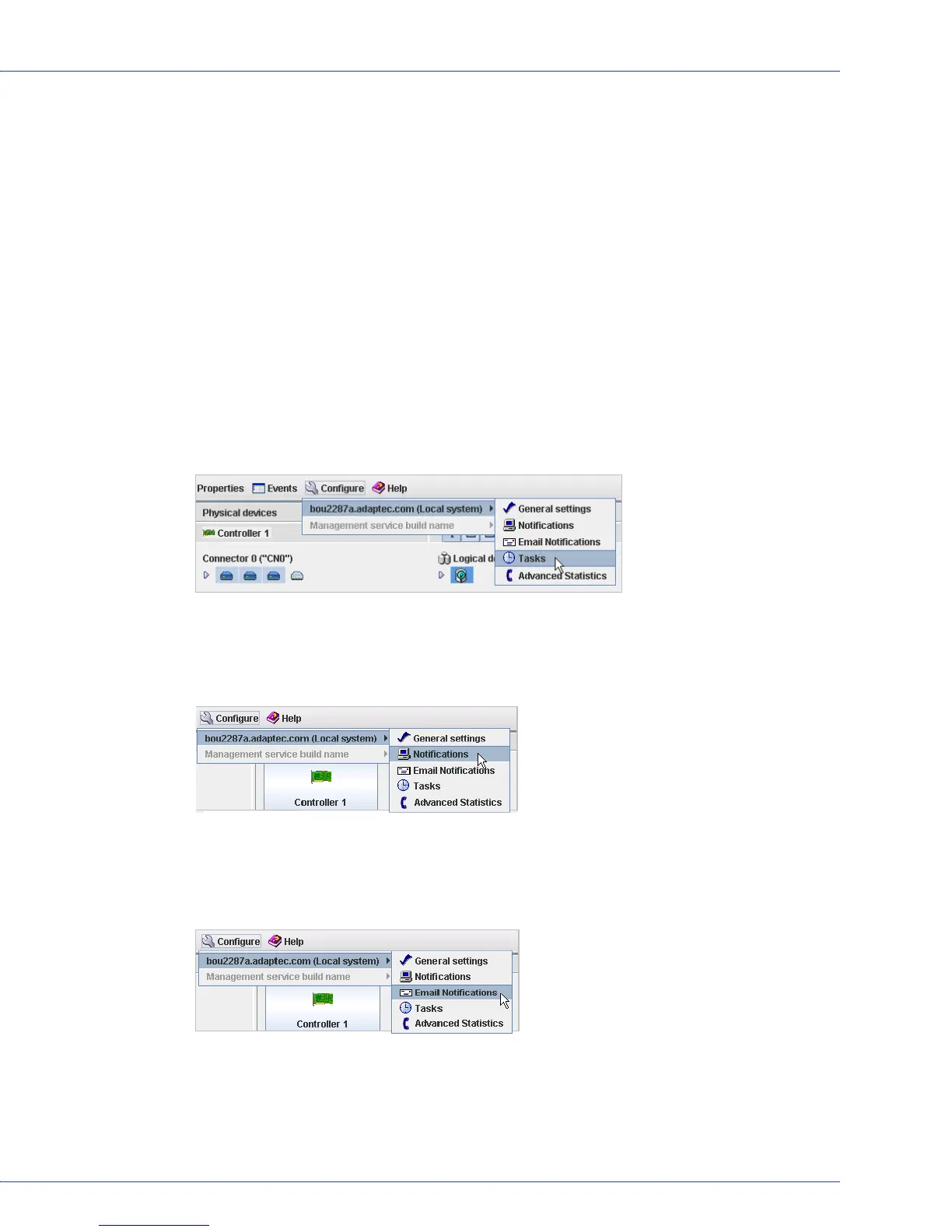
Find the Task Manager?
In the tool bar, click Configure, point to the system you want, then click Ta s ks . See Scheduling
a Task on page 81.
Find the Notification Manager?
In the tool bar, click
Configure
,
point to
the system you want, then click
Notifications
. See
Setting up Logged Notifications
on page 106
.
Find the Email Notification Manager?
In the tool bar, click
Configure
,
point to
the system you want, then click
Email
Notifications
. See
Notifying Users by Email About Status and Activity
on page 111
.



 To Next Page