Chapter 11: Solving Problems ● 137
Stopping the Creation of a New Logical Drive
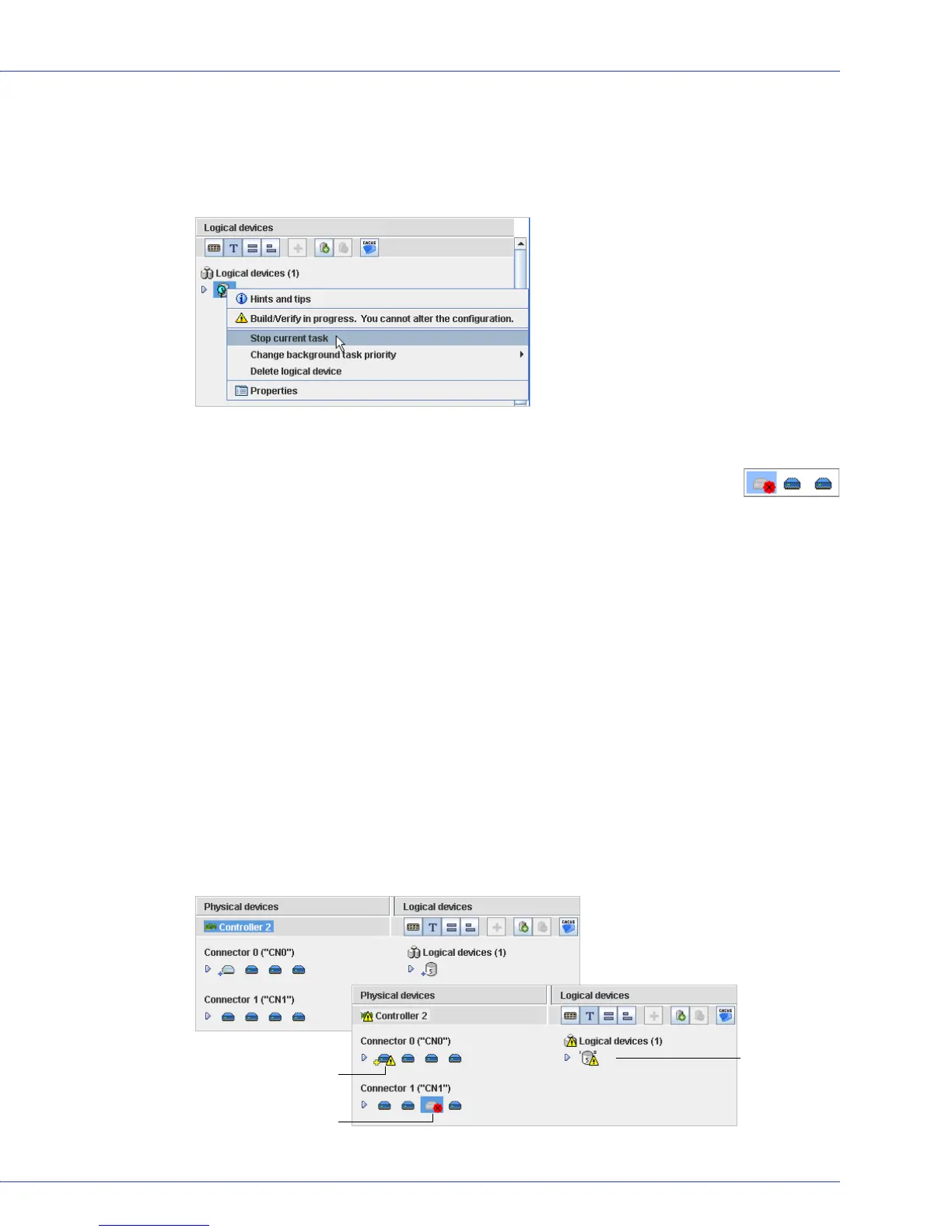
To stop the creation of a new logical drive, right-click on the magnifying glass icon, then select
Stop current task. You can also change the priority of the build task to High, Medium, or Low
by selecting Change background task priority from the same right-click menu.
Recovering from a Disk Drive Failure
When a disk drive fails for any reason, it is represented in Adaptec Storage
Manager with a red X, as shown at right.
This section explains how to recover when a disk drive fails:
● If the logical drive was protected by a hot spare (see the following section).
● If the logical drive was not protected by a hot spare (see page 138).
● If there is a disk drive failure in more than one logical drive simultaneously (see page 138).
● If it is a RAID 0 logical drive (see page 138).
● If multiple disk drives fail within the same logical drive (see page 139).
● If you want to force a logical drive with multiple drive failures back online (see page 140).
Failed Disk Drive Protected by a Hot Spare
When a logical drive is protected by a hot spare, if a disk drive in that logical drive fails the hot
spare is automatically incorporated into the logical drive and takes over for the failed drive.
For instance, when a disk drive fails in the RAID 5 logical drive shown in the next example, the
logical drive is automatically rebuilt (its data is reconstructed) using the hot spare in place of
the failed drive. You can access the logical drive while it’s rebuilding.
...and logical
drive is rebuilt
with hot spare.
...Disk drive shows
Failed status...
Hot spare takes over...



 To Next Page