Chapter 9: Monitoring Status and Activity ● 112
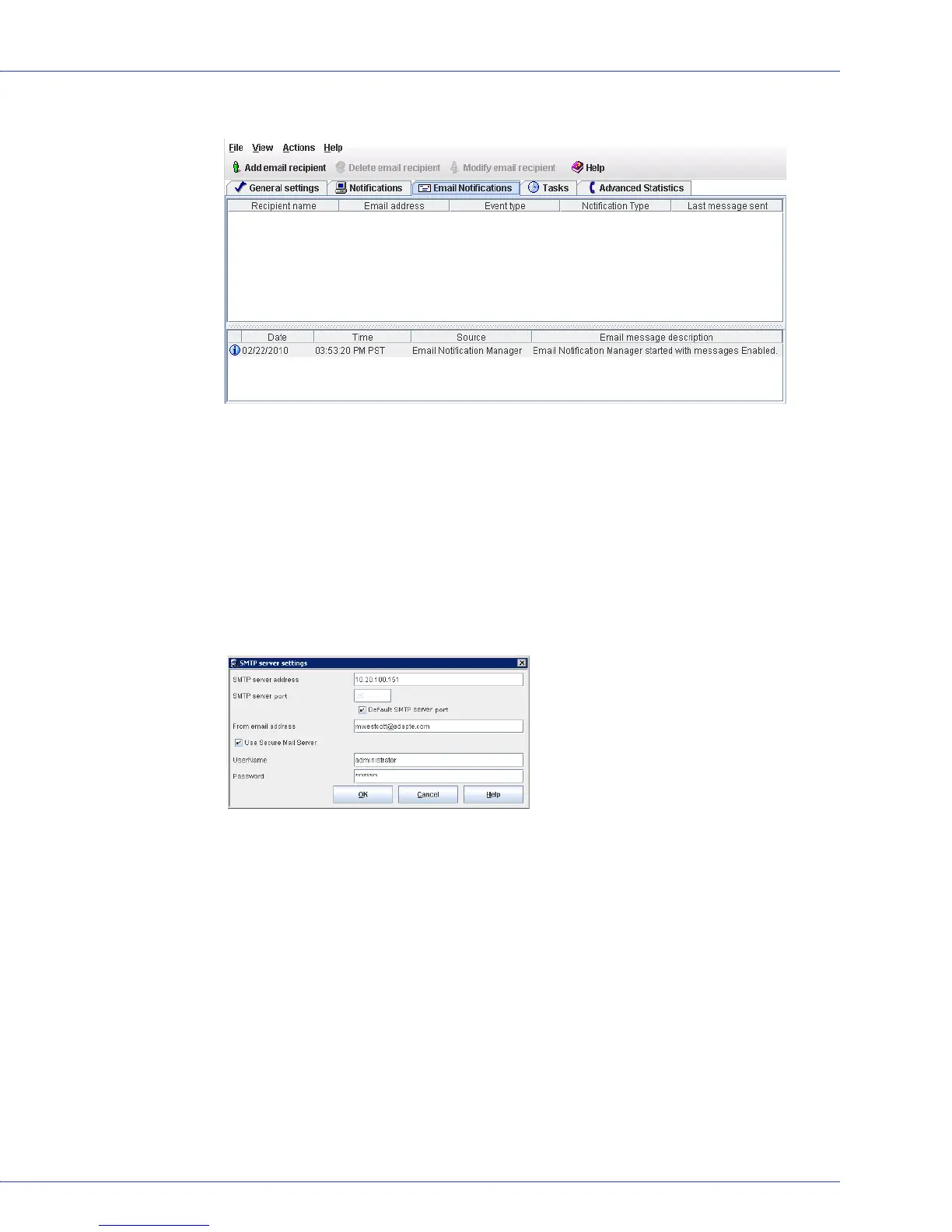
The Email Notifications Manager opens.
If you haven’t previously set up email notifications, the SMTP Server Settings window also
opens, as shown in the next Step. (If email notifications are already set up, the SMTP
Server Settings window doesn’t open. Skip to Step 5.)
3 Enter the address of your SMTP server and the server’s port number (or use the default
port). Then enter the “From” address to appear in email notifications. If an email recipient
will be replying to email notifications, be sure that the “From” address belongs to a system
that is actively monitored.
If authentication is enabled on your SMTP server (that is, the server requires
authentication details before it will send messages to users), select Use Secure Mail Server,
then enter the SMTP server user’s login credentials in the space provided.
4 Click OK to save the settings.
5 In the Email Notifications Manager tool bar, click Add email recipient.
The Add Email Recipient window opens.



 To Next Page