Chapter 6: Modifying Your Direct Attached Storage ● 62
Creating a Logical Drive Using Available Segments
Free segments on a disk drive can be used to create a new logical drive. (Each segment can only
be used in one logical drive at a time.)
To create a logical drive using free segments on disk drives:
1 Complete Steps 1 through 5 in Custom Configuration (Advanced) on page 37.
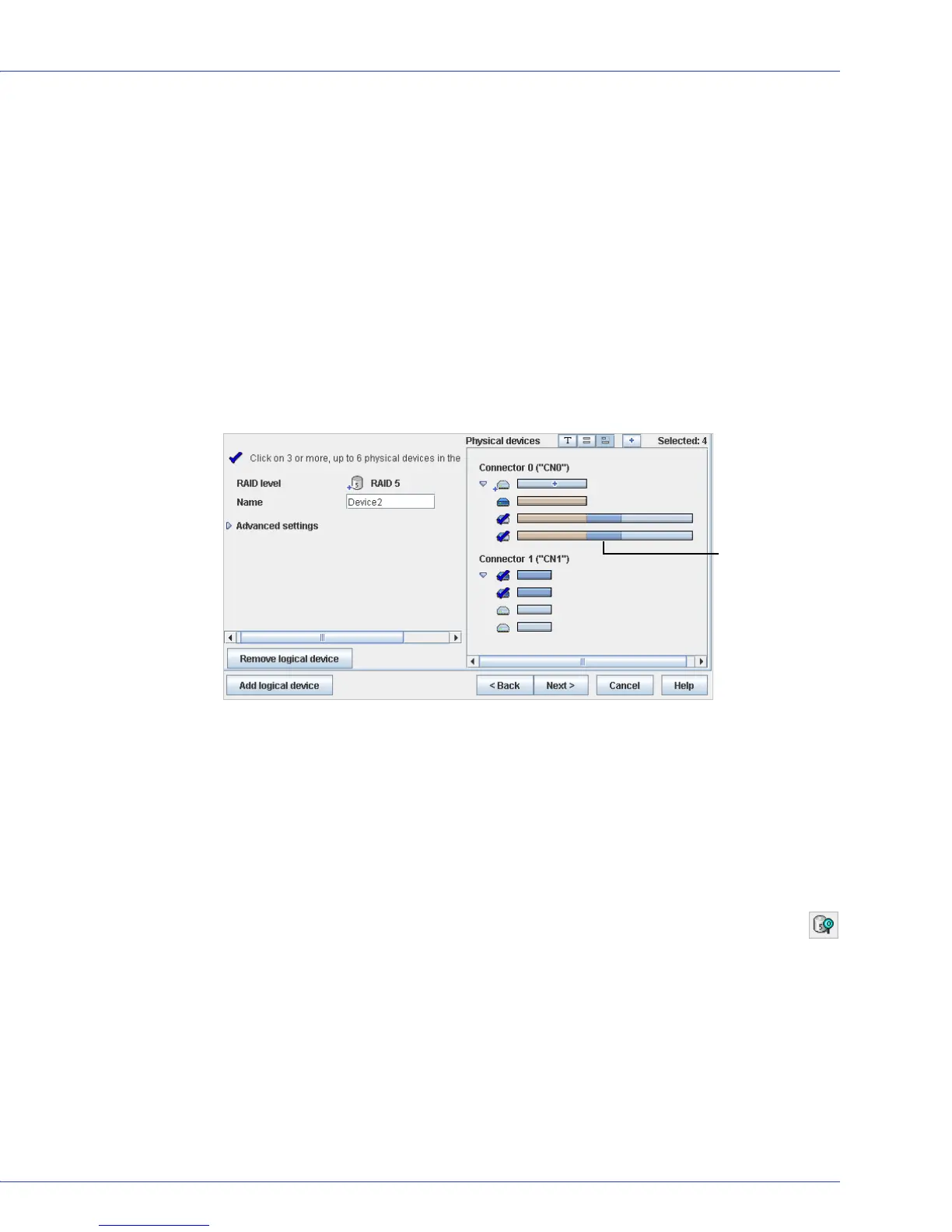
2 In the Physical Devices panel, select the disk drives and/or free disk drive segments you
want to use in the logical drive.
Note:
Adaptec recommends that you not combine SAS and SATA disk drives within the same
logical drive. Adaptec Storage Manager generates a warning if you try to create a logical drive
using a combination of SAS and SATA disk drives.
In this example, two free segments of larger disk drives are combined with smaller disk
drives to create a RAID 5 logical drive
.
3 Click Next.
4 Review the logical drive settings.
5 Click Apply, then click Ye s .
Adaptec Storage Manager builds the logical drive. The configuration is saved in the
Adaptec controller and in the physical drives.
Stopping the Creation of a Logical Drive
To stop the creation of a new logical drive, right-click the magnifying glass icon (shown
at right), then select Stop current task.
Changing the Priority of the Creation of a Logical Drive
To change the priority of the creation of a logical drive to High, Medium, or Low, right-click
the magnifying glass icon, then select Change background task priority.
Note:
To set the default priority for all tasks on the same controller, see Setting a Controller’s
Default Task Priority on page 93.
Free segments of
larger disk drives
used in logical
drive



 To Next Page