Chapter 6: Modifying Your Direct Attached Storage ● 72
To bu ild a RA I D Vo l u m e :
1 Create two or more logical drives that meet the requirements listed at the beginning of this
section, and wait for them to build and initialize. For instructions, see Express
Configuration: The Easy Way on page 34 or Custom Configuration (Advanced) on page 37.
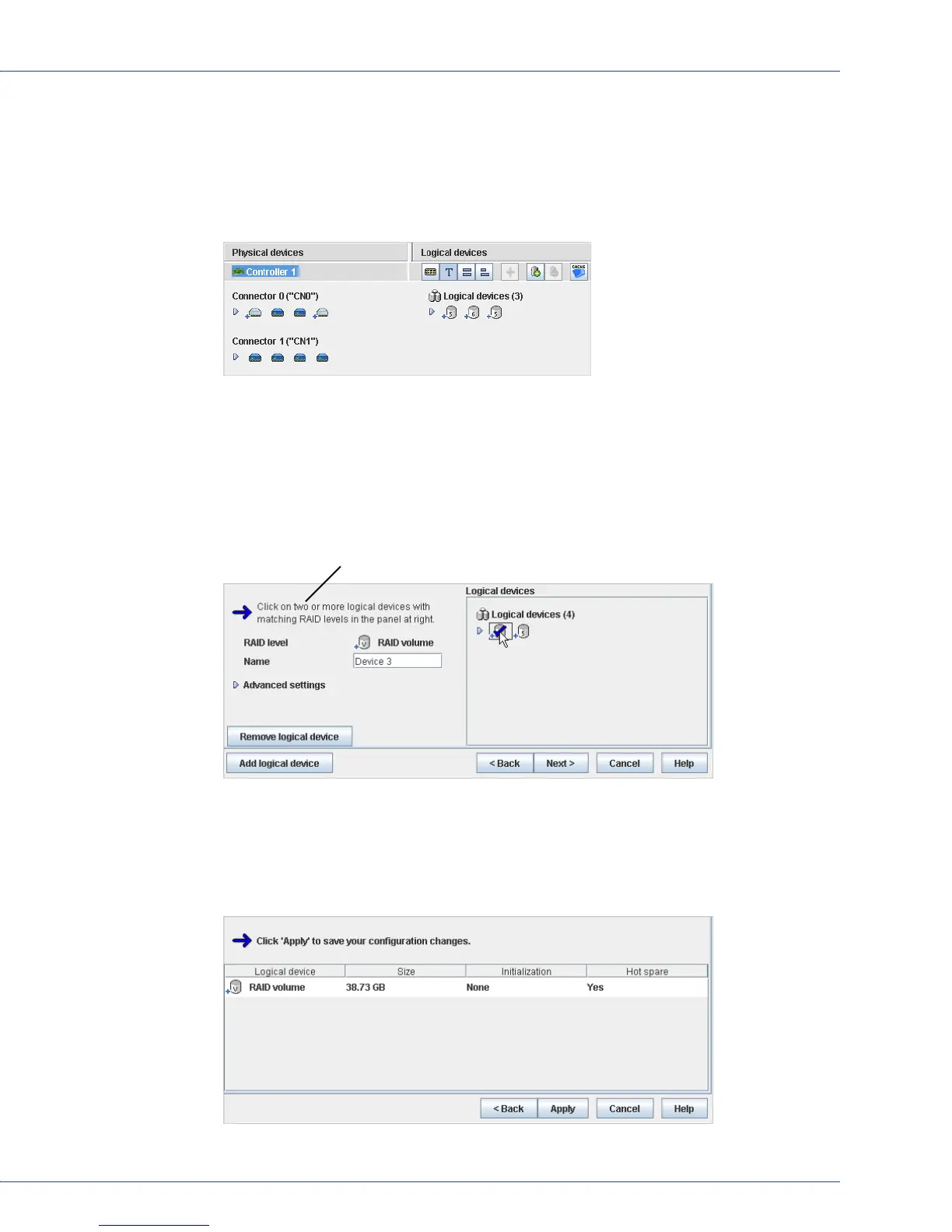
This example shows two RAID 5 logical drives, which can be used to build a RAID volume.
2 On the toolbar, click Create.
3 When the configuration wizard opens, select Custom configuration..., then click Next.
4 Click Advanced settings, select RAID Volume, then click Next.
5 In the Logical Devices panel, select the logical drives you want to use in the RAID Volume.
Adaptec Storage Manager prompts you to select the correct number of logical drives.
6 Modify the Advanced Settings, if required. (See Fine-tuning Logical Drives on page 63 for
more information.)
7 Click Next to review the RAID Volume settings. To make changes, click Back.
This example shows one RAID Volume ready to be created.
Number of disk drives required



 To Next Page