18
3.1 Activity Tracking
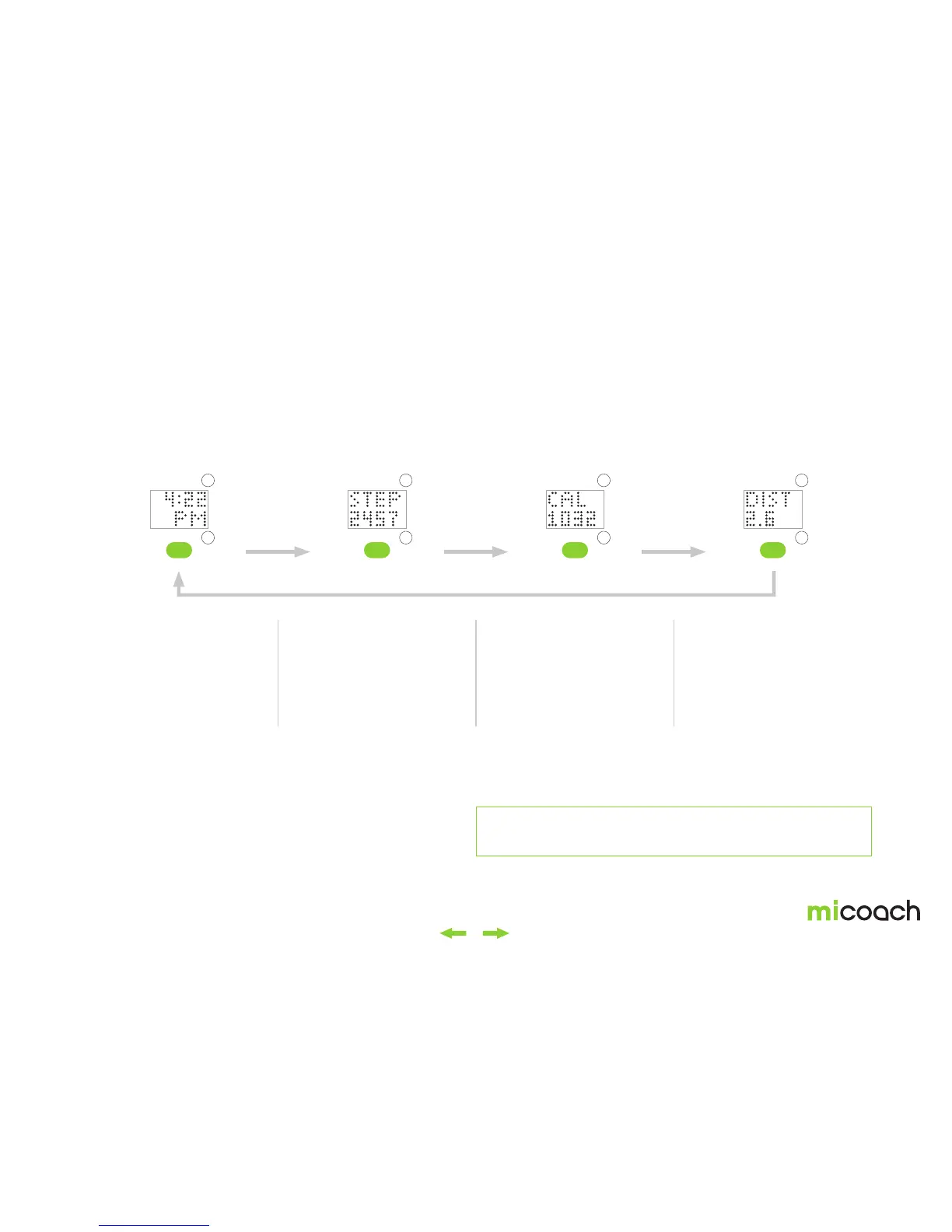
Once you have completed the initial setup, FIT SMART will begin tracking your daily activity. Steps, calories, and distance will be recorded. Activity tracking metrics can be
accessed from the time menu:
1. Open the time menu 2. View Steps 3. View Calories 4. View Distance
Activity tracking stats can
be accessed from the time
menu. This is usually the first
item that appears on your
FIT SMART but can also be
toggled to. Press the center
button to enter the activity
tracking sub-menu.
Steps will include steps
taken during both daily
activity and workout
activities.
FIT SMART monitors both
active and inactive calorie
burn.
Press the center button
to return to the time menu
From the time menu you
can navigate to other menu
options.
Your default activity goal will be 6000 steps. To change your activity goal, see section 3.1.2.
Note: When FITSMART is sleeping activity tracking data will refresh and update every 5 minutes.


 To Next Page