28
3.2.7 Completing a Coached Workout
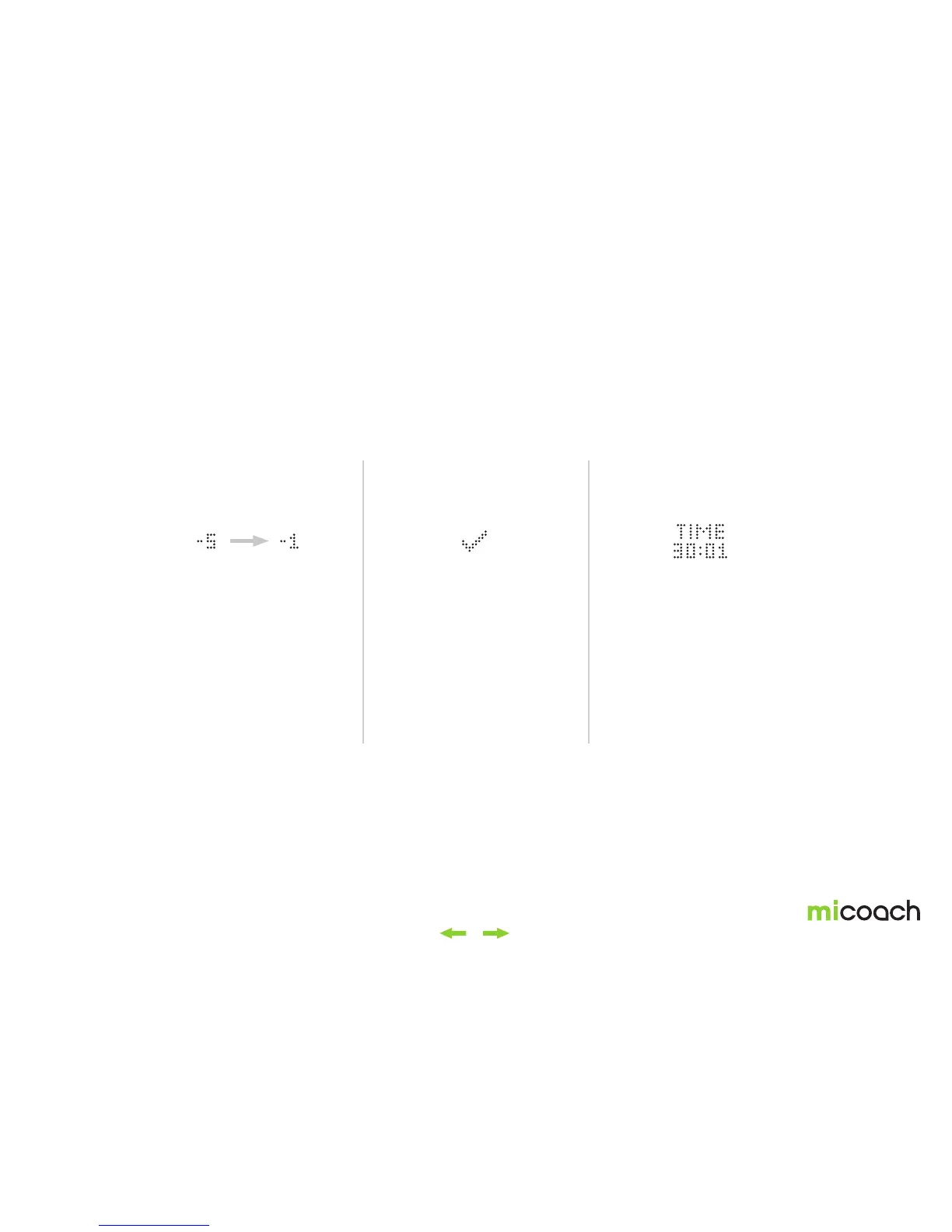
As the coached workout comes to an end, your FITSMART will display a countdown from 5 to 0. Once it’s done, you can decide if you want to keep running, which will be tracked
as a Free Workout, or end the workout via a long center button press and toggling to the end workout icon.
1. Countdown 2. Workout completed 3. Elapsed time
During the final 5 seconds of the
workout, your FITSMART will display
a countdown of -5, -4, -3, -2, -1, 0.
Once the countdown is finished,
the workout completed screen is
displayed for 1 second.
Note:
Once the Coached Workout is
finished, you’ll need to manually
end the workout in order to save the
data. See section 3.2.9 for how to
manually pause or end a workout.
After the workout completed
screen, the workout continues as a
Free Workout. Heart rate and pace
zones are still displayed on the light
pipe, but coaching prompts aren’t
given anymore.


 To Next Page