46
4.1.3 Completing an Assessment Workout with your FITSMART and the app
To customize your FITSMART and personalize your miCoach Zones, which are based on heart rate or pace, it’s recommended to do an Assessment Workout as soon as you start
using your FITSMART.
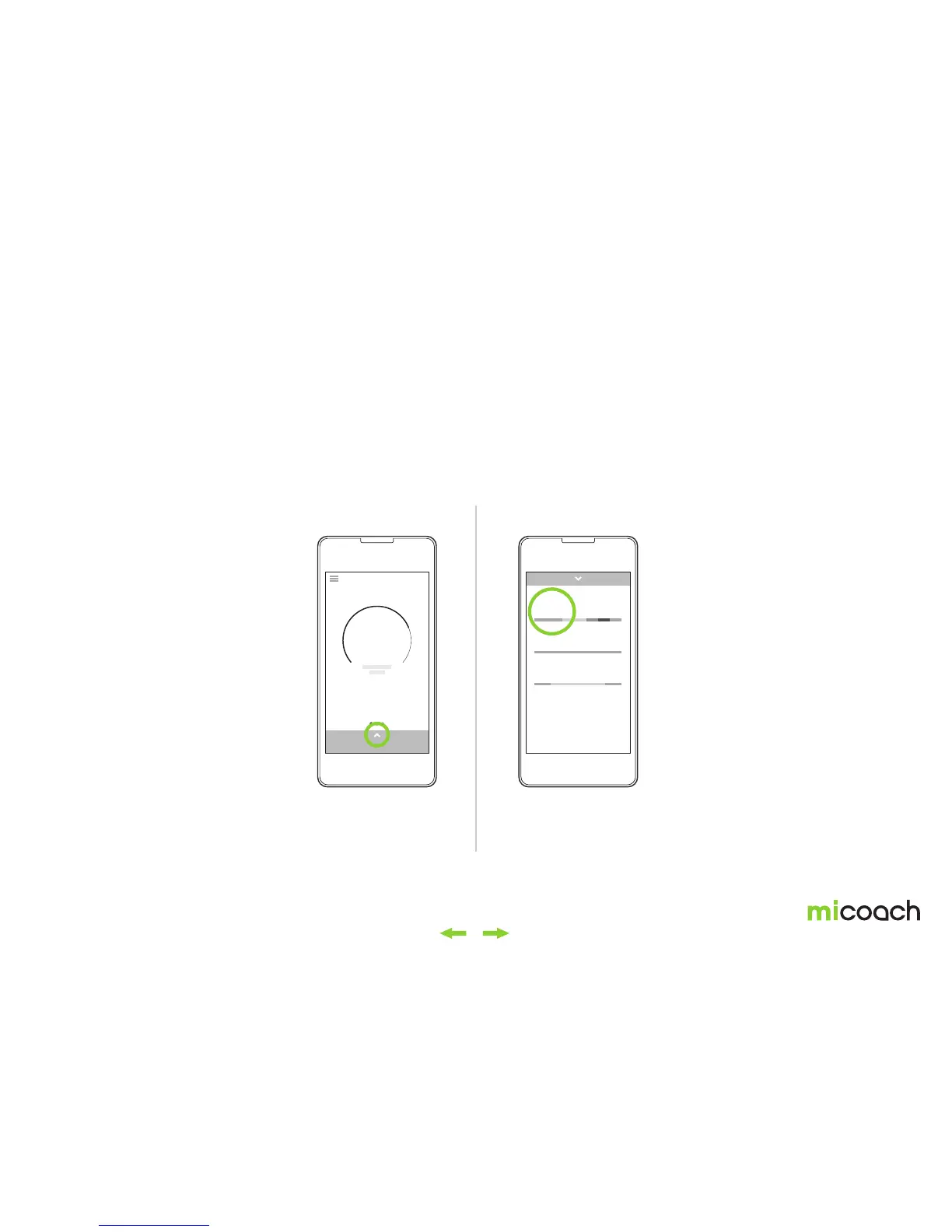
To start the Assessment Workout on the app, swipe upward on the home screen. The Assessment Workout will be found in the workout list. Tap it to start your Assessment Workout.
Before starting your Assessment Workout on the app, make sure your FITSMART is paired with your mobile device. The app will recognize your FITSMART and initiate the heart
rate detection. Once your heart rate is detected, you can press the center button on your FITSMART to begin.
Select the Assessment WorkoutSwipe up from the home screen
The Assessment Workout
is always found in the
workout list.
From the home screen,
swipe upwards to reveal
the default workouts on
the app.
ACTIVITY
today
4911
steps
3742
cals
2.34
km
ASSESSMENT WORKOUT
00:12:00
BLUE WORKOUT
00:15:00
GREEN WORKOUT
00:30:00


 To Next Page