39
3.7.1 Battery status during charging
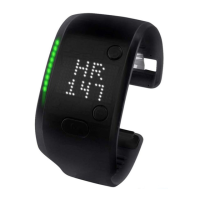
When you plug your FITSMART into its charger, the current battery status is shown on the display for 10 seconds and the light pipe shows the charging level and status. To check
the battery status during charging, simply press the center button.
Light pipe charging status
Solid lights on the light pipe show the battery’s current charge level. Blinking lights on the light pipe show that your FITSMART is charging.
0-9%
60-69%
10-19%
70-79%
20-29%
80-89%
30-39%
90-99%
40-49%
100%
50-59%


 To Next Page