52
5.3 Viewing double metrics during a workout
Toggle to switch between the displayed metrics. Set up the order of the metrics and their configuration (one or two per screen) from the app.
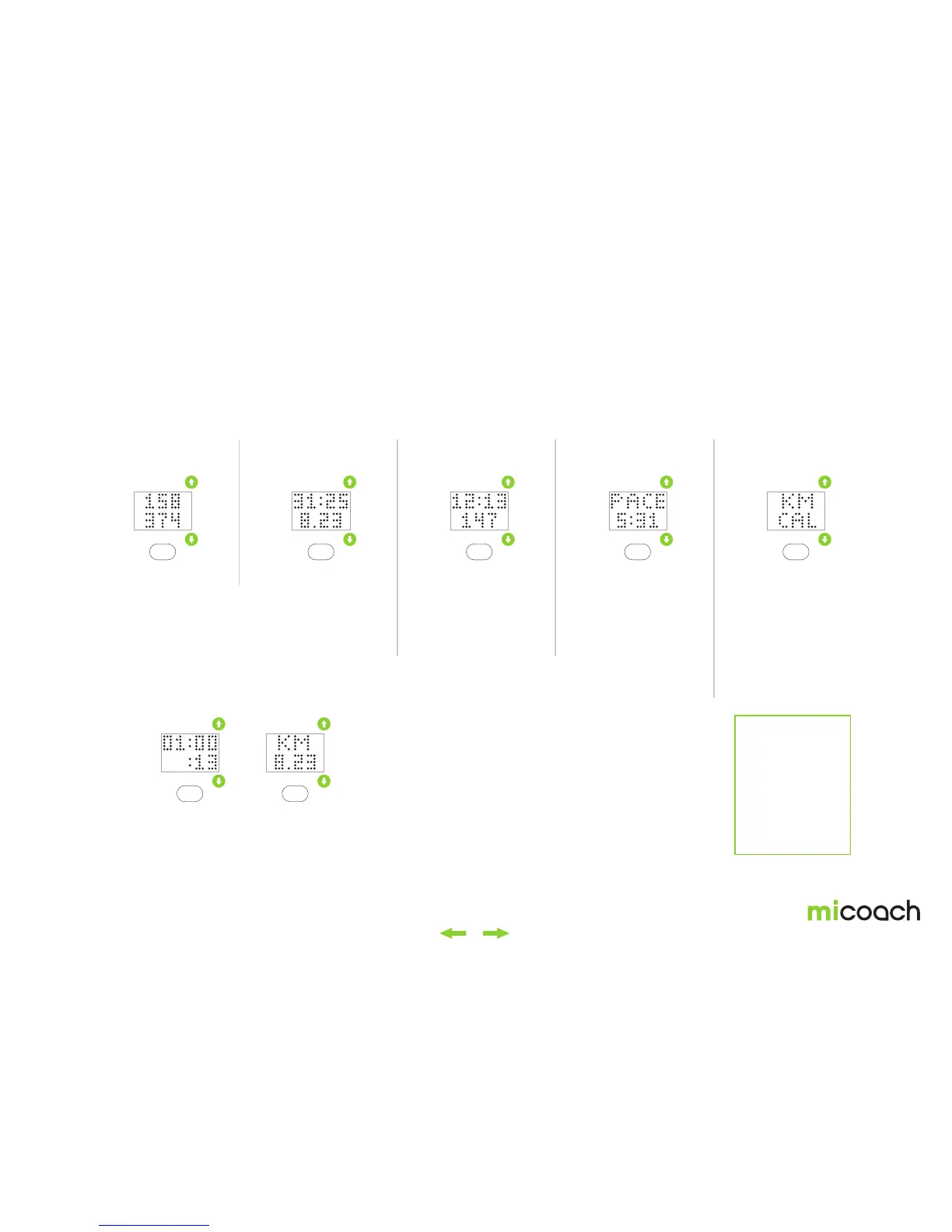
1. Heart rate + calories
Elapsed time over 60 minutes
2. Time + distance Clock Metric namesOdd number of metrics
Users need to toggle up or down with side buttons to view
next/previous metric screen.
The clock can be
combined in the same
fashion as all other
metrics.
In case there’s an odd
number of metrics, the
last screen has a single
metric with the metric
name.
A screen with two metric
names is shown for 2
seconds before the
metrics. You can turn off
the metric description
screen from the miCoach
train & run app when
using double metrics.
If a workout lasts longer than 60 minutes, the hour and minutes (HH:MM)
are shown on the first line and seconds are shown on the bottom line (:SS).
In the double metric view, both the time and the previously paired metric
are moved to individual screens.
Note:
You can configure
combinations
of double and
single metric
screen layouts.
See section 5 for
more details


 To Next Page