56
6.4 Factory reset
Your FITSMART can be reset to its factory settings (out of box) by pressing all three buttons simultaneously for 5 seconds. This action can be performed if you want to have all
your settings, workouts and data removed from your device to give it to a friend or a family member, for example, or if your device is frozen up and can’t be operated otherwise
anymore.
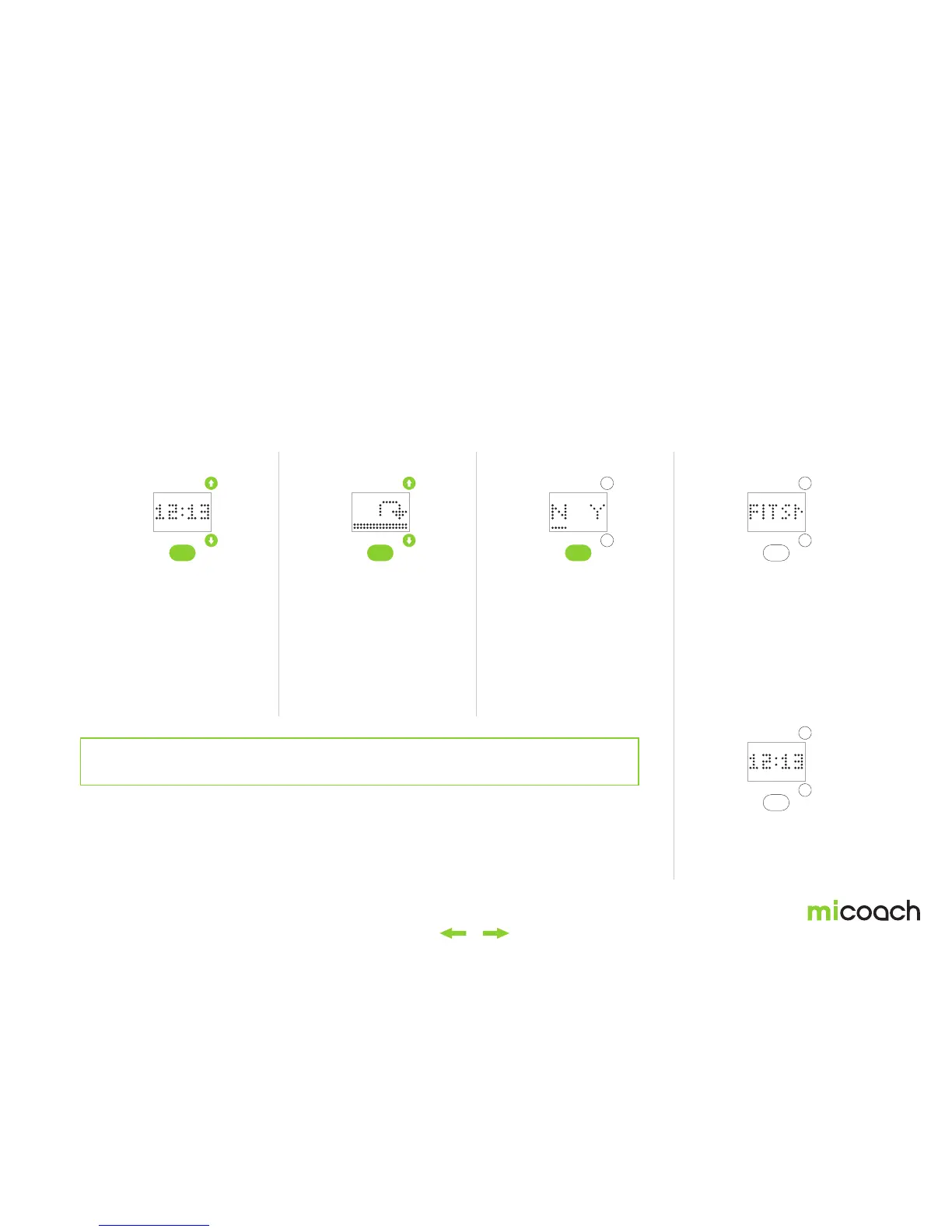
1. Initiate factory reset 2. Factory resetting 3. Factory reset confirmation 4a. After the factory reset
4b. Cancel factory reset
Long press all three buttons
for 5 seconds to initiate a
factory reset.
During the 5 seconds, the
progress animation and icon
shown above are displayed.
After the 5 second
countdown, you’ll be asked
to confirm if you want to
reset your FIT SMART to
factory defaults. “N“ for no
is selected by default and
you can select “Y“ for yes
by using the side buttons
and selecting this option via
center button press.
After the factory reset has
been completed, your FIT
SMART should be in a first
time use state and should
power on immediately after
the reset. (See “Getting
Started 2.2.3“)
If you select „N“ the factory
reset will be canceled and
you will return to the time
menu.
Warning: Performing a factory reset of your FITSMART will permanently delete any unsynced
workout and activity tracking data along with all device settings. This cannot be undone.


 To Next Page