37
3.6 Using FITSMART with other mobile apps
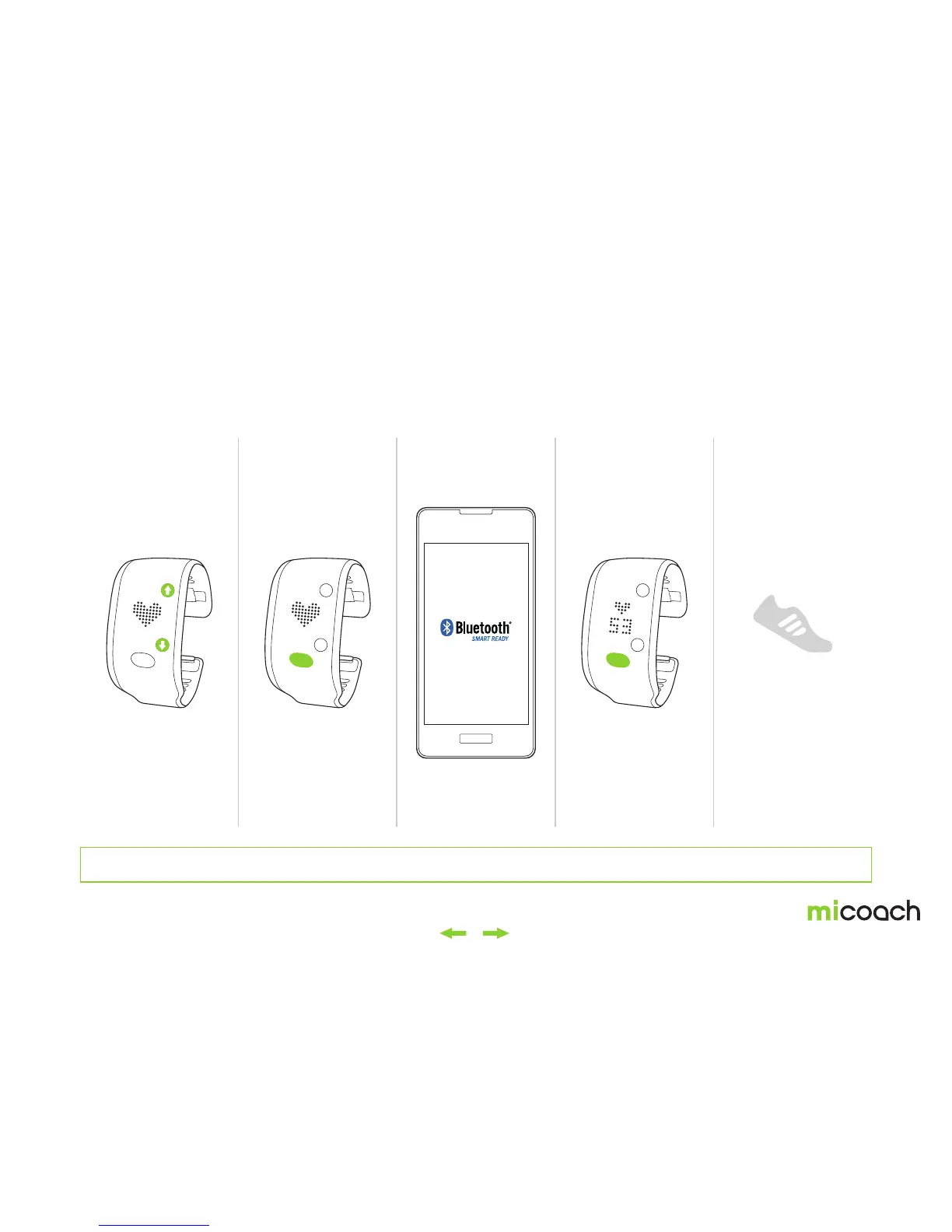
Your FITSMART can function as a heart rate monitor with other mobile apps. For FITSMART to be discoverable by other apps it must be in heart rate mode. To pair FITSMART with
other apps, follow these steps:
*Pairing processes may vary depending on the app you are using. Refer to your app’s instructions on pairing sensors for more.
1. Navigate to heart
rate screen
2. Press center button to
begin heart rate detection
3. Follow the pairing
instructions for your app
5. Begin the workout
on your app.
4. If pairing has been
successful, your heart rate
will be shown on the FIT
SMART and your app*
For most apps, you can
usually pair directly to the
device in the Bluetooth®
settings of your phone.


 To Next Page