32
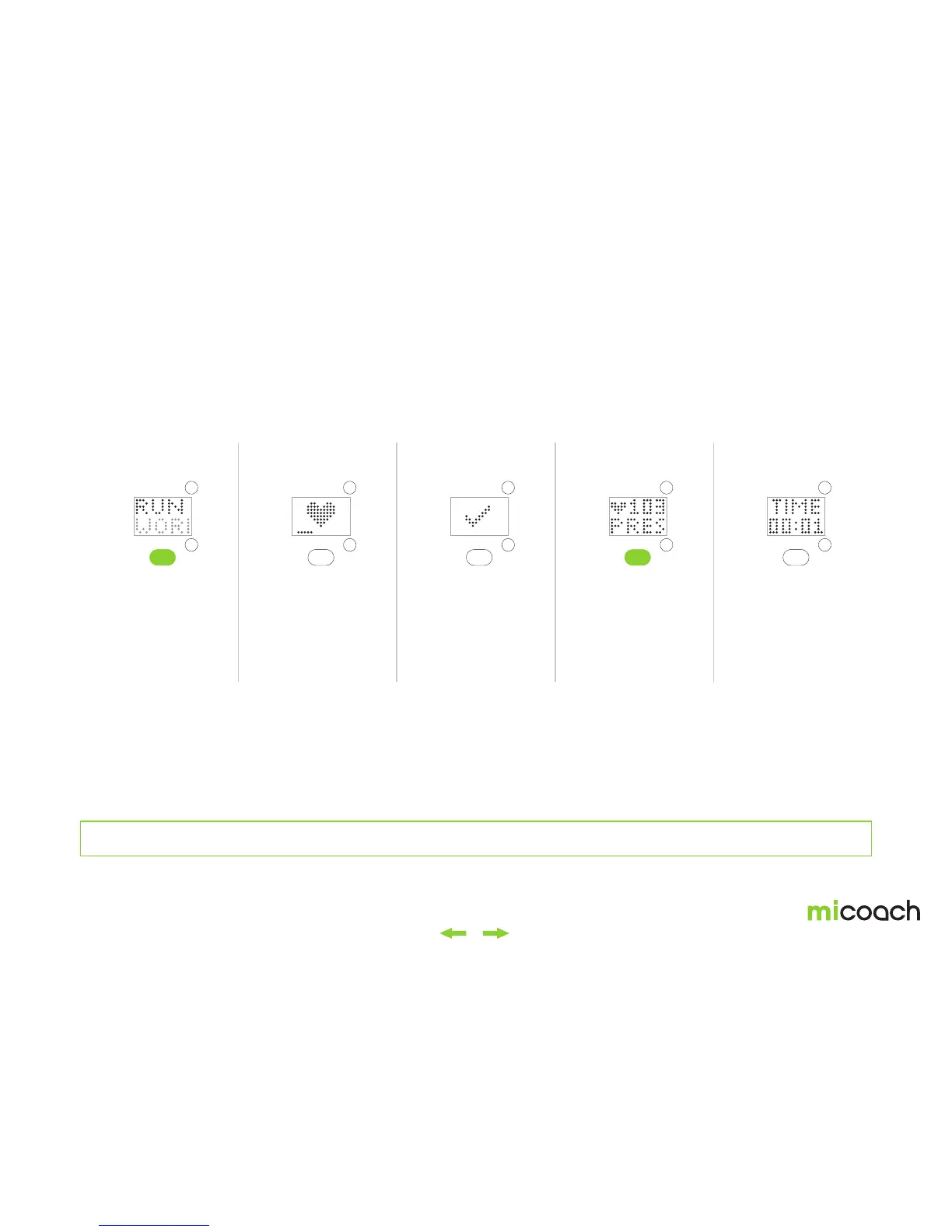
3.3.1 Starting a Free Workout
To create manual splits, see section 3.2.8. To pause or end your workout, see section 3.2.9. To sync your workout data, see section 2.3.3.
1. Select a Run or
Gym workout
2. Begin heart
rate detection*
3. Heart rate detected 5. Workout started4. Start workout
From the Time menu,
navigate to either the
‘RUN’ or ‘GYM’ Free
Workout menu options.
Use the center button to
select.
With the FITSMART worn
snug around your wrist,
heart rate detection
begins automatically.
* Press center button to cancel
heart rate detection.
A check mark is displayed
once your heart rate has
been found.
* See section 2.2.2 for tips on
how to wear your FITSMART for
optimal heart rate detection
Press the center button to
begin a Free Workout.


 To Next Page