5-34 ADS TRITON+ Manual
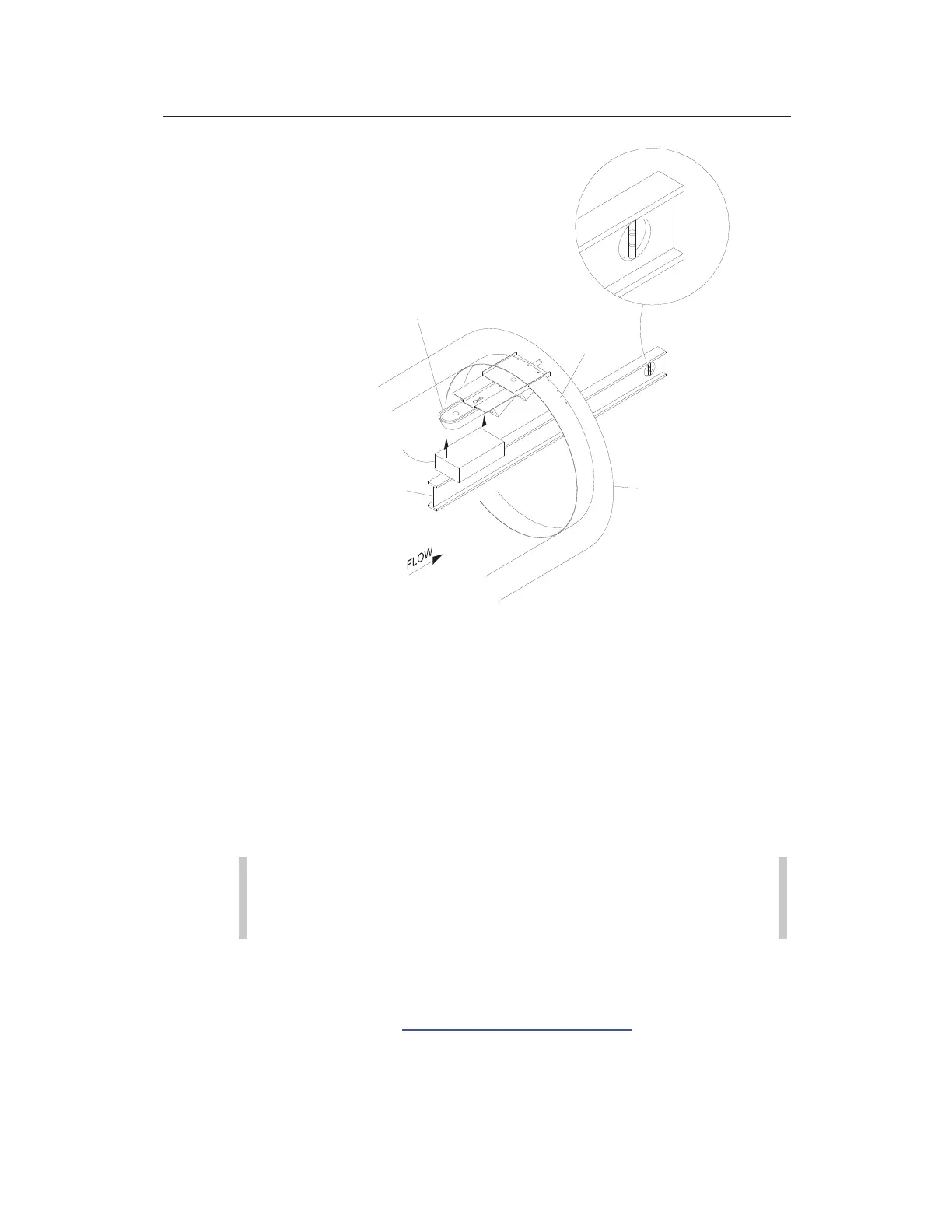
Leveling the Surface Combo/Ultrasonic Depth sensor
If necessary, adjust the level in either sensor in the following
way:
Remove the sensor from the mounting plate.
Loosen the ring slightly to allow the plate to move on the
ring.
Tap the sensor mounting plate to the right or left with a
rubber mallet until it is level.
Warning: Tapping the mounting plate with the sensor
attached could damage the sensor. Always remove the
sensor before tapping the plate with a mallet.
Reattach the sensor to the mounting plate and recheck the
level. For the ParaDepth and ParaFlow sensors, Qstart
XML
can be used to determine sensor rotation and slope. See
Chapter 4, Running Sensor Diagnostics for more
information.
SURFACE COMBO/ULTRASONIC DEPTH SENSOR
WOOD BLOCK SPACER
LEVEL
MANHOLE
RING
PIPE



 To Next Page