Analog and Digital I/O 9-11
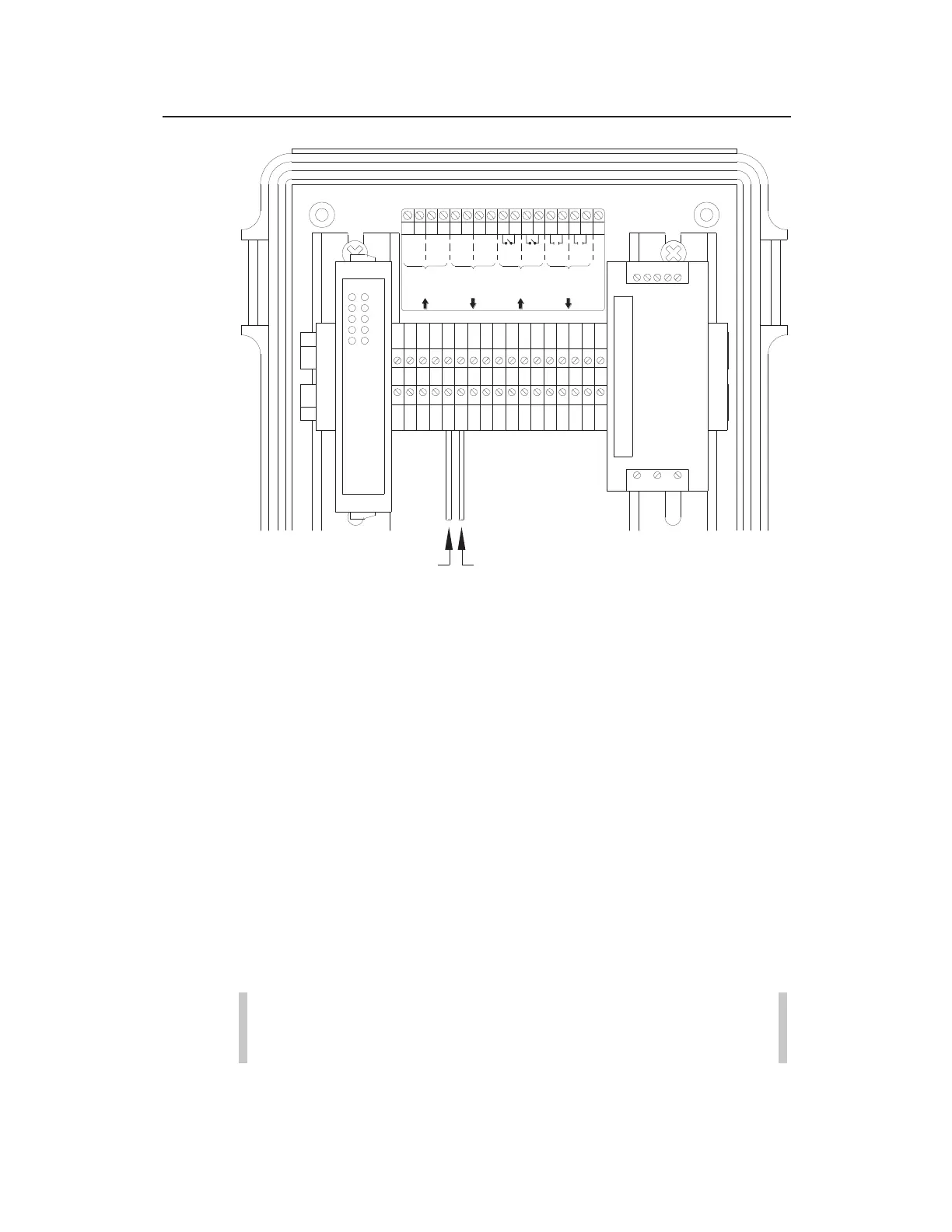
Connecting the positive and negative wires from the third-party device to
Terminals 5 and 6 (analog output terminals) on the I/O terminal block
Connect the other ends of the positive and negative wires
to the third-party device based on the vendor’s
specifications.
Close and latch the door to the XIO.
5. Restore power to the customer’s device and the ADS XIO.
6. Run a test to verify that the third-party instrument is receiving
a correct value from the monitor in the following way:
Enter a test value in the Manual field corresponding to the
appropriate Analog Output (1 or 2) section of the XIO
Device dialog in Qstart
XML
, and select the Enable Manual
checkbox. This value must fall within the range
designated in the associated Min and Max Value fields.
Note: ADS recommends testing both analog outputs at
the same time.
I/O TERMINAL BLOCK
12345678910111213
14 15 16 17
1 2 1 2 I1 I2 R1 R2
+
-
+
-
+
-
+
-
NC
4-20 mA
Analogue
Outputs
4-20 mA
Analogue
Inputs
Digital
(Switch)
Inputs
Digital
(Relay)
Outputs
1 2 3 4 5 6 7 8 9 1011121314151617
ANALOG OUTPUT TERMINALS
Positive Wire Negative Wire



 To Next Page