11-18 ADS TRITON+ Manual
13. Coil the excess cabling around the inner wall of the canister,
and carefully lower the top/dome assembly back onto the
canister. Keeping the proper orientation between the canister
and the top is critical to maintaining the watertight and airtight
seal on the monitor. Once the top has been torqued down after
manufacture, the sealing gasket develops a memory profile of
the canister lip. Reassembling the two pieces in the same
orientation as before helps the gasket mate correctly with the
canister lip.
Note: Be careful to avoid pinching the battery cable
between the canister sealing lip and the gasket on the
monitor top during reassembly. The cable also can get
trapped between the two parts while tightening the bolts on
the monitor top, preventing an effective air/watertight seal
and potentially damaging the battery cable and/or gasket.
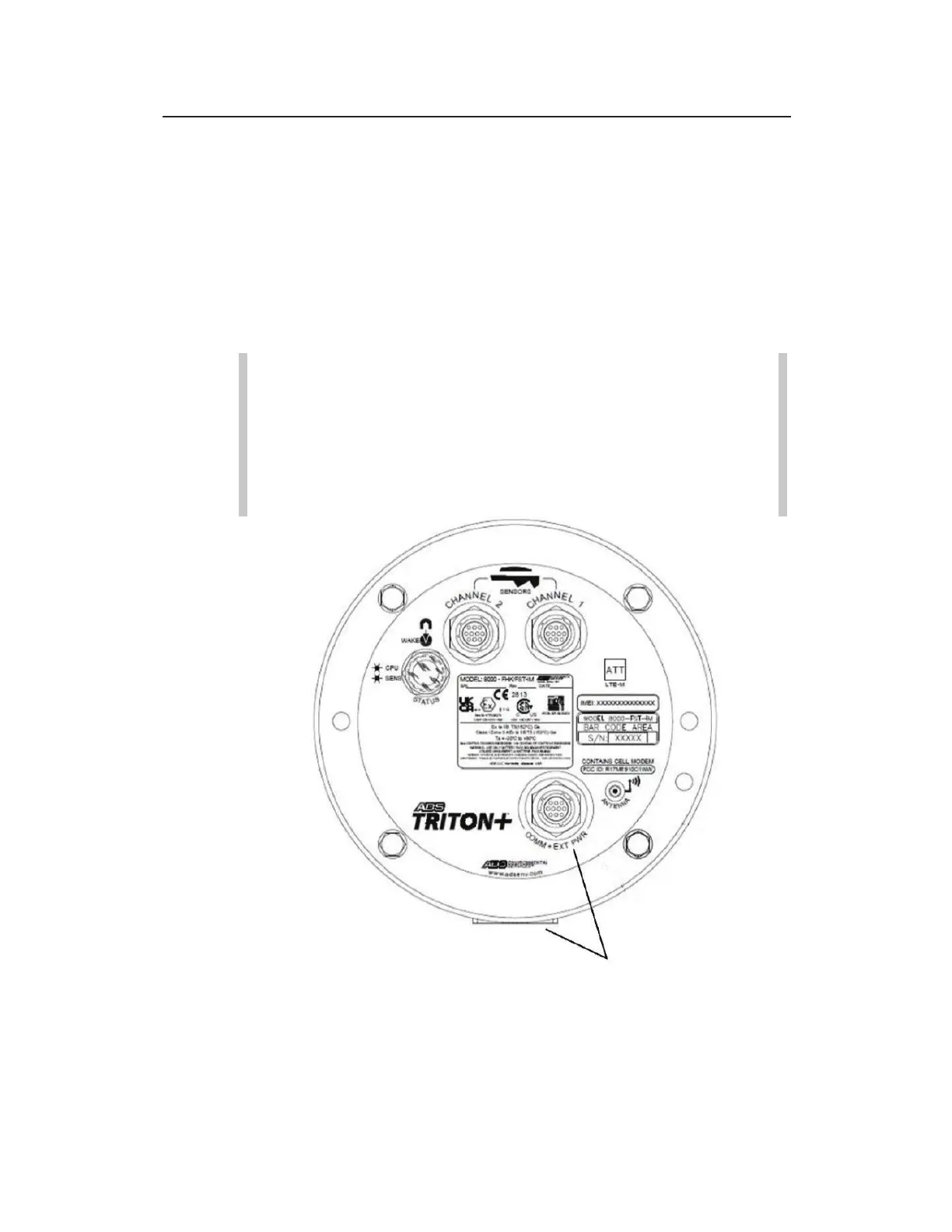
Returning the monitor top to the proper orientation with the canister – Align
COMM+EXT PWR Connector with the backside of canister and molded
mounting flange.



 To Next Page