Maintenance and Troubleshooting 11-39
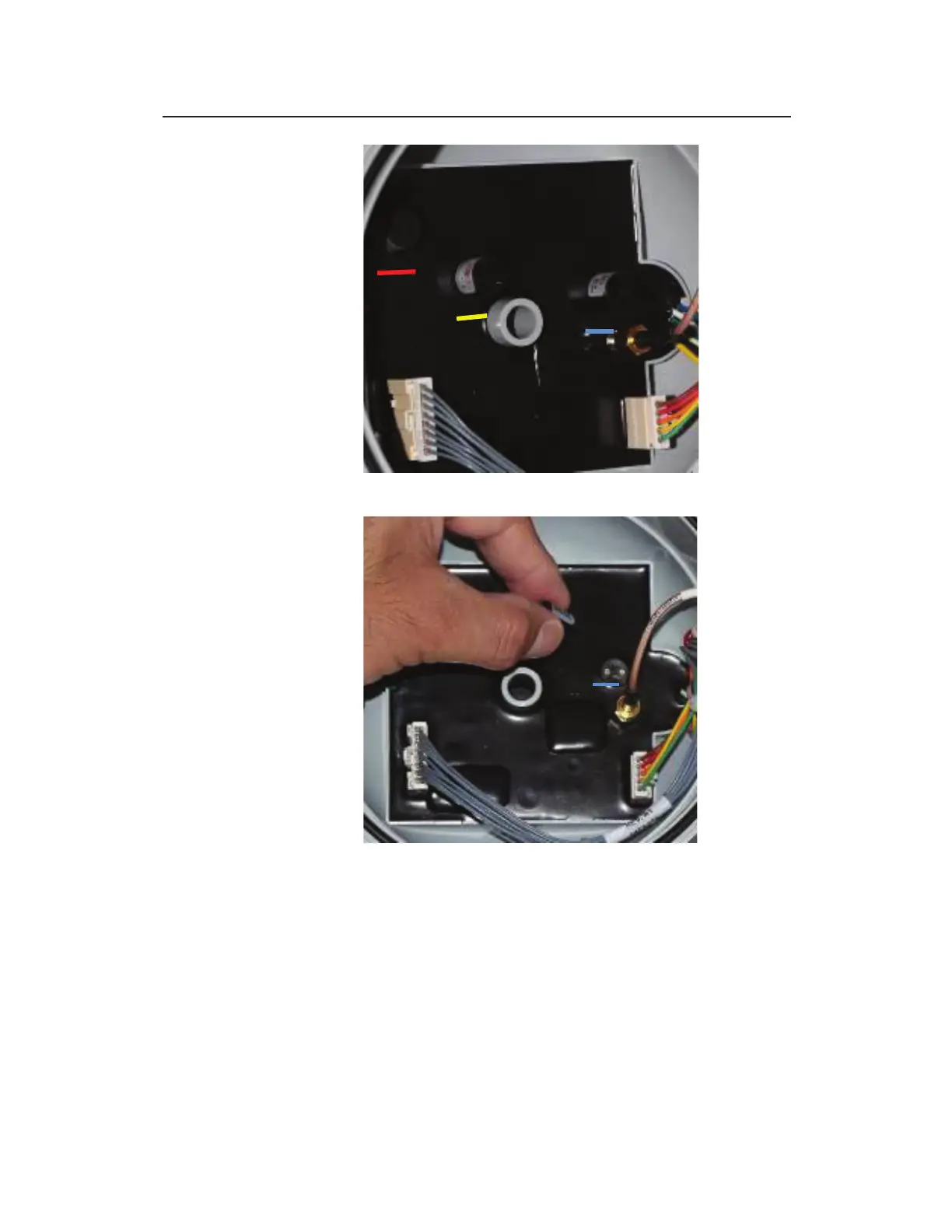
Close up of regulator board showing the three color-coded fuses
Blue fuse removed from the regulator board
14. Carefully insert the new, replacement fuse(s) into the
corresponding holes in the dome without bending the fuse
filaments. Verify that the color strip on the fuse matches the
color on the regulator board adjacent to the holes. Make sure
the fuse(s) is seated firmly and securely.
15. Realign and reseat the dome against the monitor top, and
replace the thumb nut to secure the dome to the top.



 To Next Page