Total Access 372 Small Business Unit ONT Installation and Maintenance Guide
20 61287722G1-5B
6. ReinserttherubbergrommetwiththegroundwirebackintheSBUONThousing(see
Step3inFigure8onpage19).
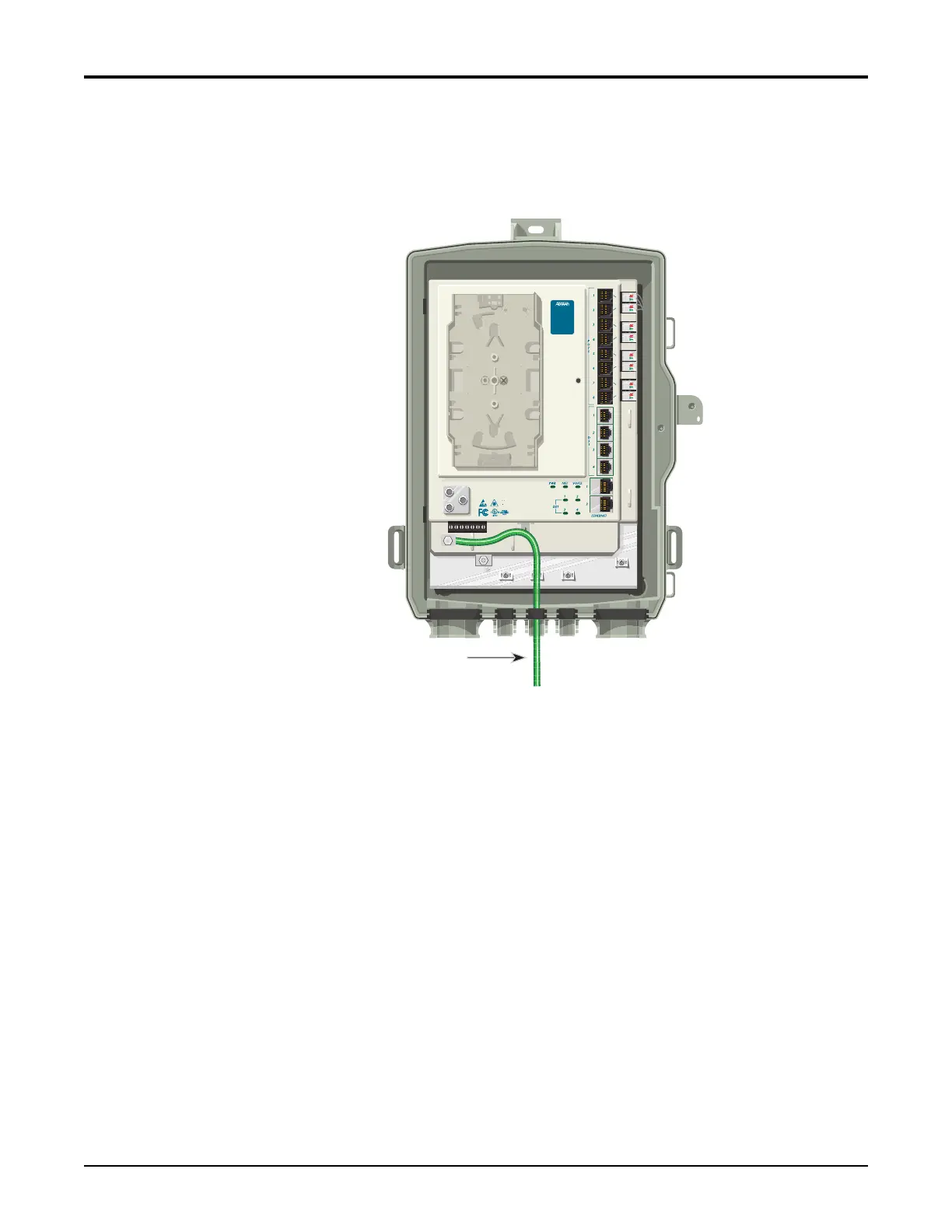
7. EnsurethegroundwireisroutedasshowninFigure9.
Figure 9. SBU ONT Ground Connection
8. Routethe12AWGgroundwire12”belowfinishedgradeby theshortestandmostdirect
routetotheACMult
ipleGroundNeutral(MGN)ofthesubscriberpremisesfreeofany
sharpbends.(Seethe“A l t e r n a t i v e GroundingMethod”onpage 21ifMGNisnot
available).
9. Attachthe12AWGgroundwiretothesideofthesubscriberpremiseswith stainlesssteel
halfmoonclampsortie‐wrapthegroundtotheriserconduitoftheburiedfi
bercable
dr
op.Whenusingtie‐wrapswaituntiltheLimitedPowerSource(LPS)wirerunhasbeen
installedandtie‐wrapboththe12AWGgroundwireandtheLPSwireruntotheriser
conduitoftheburiedfiberdropcable.
10.
Clea
ntheMGNconnectorwithemeryclothtoinsureastableconnection.
11. Coattheconnectionwithametalcorrosionpreventative.
12. Connectthegroundwiretothegroundlugandtighten.
13. AttachaWarningGroundTagtothisgroundingconnection.
Ground
Note: Color for this
and other illustrations
is for clarity purposes
only.
TELEPHONE TROUBLESHOOTING:
1. Identify the bad line (POTS 1-8).
2. Plug any working phone into
the appropriate jack.
If the telephone works, the unit
is functioning normally.
If the telephone does not work,
contact your service provider.
3. Remove the telephone from the
POTS jack.
TOTAL ACCESS 372
1287722G1








 To Next Page