Total Access 372 Small Business Unit ONT Installation and Maintenance Guide
24 61287722G1-5B
Installation of the Power Supply
•Beforemakinganypowerconnectionstothisequipment,verifythepower
isoff(fuseremoved/breakertripped).
•This equipmentshouldonlybeoperatedfromthetypeofcertified/listed
powersupplysuppliedbythemanufacturerwiththeequipment.
Wheninstallingthe UPS, refertotheUPSmanufacture’smounting
instructionswherepossible.
Toinstalltheuninterrup tiblepowersupply(UPS)completethefollowingsteps:
1. SelectalocationfortheUPS.Whenmakingthisdetermination,considerthefollowing:
•Thisunitisnotappropriateforoutdoorplacement.
•PlacetheUPSinasafearea,freeofexcessivedust,andwithadequateairflow.
• RefertoUPStechnicalspecificationstab
lefordetailsontemperatureandhumidity
requirements.Donotoperateoutsidethesespecifiedlimits.
2. Usethetemplateenclosedwiththeunittomarktheinstallationlocation.
3. RemovethebatterycoverfromtheUPSunitandremovethestrapfromthebattery
holdingittotheshel foftheunit.
4. Disconnecttheba
tterycableattheba
tteryterminalsifalreadyconnectedtothebattery.
5. Removethebattery.
6. MounttheUPSusingscrewsappropriateforthetotalweightoftheUPSandthe
mountingsurfacematerial.
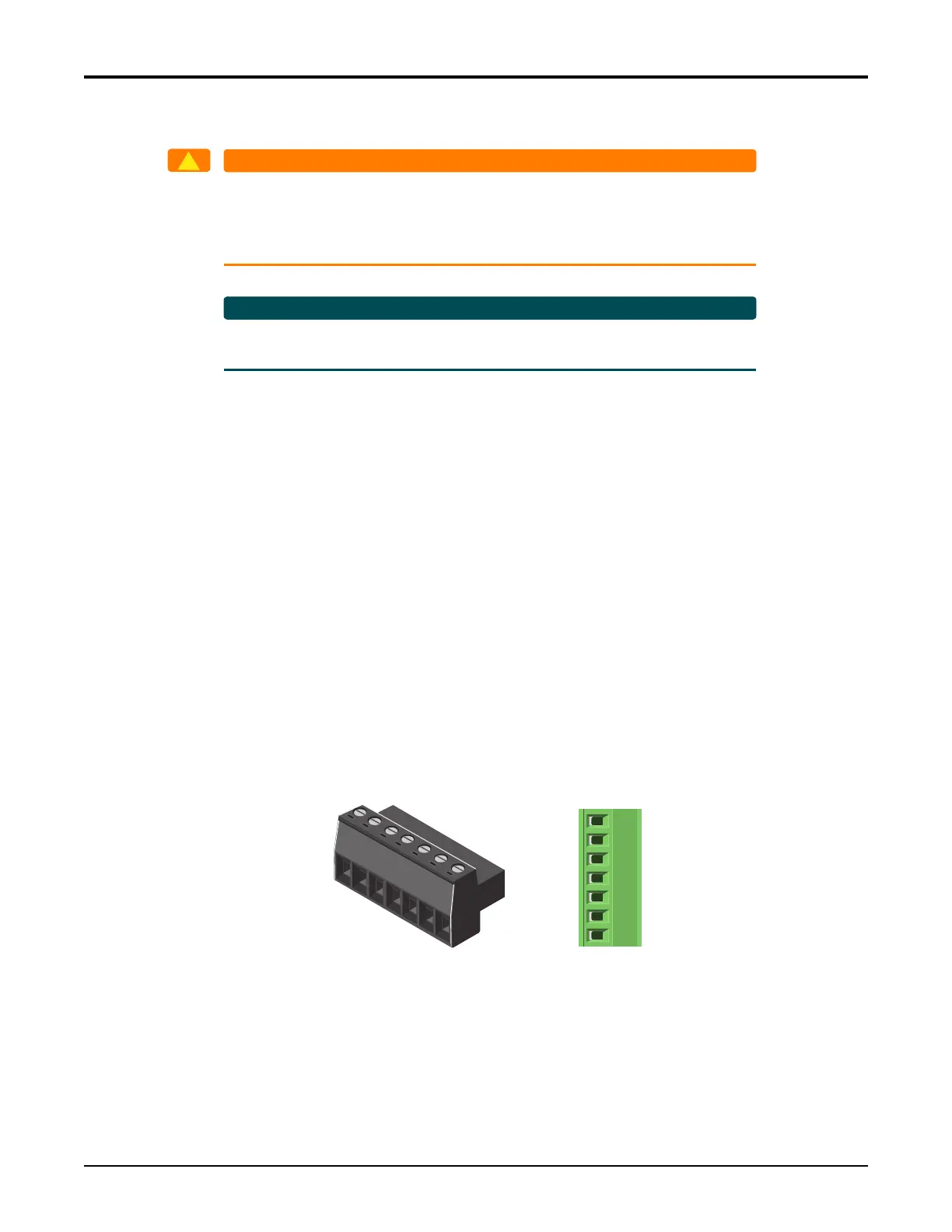
7. ConnecttheUPScablewires(seeFigure12).
8. Replacethebatteryandsecurethebatterywiththestrap.
F
i
gure 12. UPS Power Connection
Pin 1
Pin 7
1
2
3
4
5
6
7
UPS Power
Connector
Power/Alarm
Connector
Low Battery
Battery Missing
Replace Battery
On Battery
Signal Return
12V Return
+12VDC








 To Next Page