Total Access 372 Small Business Unit ONT Installation and Maintenance Guide
30 61287722G1-5B
Mounting the Electronics Module Indoors
TheElectronicsModulemustbeinstalledinaRestrictedAccesslocation.
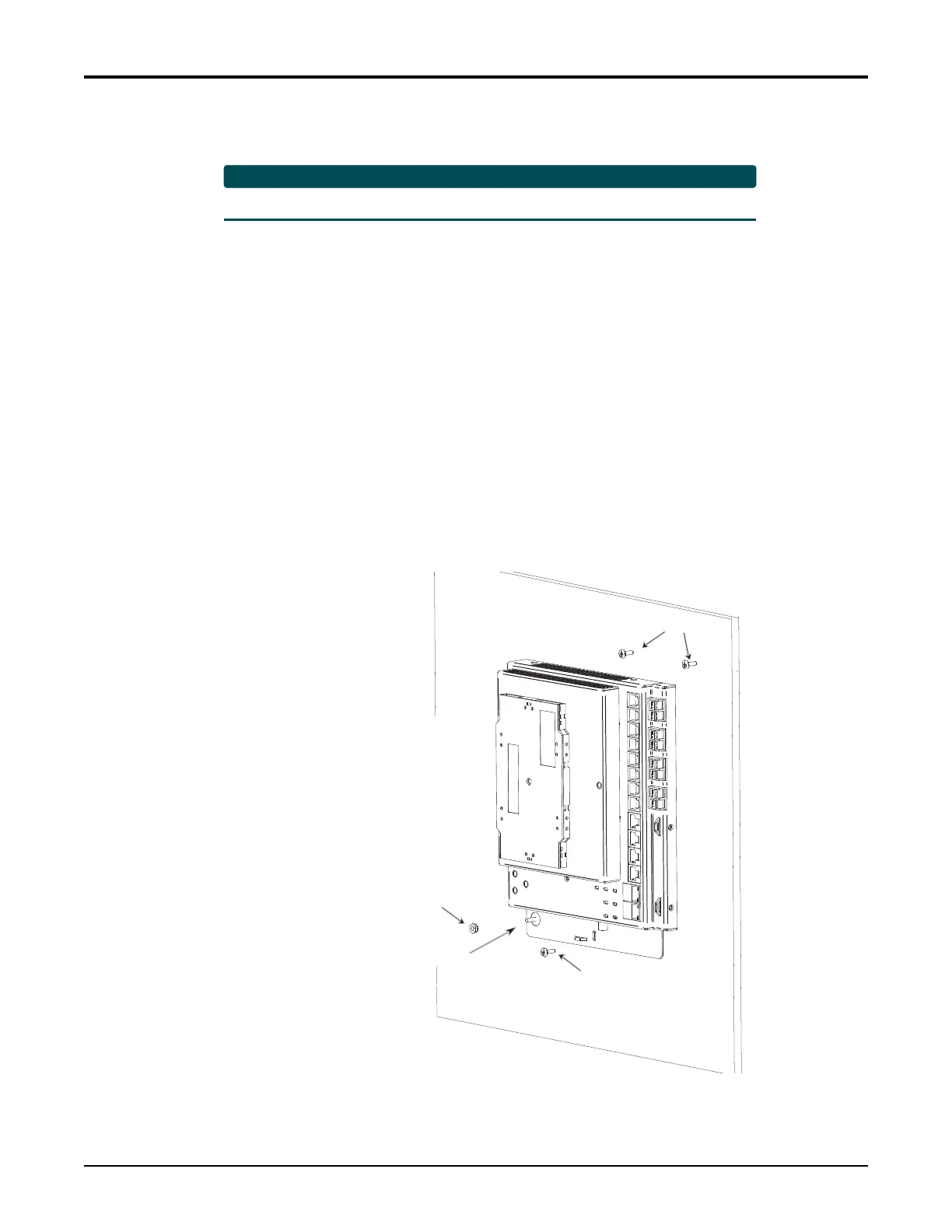
ToinstalltheElectronicsModuleindoors,refertoFigure16andthefollowinginstructions:
1. Chooseaverticalsurfacenearanapprovedground.
2. Attacha3/4inchmountingboard(typicallyplywood)tothewallstudsusingfour,2.5
inchorgreaterwoodscrews.(Thisprovideslo
ng‐termstabilityforthemodule.)
3. UsethetwokeyholesonthereverseoftheElectronicsModuleaslocationmarksand
installtwo#6PanHeadscrews(1inchorlonger).Leaveapproximately1/16inch
protrudingfromthemountingsurface.
4. SlidetheElectronicsModuleoverthePanHeadscrewsandexer
tasmallamountof
down
wardpressuretoensurethatthetopoftheslotsarerestingontheshaftsofthe
screws.
5. LocktheElectronicsModuleinplacewitha#6PanHeadscrewthroughtheslotonthe
bottomoftheElectronicsModule.
6. AttachtheGroundingWiretotheGroun
dLugandsec
ureusingtheGroundLugNut.
Donotovertighten.
Figure 16. Indoor Mounting
#6 Screws
Ground Lug
Ground Lug Nut
#6 Screw
Plywood Support








 To Next Page