30 / 94 DLT-V72 Series Manual V2.00 Advantech-DLoG
6.2.3. Antenna solutions for use in Germany
The Advantech-DLoG antenna solutions are based on the prevailing IEEE 802.11 standard. This
standard allows wireless data transfer at rates from 1 Mbps to 54 Mbps (300 Mbps if using
IEEE 802.11n) using the 2.4 GHz and 5 GHz frequency band.
6.2.4. Wi-Fi configuration with LCM or WZC
A default profile with basic settings for Wi-Fi operation is defined at the factory. To create a custom
profile, please use the Wi-Fi configuration program that is preinstalled on your DLT-V72.
Depending on the Wi-Fi driver used, the following configuration programs are available:
Configuration program
Laird Connection Manager (LCM) Password: SUMMIT (Upper case mandatory)
Windows Zero Configuration (WZC) No password required
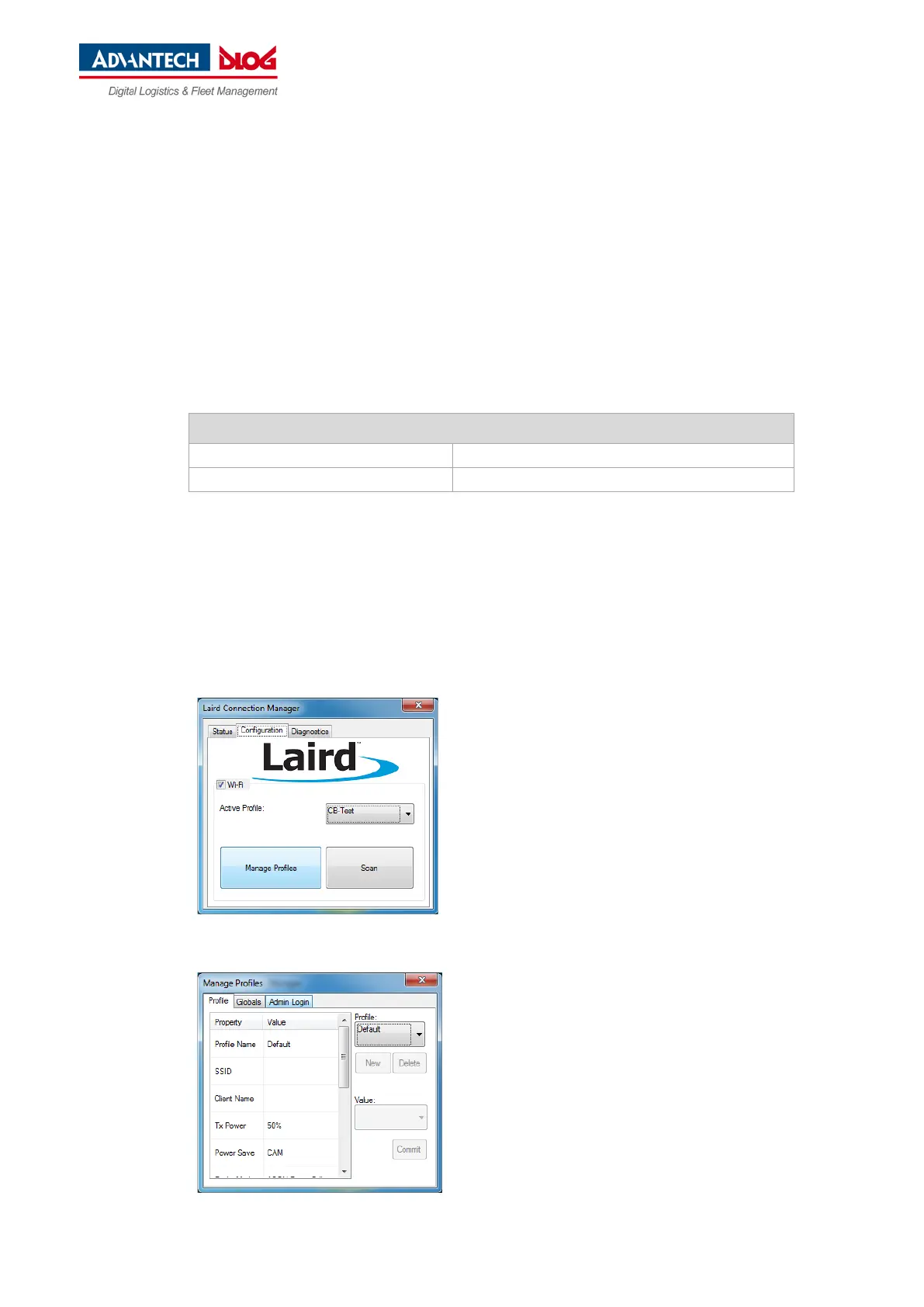
6.2.5. Laird Connection Manager (LCM)
Start LCM:
By clicking the LCM icon on the desktop
Or by choosing Start > Programs > Summit > Laird Connection Manager
Fig. 6.1: LCM Configuration, Manage Profiles
Depending on the configuration, you may have to enter
a password.
To do this, click Configuration -> Manage
Profiles.
Fig. 6.2: LCM Manage Profiles, Admin Login
Click the Admin Login tab.



 To Next Page