38 / 94 DLT-V72 Series Manual V2.00 Advantech-DLoG
Examples for RAM Mount Set mounting materials
RAM Mount Set short (arm length, 130 mm) RAM Mount
Set long (arm length 215 mm)
ADLoG order no: DL-CMEMT70129800 ADLoG order no: DL-CMEMT70129700
Fixing plate RAM Mount VESA
Mounting bracket VESA
Washer spring A6 DIN128 FSt galvan.
Cylinder-head screws int.hex DIN912 M6x16
V2A
Washer ISO 8738 (DIN 1440)-A6-A2
Fixing plate RAM Mount VESA
Mounting bracket VESA
Washer spring A6 DIN128 FSt galvan.
Cylinder-head screws int.hex DIN912 M6x16
V2A
Washer ISO 8738 (DIN 1440)-A6-A2
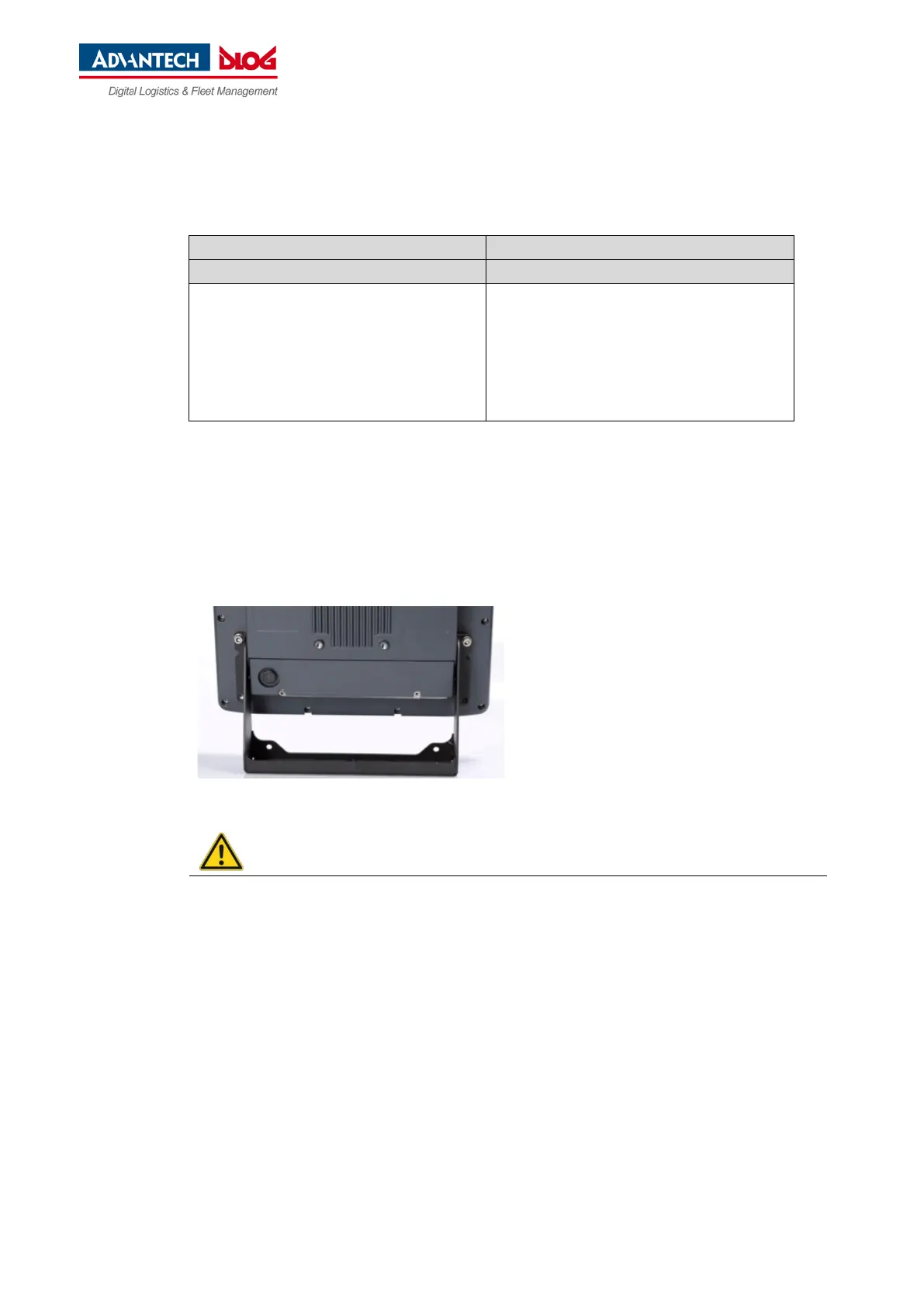
7.3.2. Attach the ADLoG mounting bracket
The housing of the DLT-V72 has holes provided for attaching an ADLoG mounting bracket.
Fig. 7.2: ADLoG mounting bracket on the DLT-V72
Screw-in depth: M6 x 6 mm
Suitable mounting material:
− Cylinder head screws DIN912 M6
− Washers DIN 125 - A 6.4
Risk of accident during vehicle operation if the mounting of the DLT-V72 becomes loose and
breaks while driving.
Please observe the following when attaching the ADLoG mounting bracket:
− Special mechanical knowledge is required for correct mounting!
− Use suitable mounting material (screws and washers).
− Observe the maximum screw-in depth of the holes of the DLT-V72: The recommended screw-in
depth of Dx1 always applies (screw diameter x 1).



 To Next Page