Advantech-DLoG DLT-V72 Series Manual V2.00 39 / 94
7.3.3. Attach the ADLoG accessories
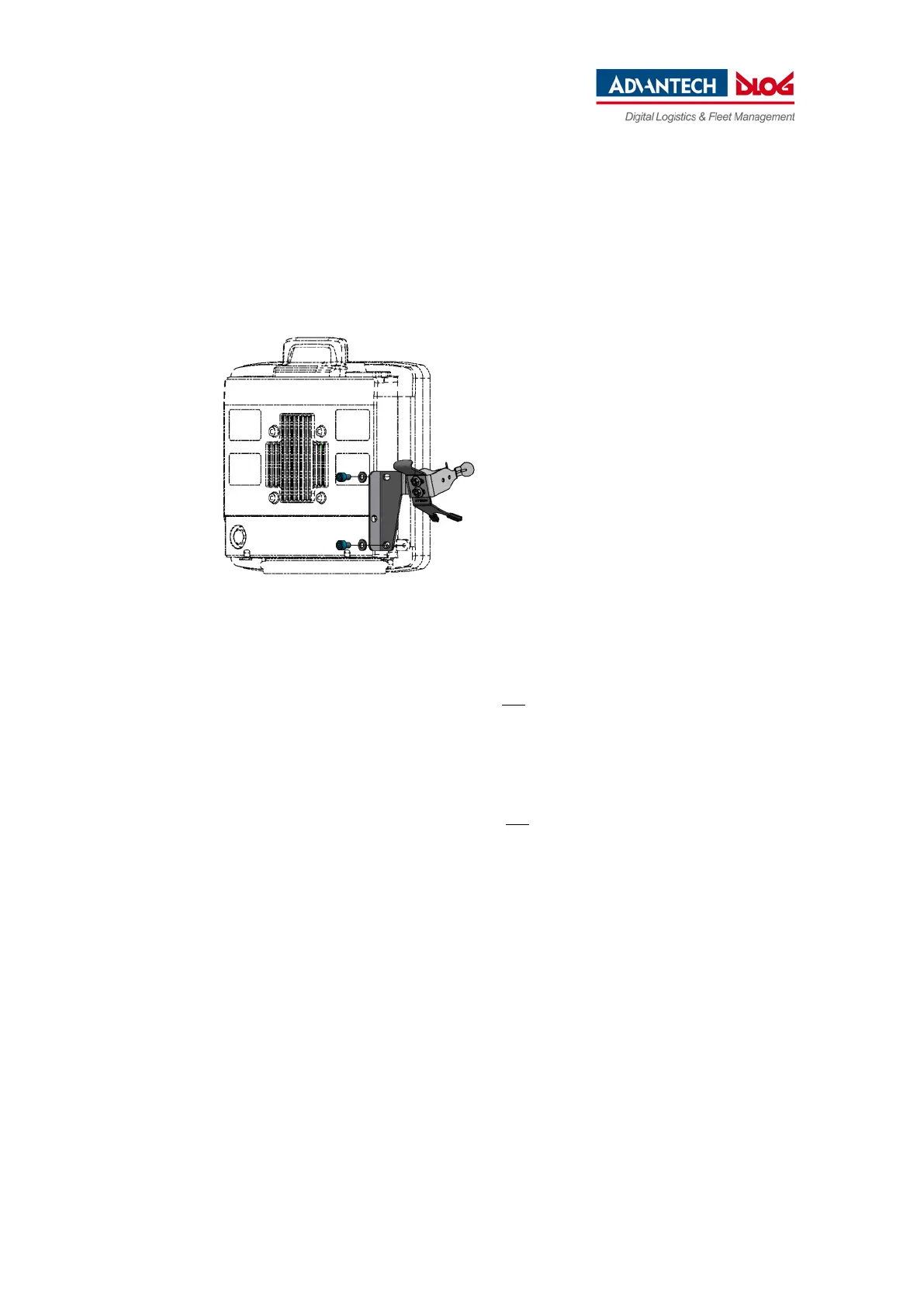
The housing of the DLT-V72 has holes provided for attaching an ADLoG accessory.
Example:
Fig. 7.3: Scanner mounting attachment
Screw-in depth: M6 x 6 mm
Suitable mounting material:
Cylinder head screw DIN 912 M6
Washer ISO 8738 - A6-A2
Installation sequence if ADLoG mounting bracket and additional accessory are being attached
If you are mounting an ADLoG mounting bracket and a keyboard holder:
− Attach the mounting bracket to the DLT-V72 first.
− Then mount the keyboard holder.
− Only mount the complete system at the deployment location, e.g. to the forklift.
Please note: In addition to the mounting bracket, one accessory holder per side can still be attached in
each case.



 To Next Page