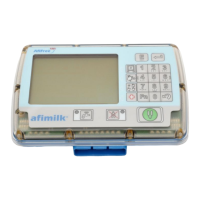
AfiMilk MPC Installation Manual 114
Loading Software onto AfiMilk MPC
Chapter
13
Loading Software into afimilk MPC
When to Upgrade MPC(s)
For proper operation of afimilk system it is important that all the milk meters in the
milking parlor carry the same embedded software version. New software need to be
loaded into an afimilk MPC control unit in one of the following instances:
o A new version is released – In this situation ALL the milk meters need to be
updated to the new version.
o A display unit has been replaced or added - In this situation the new unit needs
to be updated to the same software version as all the other units in the parlor.
If there is a mismatch between the new unit’s software version and the
software version loaded in AfiFarm (indicating the software loaded to the rest
of the parlor), the controller of the new unit will display Boot at the beginning
of milking session. The procedure for updating software in a single unit is
described in a chapter "Replacing a faulty display" in the user manual.
There are two methods for uploading a new embedded software version into an
afimilk MPC performed by an installation technician (user update of specific units per
change of a parlor display is described in a separate document):
o Via a PC command; this method is used for upgrading ALL of the afimilk MPCs
to a new version at a new release
o OR
o Via an afimilk MPC keyboard command (from the parlor); this method is best
used for upgrading a single or a few milk meters.
Both methods require the same preparation phases, as explained in this chapter:
1. Verify the pre-upgrade requisites, see section
0
2. Load the new software version into AfiFarm, see Error! Reference source not found.
3. Load the software version into the afimilk MPC via the relevant method:
o Load version to all afimilk MPCs via AfiFarm, see Error! Reference source
not found.
o Load version to specific afimilk MPCs via their keyboard, see Error!
Reference source not found.


 To Next Page