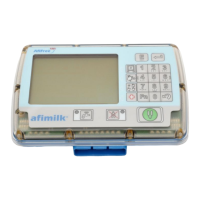
AfiMilk MPC Installation Manual
83
Unique Setup & Configurations
Chapter
8
Liners Replacement Alert
Liners should be replaced periodically per working hours. This feature measures actual
Liners working hours (under pulsation) and alerts for replacement time per pre-set
desired working hours.
The feature operates according to a user-set parameter Working Hours Limit, and
provides an alert when the accumulated working hours reach the parameter’s value.
Activating Liners Counter
Liner replacement alert is deactivated by default. To activate the liners counter, a value of
maximum operation hours for the liners should be entered.
To activate the liners counter feature via afimilk MPC Keyboard
1. Verify that the afimilk MPC is in Wash mode (see
0)
2. In the afimilk MPC keyboard, type2580 and press to access programming mode.
3. Type 2 for group number 2.
4. Browse through the parameters by pressing , until you see the parameter Linr
on the MPC display.
5. Click to access the parameter editing mode for Linr.
6. Enter the required value of Linr, indicating the recommended number of working hours
per liner. (Linr parameter range: [10-9999] hours).
Note: To disable the feature, set
-
Linr=0.
7. Press to save.
8. Double click on to exit programming mode.
This feature can only be accessed from the MPC keypad. Future AfiFarm versions
will enable pre-setting and follow-up reports via the PC.


 To Next Page