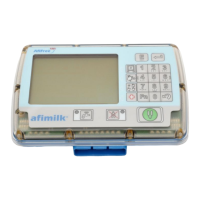
AfiMilk MPC Installation Manual
77
First Time Operation
Chapter
7
To adjust
H
parameter enter programming mode and set parameter
H
in group 4:
o Ensure that Afimilk MPC is in wash mode
(
wash LED illuminated ).
o Type
2580
and press to access programming mode.
o Press Group access number -
4
to enter Calibration Group
o Scroll down to the second parameter in the group
o Press -
H
flashes indicating that editing is enabled.
o Type the desired value.
o Press to confirm.
o Press twice to exit editing mode.
Adjusting the values of G & H via communication
The easiest way to adjust G & H parameters is via the AfiControl interface. As explained
below, you may change the value of each milking point individually OR set a uniform
value to ALL the milk meters.
To change the values of
G
&
H
via AfiFarm PC enter ParametersToolsParlor and select
the stall to adjust as shown below.
On the right hand side section of the screen, adjust the value
G
&
H
for the selected stalls.


 To Next Page