2-26
Assembly Replacement
A10 ALC
A10 ALC
Tools Required
• needle-nose pliers
Removal Procedure
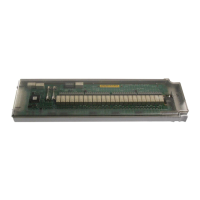
Refer to Figure 2-11 for this procedure.
1. Disconnect the power cord.
2. Remove the covers from the signal generator. Refer to "Outer Instrument Cover" on page 2-5
and "Inner Instrument Cover" on page 2-7.
3. Position the signal generator with the front panel facing you.
4. Using the needle-nose pliers, disconnect the following flexible cables:
• Option 520 - W82 from A10J3 or
Option 540 - W15 from A10J3
• W14 from A10J5
• W4 from A10J4
• W55 from A10J303
• W13 from A10J201
5. Lift the retention levers and disconnect the A10 ALC from the A31 Motherboard.
6. Lift the A10 ALC out of the slot.
Replacement Procedure
• Reverse the order of the removal procedure.
• Perform the post-repair adjustments and performance tests that pertain to this removal
procedure.



 To Next Page