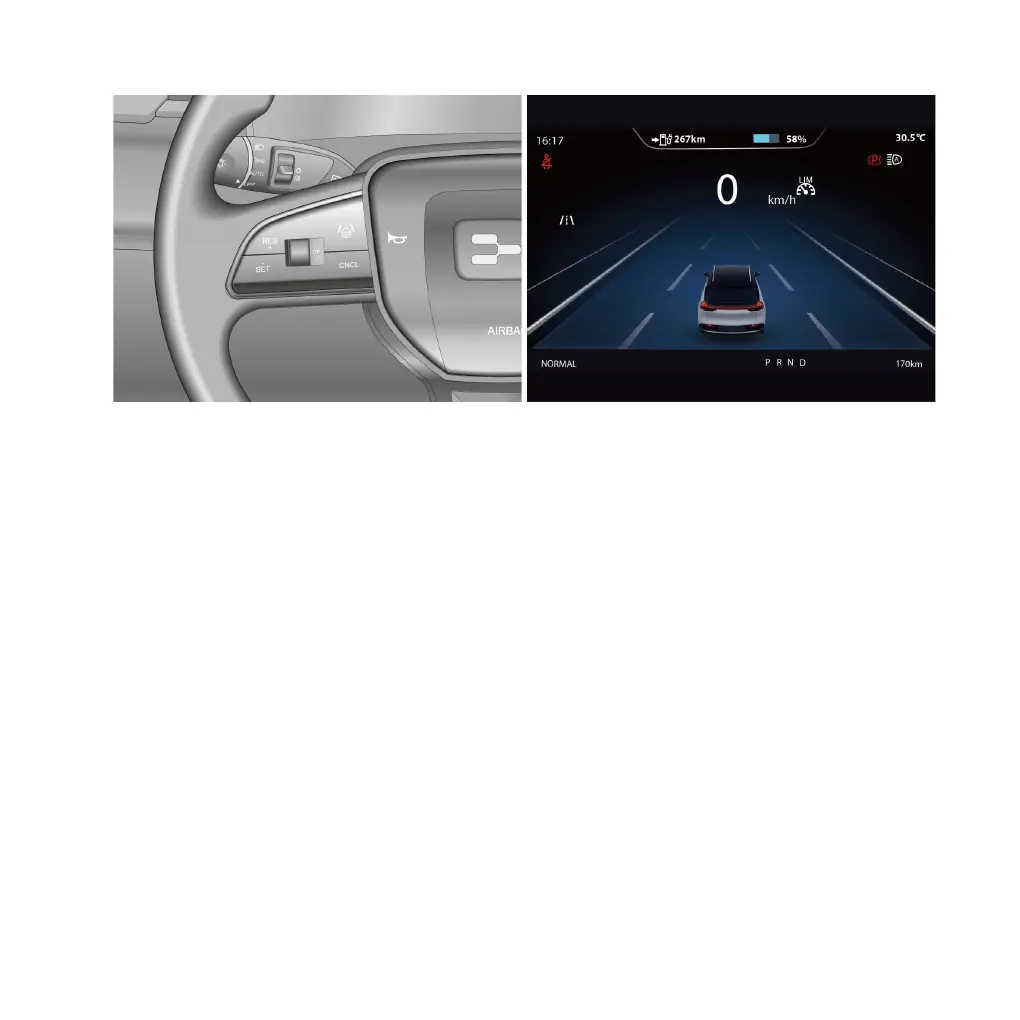
The driver can set the SLF through the related function switches on the steering wheel:
1. After the vehicle is started, press the “SCC” button on the steering wheel and switch to “SLF” mode to
turn on the SLF. The SLF indicator lamp (white) on the instrument will light up.
2. After the SLF is turned on, press the “SET/-” button on the steering wheel to activate the SLF. The SLF
activation indicator lamp (green) on the instrument will light up, and the current speed will be set as the
maximum speed limit.
When the SLF is activated, the maximum limit speed can be increased or decreased by the following
methods:
●
Long-press the “RES/+” or “SET/-” button and the target speed will increase or decrease gradually by
a value of 1 km/h (1 mph) each time. Short-press the “RES/+” or “SET/-” button and the target speed
will increase or decrease rapidly by a value of 5 km/h (5 mph) each time. Release the button to complete
setting the maximum speed limit.
●
After pressing the brake pedal or the “CNCL” button, press the accelerator pedal until the required speed
is reached, then press the “SET/-” button again to set the current speed as the maximum speed limit.
Cancel: When the SLF is activated, press the “CNCL” button to switch the SLF to the ON state.
AIWAYS U5 | 101



 To Next Page