After ACC is switched from active mode to standby mode, it can be reactivated by pressing the “RES/+”
button. At this time, the ACC activation indicator lamp (green) lights up, the instrument display shows
“ACC activated,” and the new target speed is consistent with the target speed before ACC was activated
(the white speed value under the ACC indicator lamp). When the vehicle is driving at a high speed, if a big
difference between the target speed and the actual speed exists, the system will adjust the speed to the
target speed in a relatively slow linear fashion. You can actively press the “SET/-” button to rapidly
decelerate to the target speed.
Special driving environments
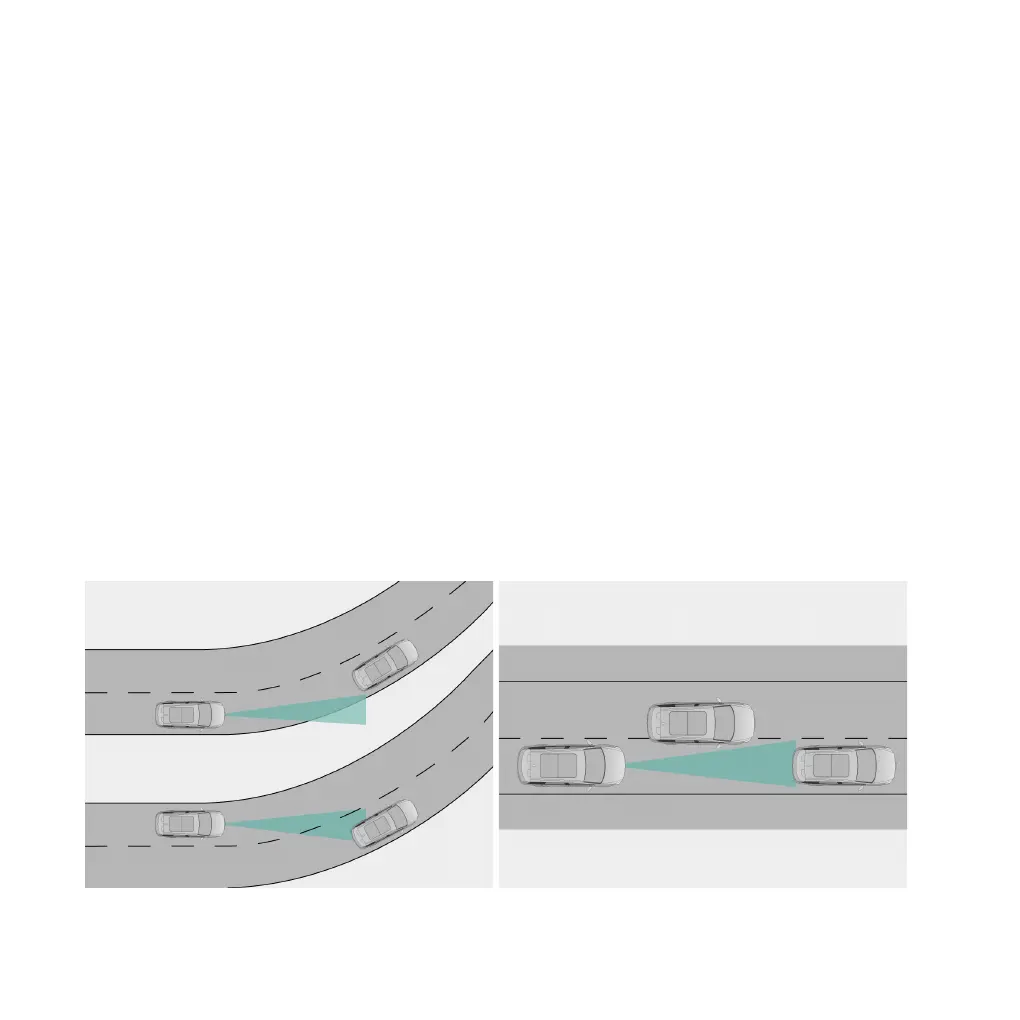
If the vehicle is driving in the following situations, ACC may fail to recognize the vehicle ahead in the
current lane or perform unexpected actions due to incorrect recognition of the vehicle ahead in the
adjacent lane. The driver must pay special attention, drive at an appropriate speed and be ready to brake
or take over control of the vehicle at any time.
●
When the vehicle drives on diversion lanes at expressway entrances and exits;
●
When the vehicle turns at intersections or follows vehicles to pull in to or out of curves or sharp turns;
●
When the vehicle does not fully pull in to or pull out of the current lane in the process of changing lanes
with the vehicle ahead;
136 | AIWAYS U5



 To Next Page