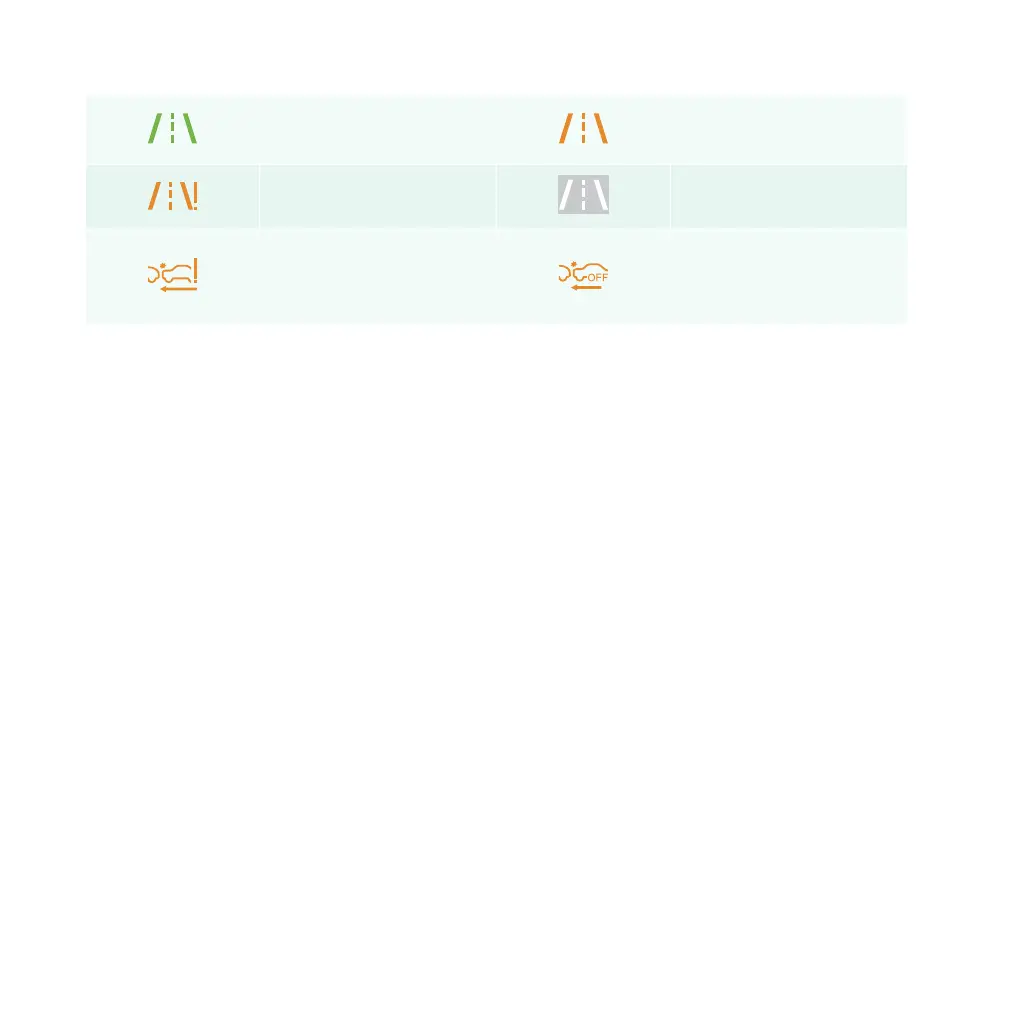
LDW activation indicator
lamp
LDW warning lamp
LDW fault warning lamp LDW enabled indicator lamp
Forward collision warning/
automatic emergency brake
malfunction warning lamp
Forward collision warning/
automatic emergency brake
disabled indicator lamp
Central control information
You can set up and use relevant functions through the console screen. In addition to the traditional
functions such as radio, air conditioning, Bluetooth, etc., it is also equipped with various intelligent
functions such as voice assistant, driving assist and OTA upgrade.
NOTE: Some functions require real-time network access and you may need to pay for such functions.
Communication control
Bluetooth connection
You can connect your mobile devices (mobile phone, tablet, etc.) to your car via Bluetooth. Access first
requires pairing. After pairing is successful, you can use your Bluetooth phone, Bluetooth music player and
other functions. After the first pairing is completed, subsequent access will not require pairing again and
the device will be automatically connected when Bluetooth is enabled. The Bluetooth, when connected,
will be automatically disconnected if your mobile device moves a certain distance from your car.
PATH: Settings – Connect – Bluetooth
Wi-Fi control
If the on-board multimedia system requires OTA upgrade or other high-volume network access, you can
choose to connect to available Wi-Fi in order to ensure stable and smooth network access during the
upgrade.
78 | AIWAYS U5



 To Next Page