Avatar
Display your avatar (initials or photo if available, last name, first name,
depending on the configuration).
Call Routing
Open call routing to manage the status of your desk phone (forward to a
number, forward to your voicemail, do not disturb, …). For more
information, see chapter: Call Routing.
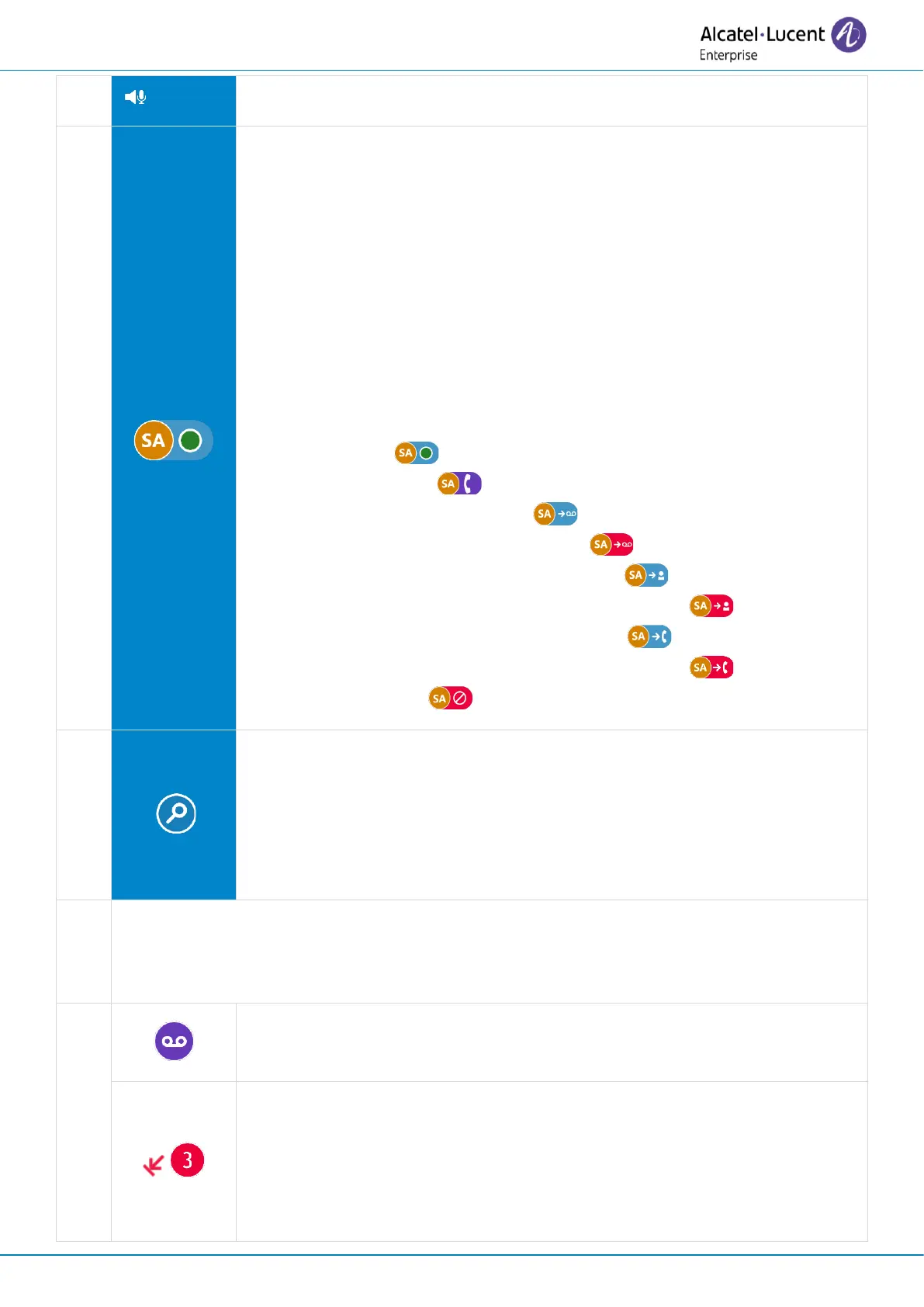
My telephony status (the status is displayed for your information and will
only be visible on your own desk phone).
• Reachable ( ).
• In conversation ( ).
• Call forwarded to voicemail ( ). For immediate call forwarding,
this area will be highlighted in red ( ).
• Call forwarded to an identified contact ( ). For immediate call
forwarding, this area will be highlighted in red ( ).
• Call forwarded to an unknown number ( ). For immediate call
forwarding, this area will be highlighted in red ( ).
• Do not disturb ( ).
Search by name feature
A search bar is provided at the top of the window. The search by name
feature allows you to find a contact by using their name or number. The
search is performed through your local and corporate directories.
Information
The telephony status and the number is displayed. When your phone is not reachable
(immediate forward or Do not Disturb), this area is shown n red.
New missed calls
The number of missed calls is displayed (if more than 2 missed calls). Select
this area to open the call log.
If there is no new voice mail, the last missed call is displayed. Select the
last missed call to call back the contact.


 To Next Page