Getting to know your telephone
8AL91446ENAA ed02 39 /113
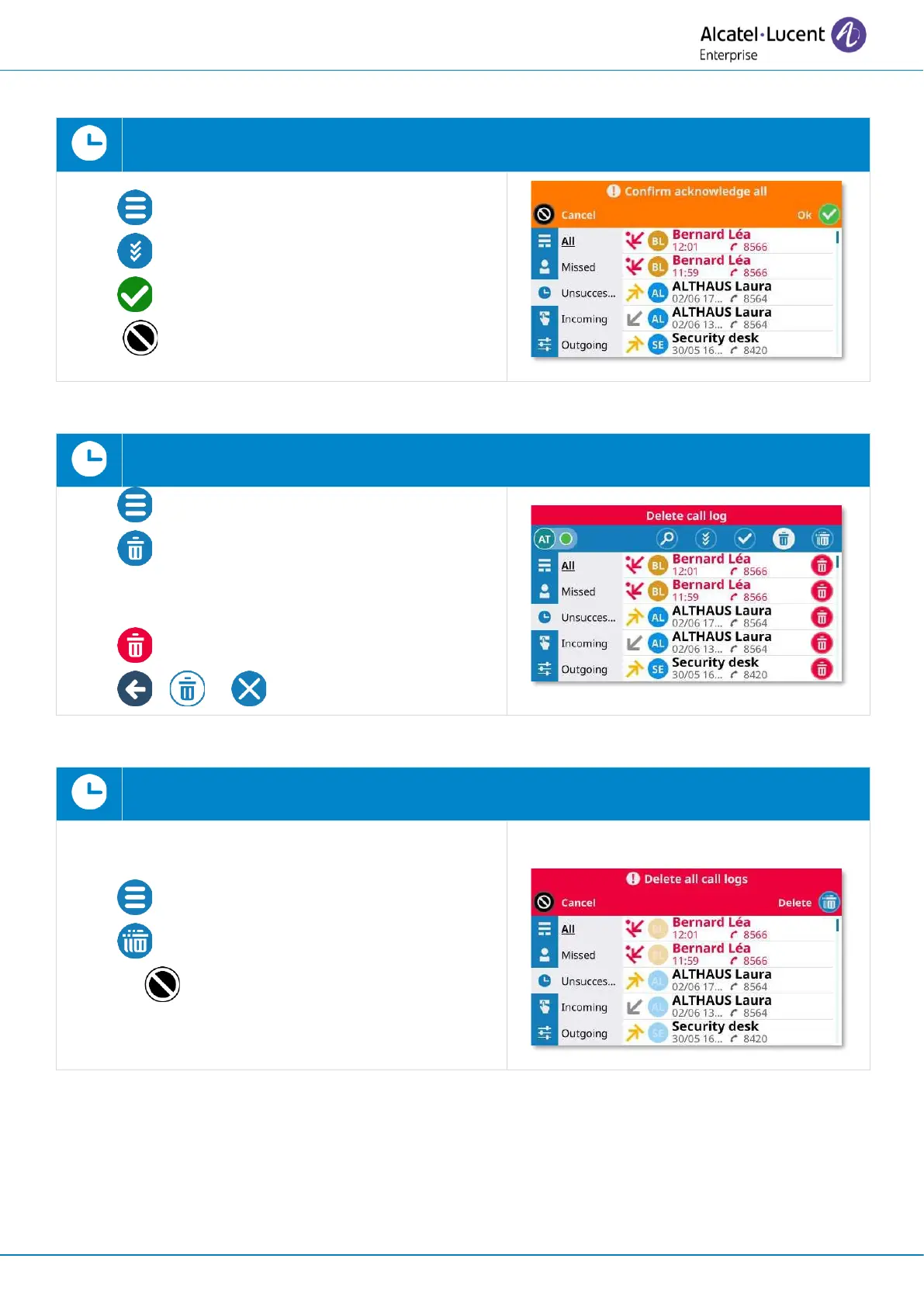
2.13.3 Acknowledge all missed calls
Open the user local menu: Call log.
• Open context menu (ALE-300 only).
• Acknowledge all
• : Acknowledge all missed calls.
( : to cancel).
2.13.4 Delete the selected entry in the call log
Open the user local menu: Call log.
• Open context menu (ALE-300 only).
• Delete
Enter in 'delete' mode (the icon remains
selected).
• Delete the desired contact.
• or or Exit the deletion mode.
2.13.5 Delete the entire call log
Open the user local menu: Call log.
• Open context menu (ALE-300 only).
• Delete
(or : to cancel).


 To Next Page