Using your telephone
8AL91446ENAA ed02 48 /113
3.4.2 Open call routing management
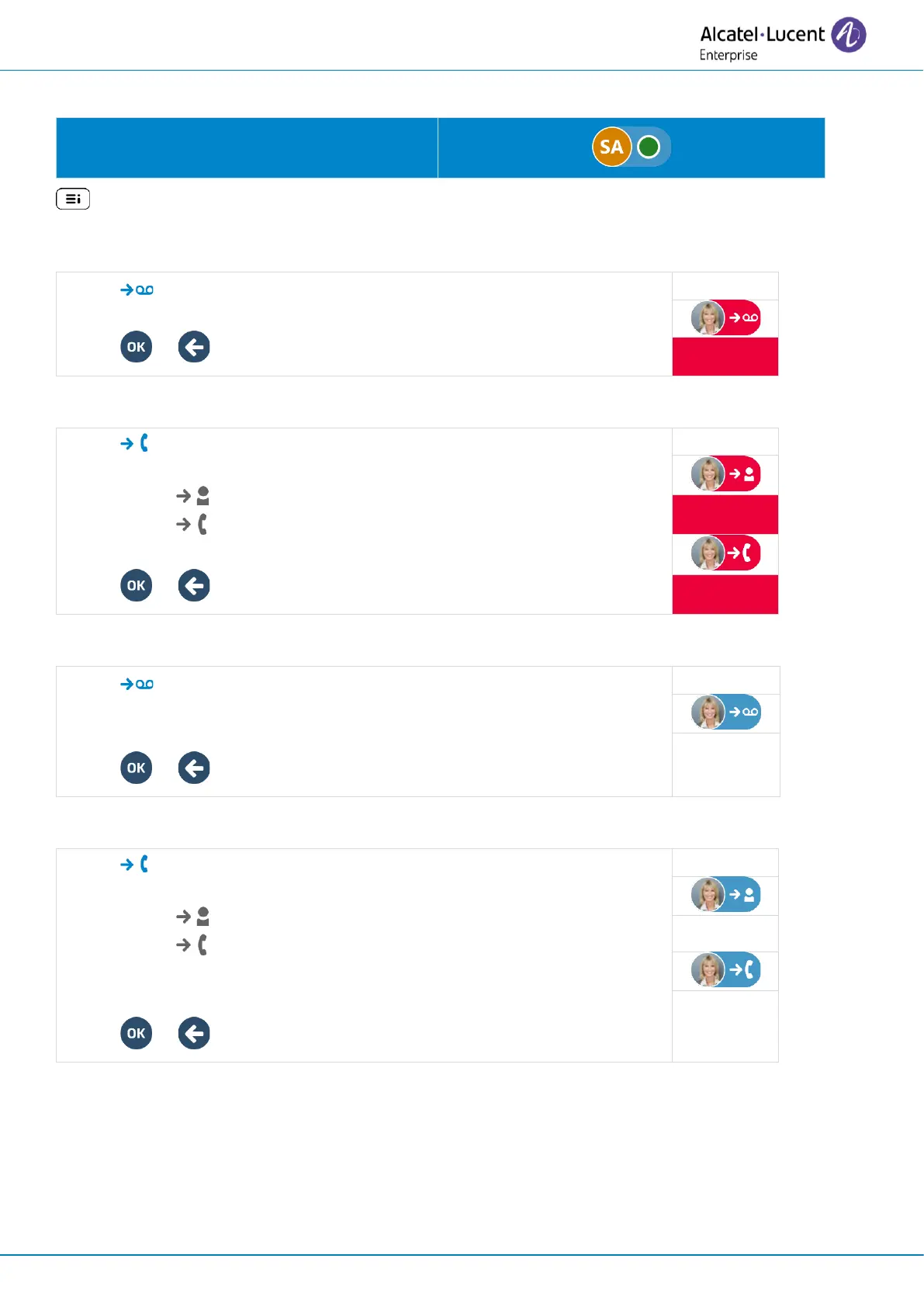
Select your avatar to open the call routing
settings.
: You can also access call routing by selecting it in the user local menu.
3.4.3 Forward all incoming calls to your voicemail immediately
• Voicemail.
• Condition: Immediate forward.
• or Confirm and return to the call routing settings.
3.4.4 Forward all incoming calls to another number immediately
• Number
Enter the destination number.
o : the number is identified as a known contact.
o : the number is an unknown number.
• Condition: Immediate forward.
• or Confirm and return to the call routing settings.
3.4.5 Forward all incoming calls to your voicemail when you are busy and/or if you don’t reply
• Voicemail
• Select one of the following conditions: Forward on no answer,
Forward on busy/ Forward on busy or no answer.
• or Confirm and return to the call routing settings.
3.4.6 Forward all incoming calls to another number when you are busy and/or if you don’t reply
• Number
Enter the destination number.
o : the number is identified as a known contact.
o : the number is an unknown number.
• Select one of the following conditions: Forward on no answer,
Forward on busy/ Forward on busy or no answer.
• or Confirm and return to the call routing settings.



 To Next Page