Using your telephone
8AL91446ENAA ed02 60 /113
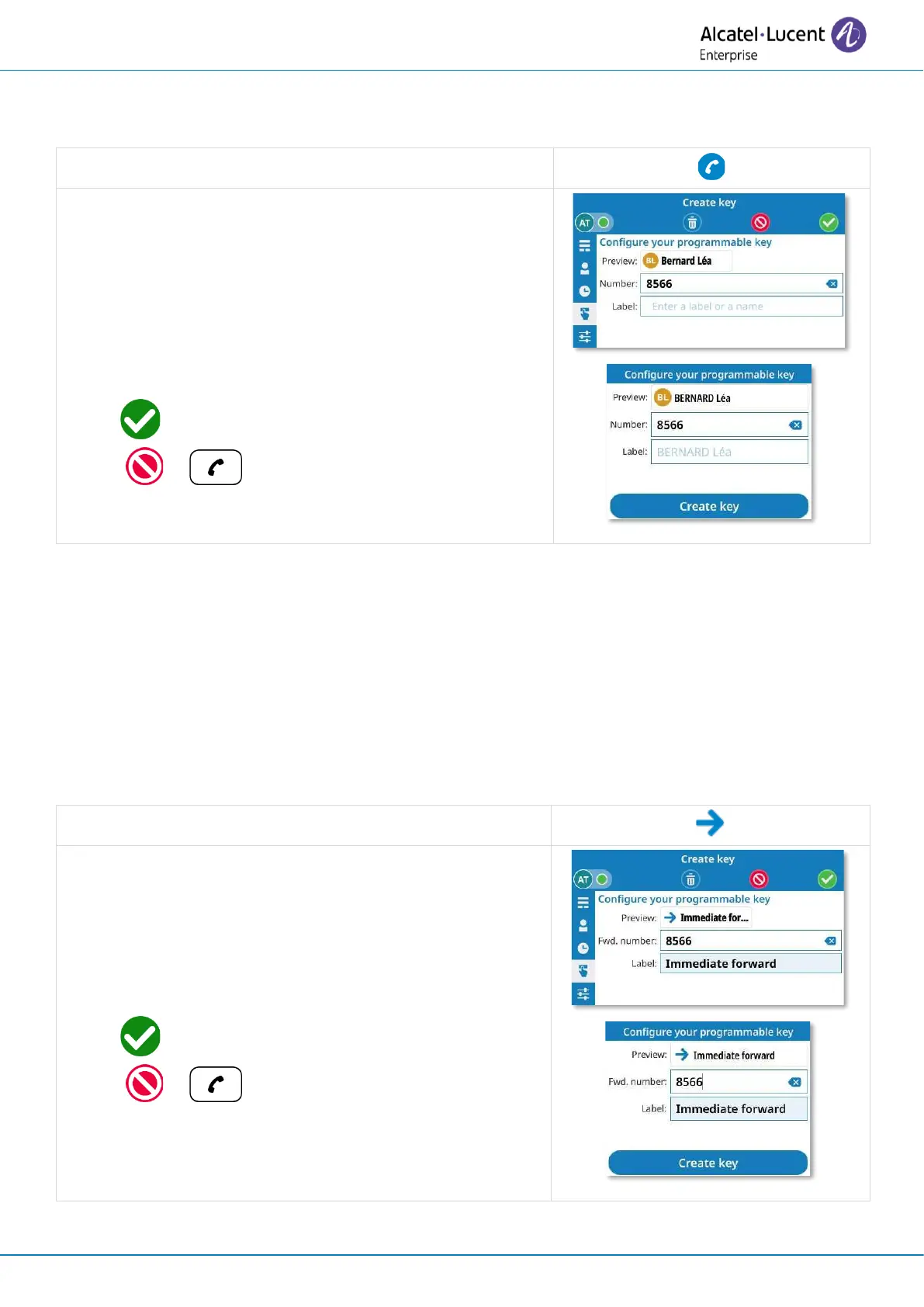
3.17.1.1 Create a direct call key
Use this key to direct call a contact.
Select the direct call service.
• Enter number.
• Add a name or a label. The name will be entered
automatically if it is recognized by the system –
otherwise, the number will be used. You can see
how the key will be displayed at the top of the
configuration window.
• or Create key: validate to create the key.
( or : to go back without saving).
Phone number format supported:
• Short number for an internal contact.
• Contact number without country code for a contact in the same country.
• International number (digits only): 00 Country RegionCode Number (for example:
0033390123456).
• Contact number without country code for a contact in the same country.
3.17.1.2 Create an immediate forward key
When activated, this option forwards all your calls to a specific number.
Select the forward service.
• Enter the destination number.
• Add a label. You can see how the key will be
displayed at the top of the configuration window.
• or Create key: validate to create the key.
( or : to go back without saving).


 To Next Page