Figure 4.4: Key Program Page (Nothing Programmed on Key)
2. Press the Modify softkey
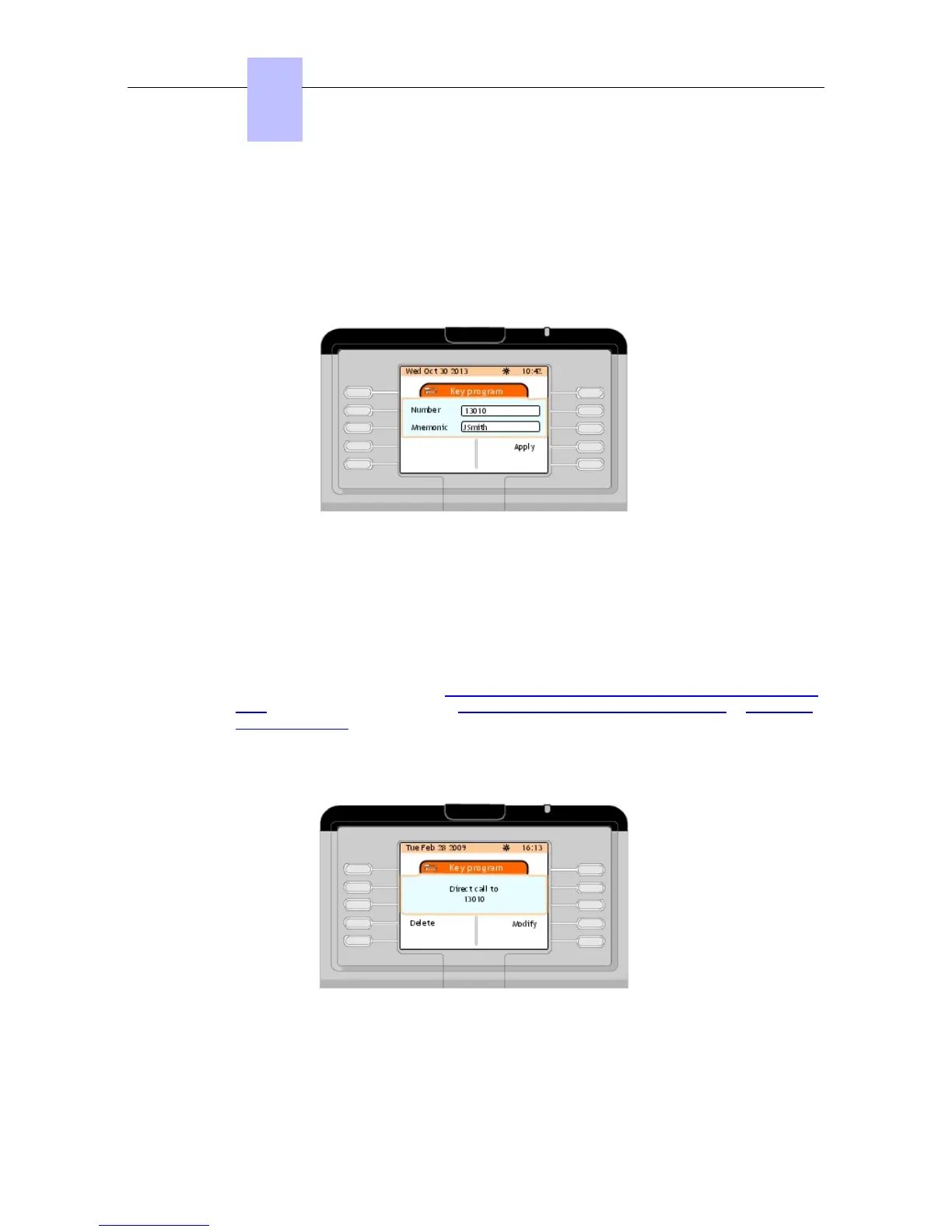
3. In the Number field, enter the directory number of the internal user
As of R11.0.1, enter the name of the party in the Mnemonic field. When the Mnemonic
field is completed, the set displays the party name instead of the party number.
___change-begin___
___change-end___
Figure 4.5: Key Program Page Example: Number and Mnemonic fields
4. Press the Apply softkey.
The screen displays Programming accepted then the Key program page
Note 1:
Immediately after internal user programmable key creation, you may delete this programmable key
or modify the programmed number, or name associated to this programmed number. Then the
screen displays the next page (see Alcatel-Lucent IP Touch 4068 Attendant Set - Introduction - next
Page and it is no longer possible, see Deleting the Contents of a Programmable Key or Modifying a
Programmable Key .
Note 2:
The created programmable key is available from the main (perso) page with the information you
recorded (directory number , or name).
Figure 4.6: Key Program Page Example
4.3.1.2 Modifying a Programmable Key
Chapter
4
&' (!'
4-4
! "













 To Next Page