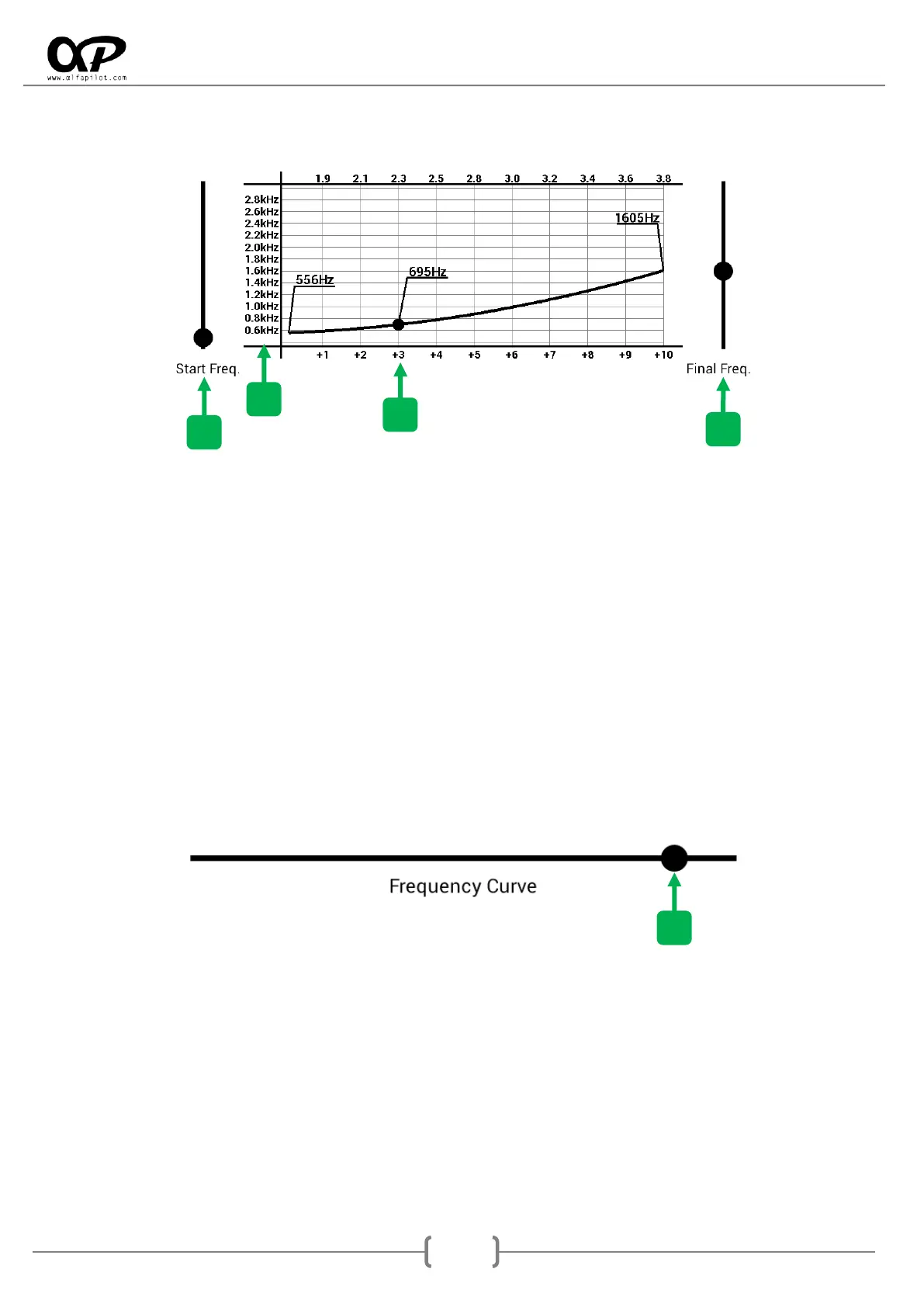
Frequency Bars
1. Start Frequency Bar, moving this bar allows us to set the frequency of sound at which the sound of
the vario begins (the vario starts sounding at the value defined in "Climb Threshold" or "Drift
Threshold ").
2. End Frequency Bar, moving this bar allows us to set the frequency of sound at which the sound of
the various ends. The vario has a maximum range of +10m/s or -10m/s, once in flight if we reach
this value, the Vario will continue to sound but at the frequency it will not increase or decrease, in
climb the beeps continue to increase.
3. Frequency scale, is expressed in kHz.
4. Climb or Sink scale, is expressed in meters per second (m/s).
Frequency Curve
1. Frequency Curve Bar, through an exclusive algorithm, we have the option to further customize the
sound of our vario to adapt it to our tastes. By moving the bar from right to left we modify the way
in which the frequency of the sound of the vario increases or decreases.



 To Next Page