12
1.3 Navigation view
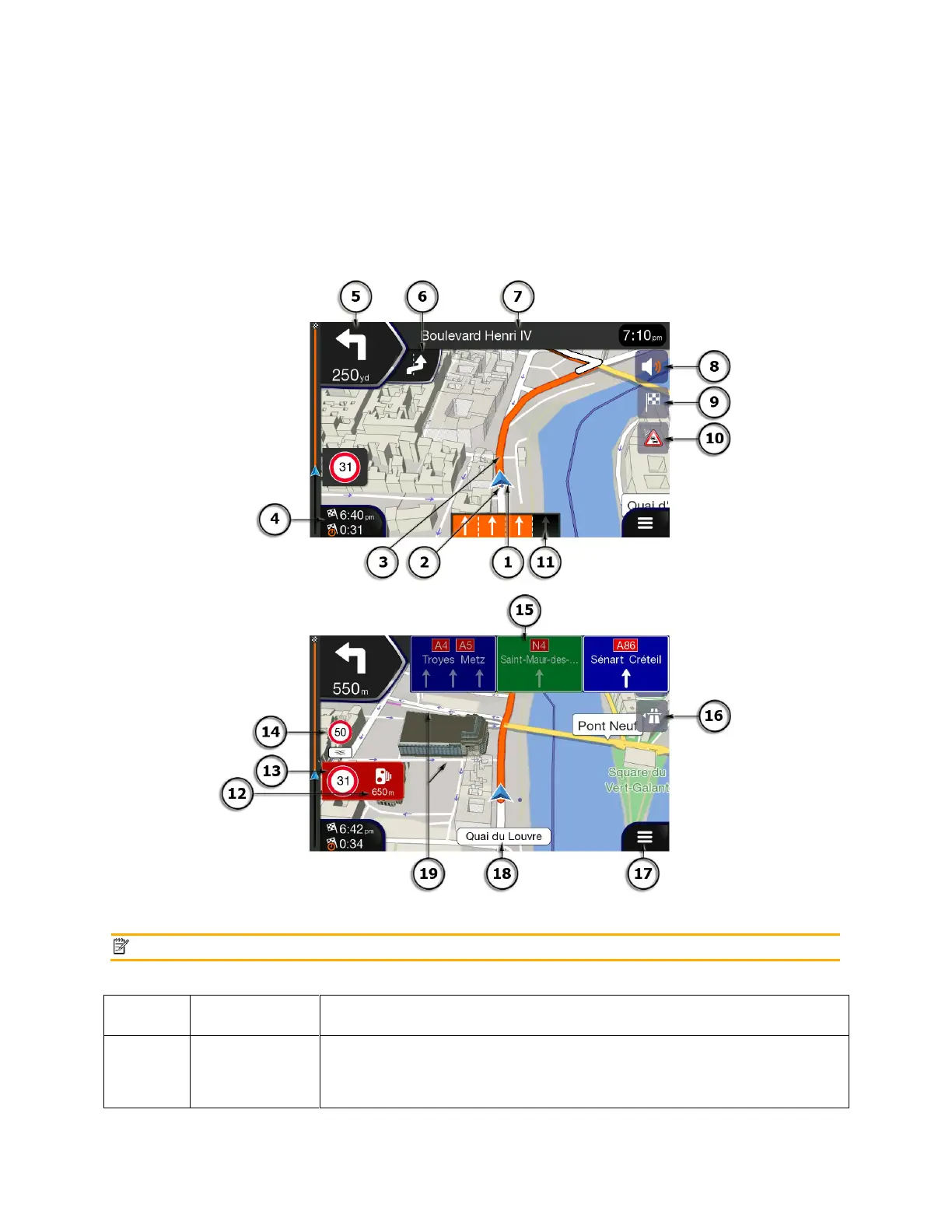
The navigation view is the main screen of Alpine navigation that shows the planned route on a map.
Alpine navigation works with digital maps which are not simply the computerised versions of traditional
paper maps. Similarly to paper road maps, the 2D mode of digital maps shows you streets and roads.
Elevation is also illustrated in color.
The navigation view displays the following screen buttons, data fields, and route information on the map
during navigation:
The current position is displayed as a blue arrow by default. When there is
no GPS position, the current position marker is transparent and it shows
your last known position. See page 14.













 To Next Page