18
-EN
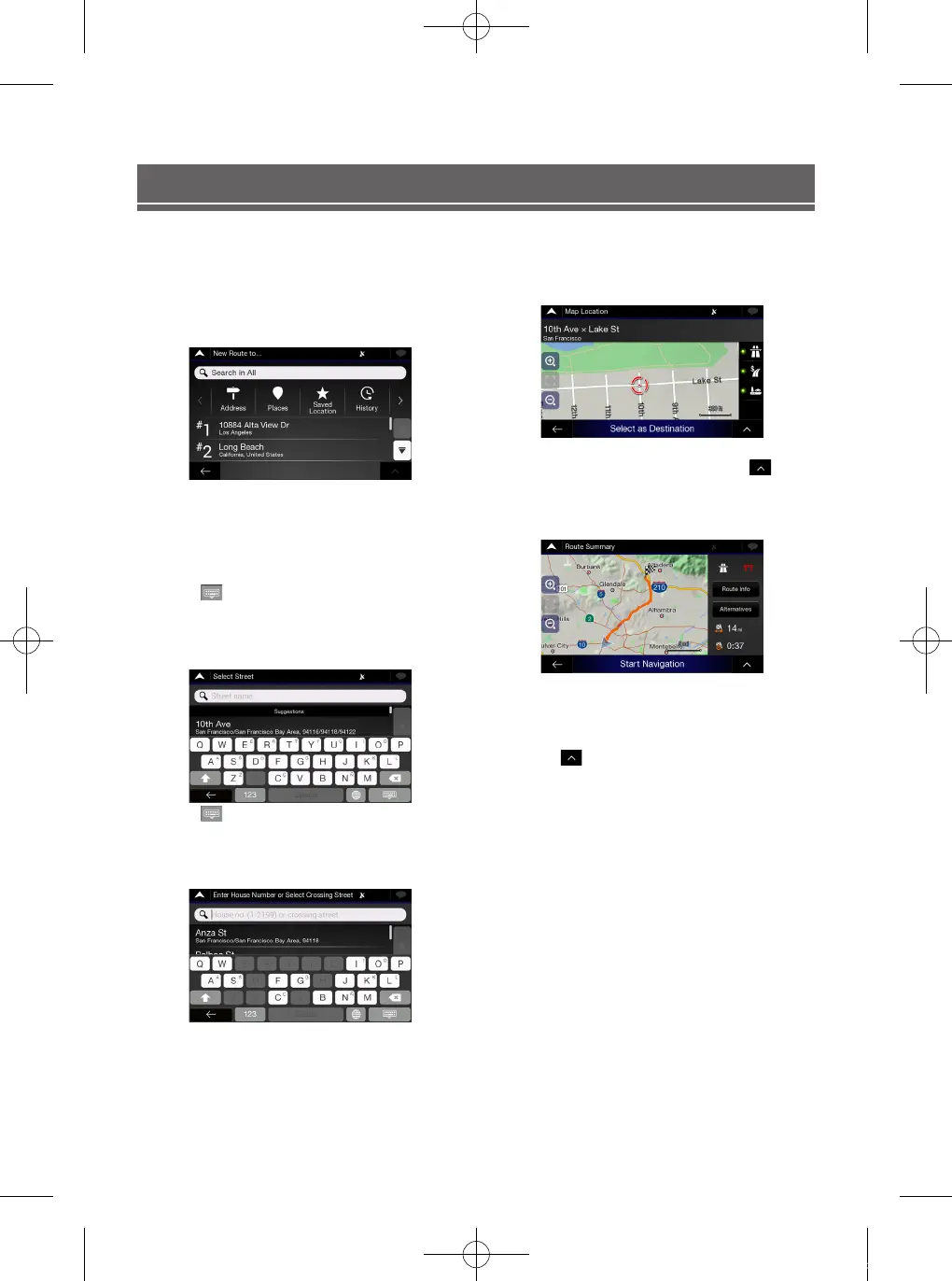
Setting a Destination
The following example describes how to search for a destination when choosing [City or ZIP code] from [Address].
• You can search and narrow down the Country/State by starting from [Country/State].
1
Touch [New Route] from the Navigation Menu.
2
Touch [Address].
12:00
3
Touch [City or ZIP code].
4
Enter the City or ZIP code.
Touch
to display the candidate list.
5
Enter the desired street name.
12:00
Touch
to display the candidate list.
6
Enter the house number or crossing street.
12:00
7
Select your destination
12:00
Confirm the location of your destination or click
for more
detailed information
8
Route Summary
12:00
The route is calculated, and a map appears, showing the
entire route. Here you can check route information and route
alternatives
9
Touch to modify the route parametres, or
touch [Start Navigation] to start your journey.
ALPINE_QRG_AM_ENG_191027.indd 18 2019-10-27 오후 9:33:42













 To Next Page