80
-EN
When the number of registered Teams, Artist, and
Songs exceeds 50
If you try to save an alert after 50 alerts have been saved, a popup is
displayed, asking whether you want to replace a saved Artist/Song/
Team with the new one.
Touch [YES].
The list of saved Artists/Songs/Teams is displayed.
• If you want to cancel the saving of your Favorite Team, then
touch [NO], and return to step 3.
Select the alert you want to replace.
Popup screen of confirmation is displayed for 2 seconds, then
the team is saved as a Favorite Team.
Setting Featured Favorite Update
Notification On/Off
This menu option allows you to temporarily disable Featured
Favorite Update Alert.
Uncheck the [On] box to disable the alert.
Check the [Off] box to enable the alert.
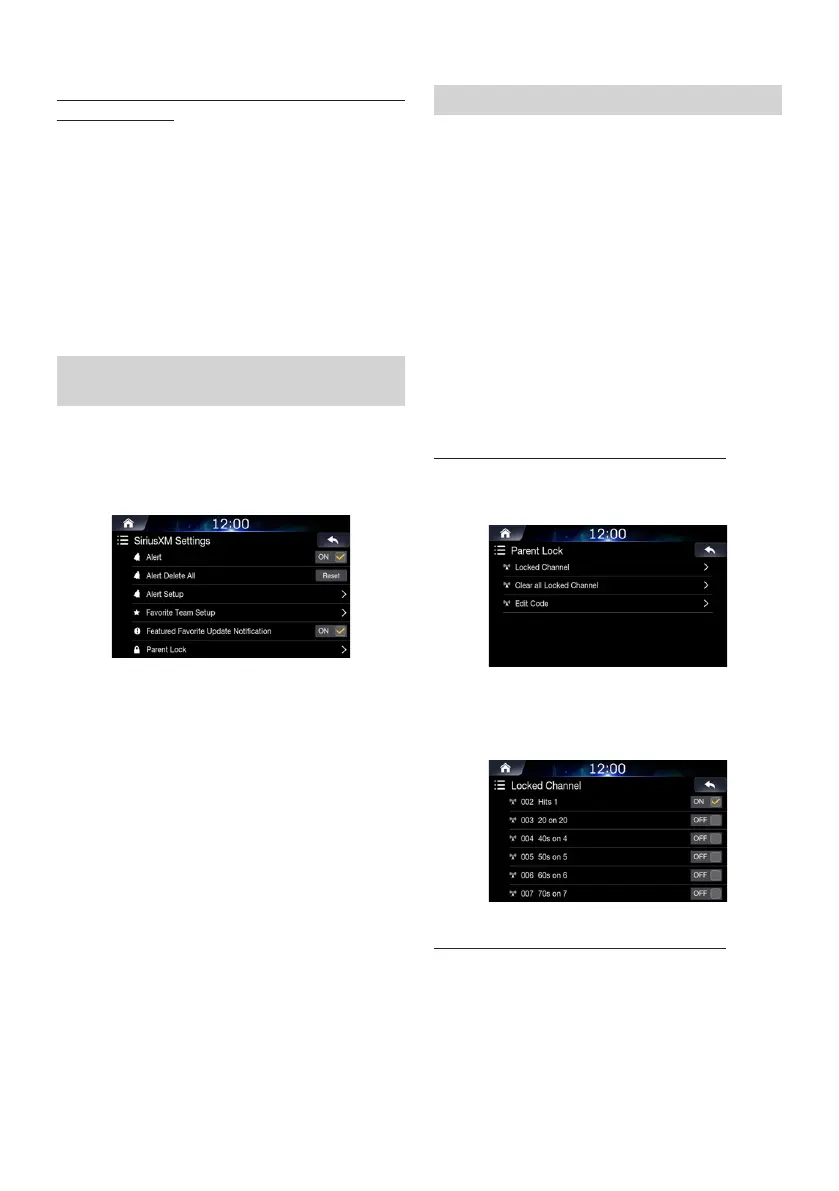
Setting Parent Lock
You can lock out channels with passcode protection. Channels
that are locked cannot be accessed without entering the passcode.
You can unlock a channel or change the passcode using this menu
option.
In the SiriusXM Settings screen, touch [Parent
Lock].
A passcode input screen is displayed.
Enter a 4-digit passcode.
The initial default 4-digit passcode is set to 0000.
After entering the digit, it is displayed as “*” (asterisk).
• Touch [<-] to delete an entered number.
• Touch [Delete All] to delete all entered numbers.
Touch [Done].
Setting the Lock status of individual channels
Touch [Locked Channel].
Check/uncheck [On] or [Off] of the channels list
to set the Parental Lock Off/On.
Clearing the Lock of ALL the locked Channels
Touch [Clear All Locked Channels].
Touch [YES] to clear the lock of all the locked
channels.
Touch [NO] to cancel.













 To Next Page