13
-EN
iPod Music
A separately sold Lightning to USB cable (KCU-471i), etc., is required depending on the type of iPod/iPhone.
Owner’s manual iPod/iPhone
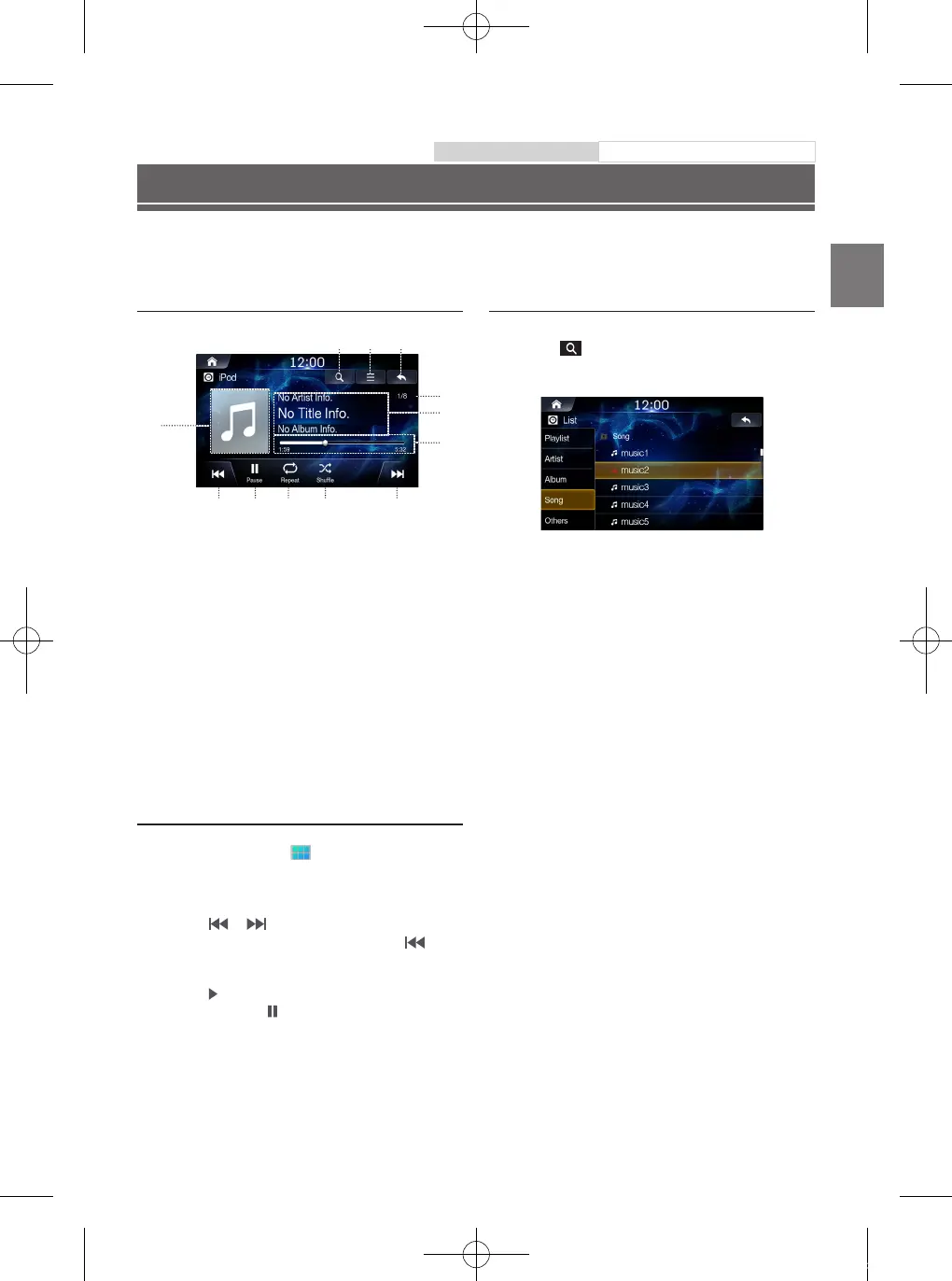
iPod Music Main Screen
②① ③
⑥
⑤
⑧ ⑨ ⑩ ⑪ ⑫
⑦
④
〇①〇
Displays the list screen
〇②〇
Menu
〇③〇
Displays the Previous Screen
〇④〇
Artwork Display
〇⑤〇
Current Song no./Total Song no.
〇⑥〇
Information Display
〇⑦〇
Play Time and Play Bar
〇⑧〇
Previous File
〇⑨〇
Play/Pause
〇⑩〇
Repeat
〇⑪〇
Shuffle
〇⑫〇
Next File
Playing iPod Music
1
Press the All Menus button
→
touch [iPod
Music]. Or in the Home screen, touch [All Menus]
→
[iPod Music].
2
Touch or and select the desired file.
If play time is over 3 seconds, pressing
will
play the current file from the beginning.
3
Touch
to play iPod music.
While playing, touch to pause iPod music.
The feature may operate differently depending on the iPod
specification.
Searching iPod Music Files
You can search the files in the List screen.
1
Touch to display iPod Music list screen.
2
Search the desired category and file.
It is possible to search by Playlist, Artist Album, song and
others.
3
Touch the desired file to play.
ALPINE_QRG_AM_ENG_191027.indd 13 2019-10-27 오후 9:33:40













 To Next Page