17
-EN
Navigation Menu
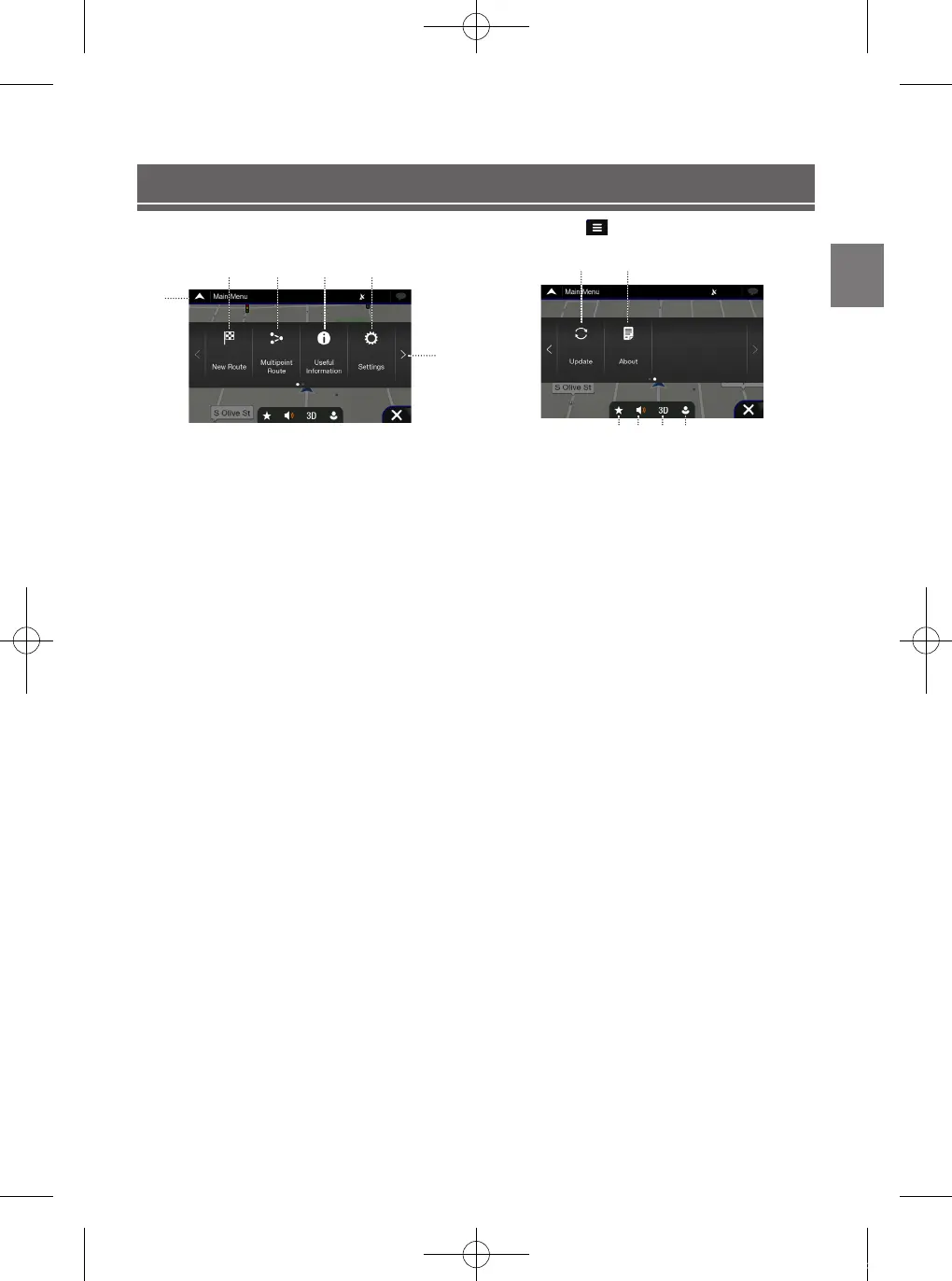
To access the Navigation Menu, touch on the icon on the right lower corner of the map screen.
12:00
①
② ③ ④ ⑤
⑥
〇①〇
Access the Map
Click on the arrow
〇②〇
New Route
Select your destination by entering an address or its coordinate,
or by selecting a Place, a Saved Location, or a Saved Route.
You can also look up your recent destinations from the History.
〇③〇
Multipoint Route
Build your route from one or more route points.
You can also plan a route independently of your current GPS
position by setting a new starting point.
〇④〇
Useful Information
Access additional options and check navigation-related
information.
〇⑤〇
Settings
Customize the way the navigation works
〇⑥〇
Next Menu
① ②
③ ④ ⑤ ⑥
12:00
〇①〇
Update
Enable Map updates for users
〇②〇
About
Version Information, Contents, Legal, credits and etc.
〇③〇
Favorites
Saved favorite locations
〇④〇
Volume
Change the volume settings to Alerts Only/Muted/Volume On
〇⑤〇
View
Change the views to 2D/2DNorth-Up/3D
〇⑥〇
User Profiles
New user profiles can be added and customized
ALPINE_QRG_AM_ENG_191027.indd 17 2019-10-27 오후 9:33:41













 To Next Page