37
-EN
Changing Screen Ratio
Touch [16 : 9 / 4 : 3 LB / 4 : 4 PS] to toggle between the modes.
• 16 : 9: displays in 16:9 wide screen.
• 4 : 3 LB: displays in 4:3 screen ratio.
• 4 : 4 PS: displays in 4:4 screen ratio
Using Top Menu
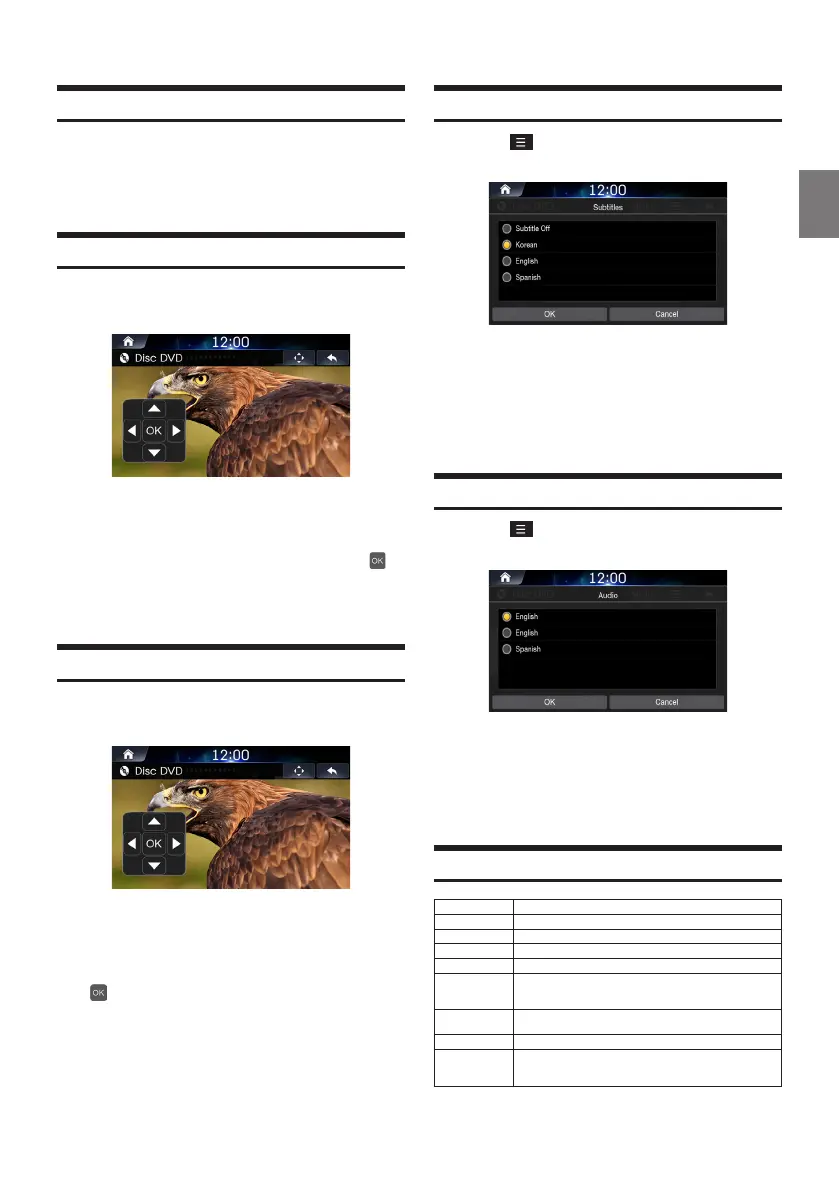
Touch [Top Menu] to display Top Menu screen.
Touch the controller up/down/left/right directions
to select the desired menu and touch Enter
.
• The Top menu option can only be used within DVDs that support
these features.
Using Sub Menu
Touch [Sub Menu] to display Top Menu screen.
Touch the controller in up/down/left/right
directions to select the desired menu and touch
.
• The Sub menu and DVD menu options can only be used within
DVDs that support these features.
Changing Subtitle Language
Touch
→
[Subtitle].
Select the desired language.
• Supported caption languages may differ according to the DVD
title.
Changing Voice Language
Touch
→
[Audio].
Select the desired language.
• Supported voice languages may differ according to the DVD title.
Supported Disc DVD Format
Category Description
File Format AVI, MPG, FLV,DAT, VOB, MP4, MOV, OGG, ASF
Extensions avi, mpg, mpeg,dat, flv, vob, mp4, mov, ogg, asf
Video Codec MP4V, MPEG-1, MSVC, MPEG-1/MPEG-2, H.263,
Video 720*480/576 (30fps)
Resolution
Response Sampling Rate : 8,11.025, 16,22.05, 24, 32, 44.1, 48 KHz.
Response Bitrate : 45~500Kbps.
(WMA : 8K~48KHz, 16kbps~320kbps)
Audio Codec
Dolby Digital(AC3),WMA/PCM/LPCM,AAC LC (2ch),MPEG-
Audio,(MP1/MP2/MP3) LPCM, uLaw/aLaw, OGG, WMA
Subtitles SMI
Unsupported files
1. Video with OGG
2. Audio formats other than Vorbis with OGG
3. Vorbis format in AVI













 To Next Page