64
-EN
Setup
Starting Mode
Press the All Menus button
→
touch [Setup].
Or in the Home screen, touch
→
[Setup].
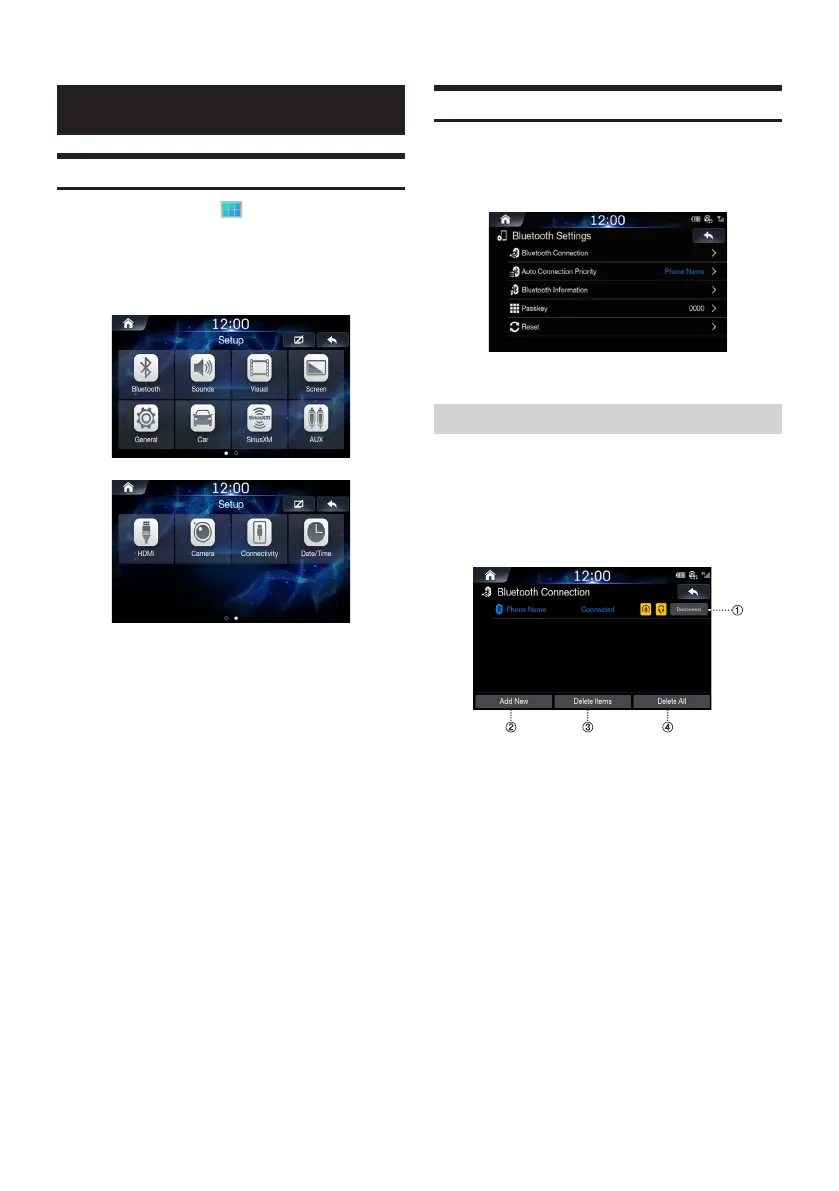
The Setup main screen will be displayed. Swipe to the left to see the
second page.
Touch the icon of the desired setting.
Bluetooth Settings
This menu allows you to set Bluetooth settings.
In the Setup screen, touch [Bluetooth].
Bluetooth Connection
This menu allows you to manage the Bluetooth device list, such as
pairing, connecting or deleting Bluetooth devices.
In the Bluetooth Settings screen, touch [Bluetooth
Connection].
〇①〇
Connect/Disconnect
connects/disconnects a Bluetooth device.
〇②〇
Add new
pairs a new Bluetooth device.
〇③〇
Delete items
deletes a paired Bluetooth device.
〇④〇
Delete all
deletes all paired Bluetooth devices.













 To Next Page