68
-EN
Sound Settings
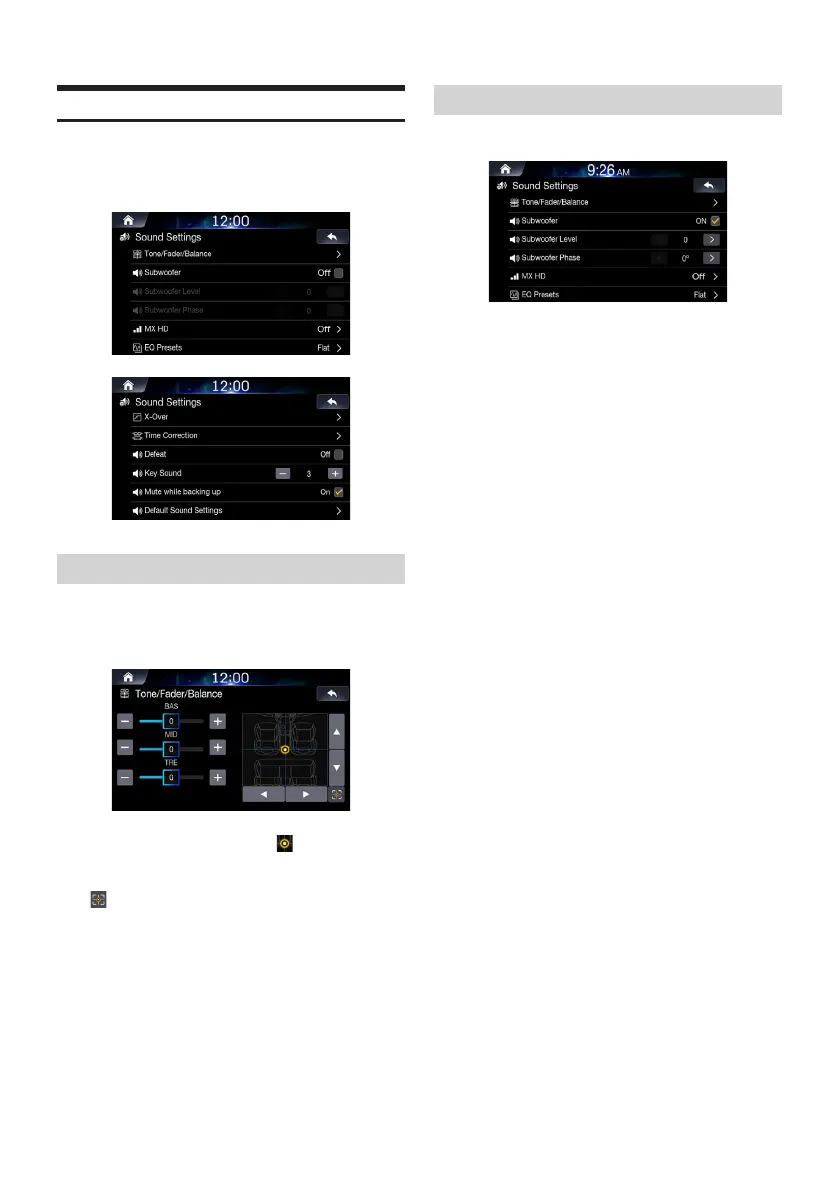
This menu is used to adjust the sound effects for the whole system.
In the Setup screen, touch [Sounds].
Setting Tone/Fader/Balance
In the Sounds Settings screen, touch
[Tone/Fader/Balance].
Use the
▲
,
▼
,
◀
,
▶
, +, -, and buttons to adjust
settings.
Touch to restore sound to the Center position.
Setting Subwoofer
Check the [Off] box to turn subwoofer feature on.
Adjust the subwoofer level and phase using
[< , >].
• The Subwoofer Lever and Phase features are unavailable when
the Subwoofer feature is turned off.
• The subwoofer level can be set from 0 to 15.
• The subwoofer output phase is toggled Subwoofer Normal (0°) or
Subwoofer Reverse (180°).













 To Next Page