PC Congurator Software | A-1
APPENDIX A
PC SOFTWARE USER GUIDE
WDG-VConguratorSoftware
The WDG-V PC Configurator software comes standard with the purchase
of the analyzer. It allows the user to configure the sensor and to calibrate
the analyzer to the user process and provides real-time status and diag-
nostic conditions as well as basic analyzer information.
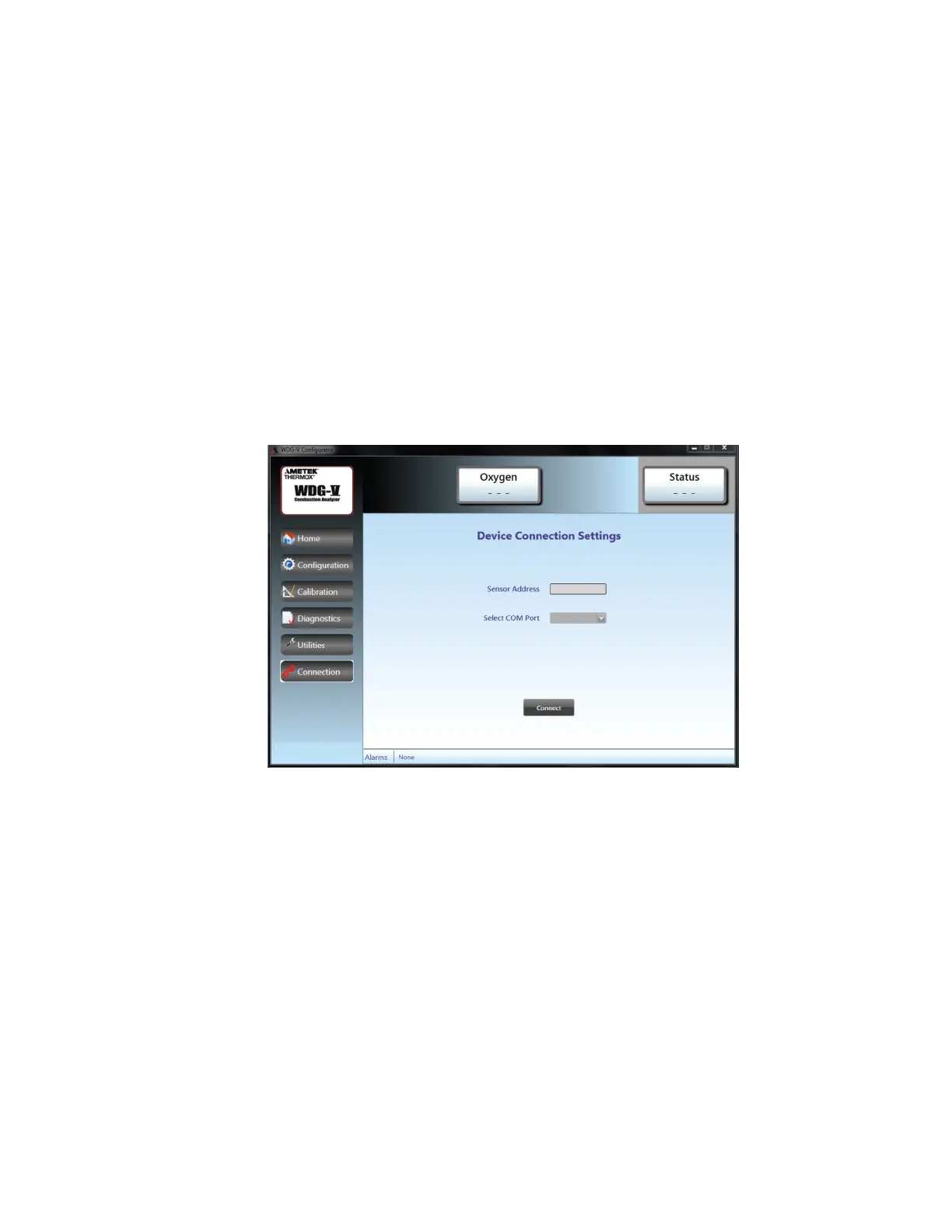
Figure1.PCConguratordeviceconnectionsscreen.
Device Connections Screen
This screen allows you to set the Sensor Address and select the COM Port
from the drop-down box. Once you have entered that information, click
the CONNECT button at the bottom of the screen to connect the sensor.



 To Next Page
 Loading...