EasyManua.ls Logo

Ametek IPS-4 - User Manual

Ametek IPS-4
238 pages
Print Icon
To Next Page IconTo Next Page
Loading...
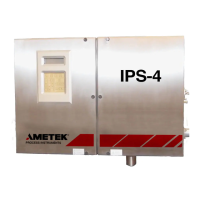
IPS-4 Dual Bench (UV / IR) Analyzer
Zone 1 / Division 2
User Manual
PN 903-8804, Rev. L
Canada
A DIVISION OF AMETEK PROCESS & ANALYTICAL INSTRUMENTS

Table of Contents

Other manuals for Ametek IPS-4

Questions and Answers

  • S
    Stephanie BuchananAug 17, 2025
    What to do if I see an Internal error Alarm on my Ametek IPS-4 Measuring Instruments?
    • L
      Laura RobertsAug 17, 2025
      If the analyzer has detected a serious malfunction, check all of the ribbon cables between boards to ensure they are properly connected and inspect them for any damage such as cuts, nicks, or burn marks. Refer to the Electronics Enclosure Wiring Diagram in the Appendix for cable connection locations.
  • M
    Madison BridgesAug 20, 2025
    Why am I getting a Manifold pressure Alarm on my Ametek Measuring Instruments?
    • E
      Eric SanchezAug 20, 2025
      If the manifold pressure within your Ametek Measuring Instruments exceeds its full-scale range by more than 10 psia, check the User Interface Panel to ensure the full-scale range is correct for the current sample. If the alarm persists during normal operation, a range change and recalibration may be required, so contact the factory.
  • M
    Matthew TranAug 22, 2025
    What causes Aspirator pressure Alarm in Ametek Measuring Instruments and how to fix it?
    • D
      Donna WilkinsAug 23, 2025
      If the pressure within the aspirator of your Ametek Measuring Instruments exceeds its full-scale range by more than 10 psia, verify that the full-scale range is correct for the current sample using the User Interface Panel. If the Aspirator pressure alarm continues during normal operation, contact the factory, as a range change and recalibration may be needed.
  • R
    Rebecca JacksonAug 25, 2025
    What should I do if Pressure transducer 2 Alarm appears on my Ametek IPS-4 Measuring Instruments?
    • L
      lawsonaustinAug 26, 2025
      If the concentration of the output from Pressure transducer 2 in your Ametek Measuring Instruments exceeds its full-scale range by more than 10 psia, check that the full-scale range is correct for the current sample from the User Interface Panel. If the alarm persists during normal operation, contact the factory because a range change and recalibration may be required.
  • A
    atuckerAug 27, 2025
    How to troubleshoot Heater Temperature Alarm on Ametek IPS-4 Measuring Instruments?
    • M
      Monica CoxAug 27, 2025
      To resolve a Heater Temperature Alarm on your Ametek Measuring Instruments, first take safety precautions, then open the Electronics Enclosure and the Oven/Sample System Enclosure doors. Use an Ohm Meter to measure the resistance of the Oven Heater Plate RTD and test it for an open circuit. If the RTD is faulty, contact AMETEK for assistance.
  • M
    morgan18Aug 30, 2025
    What to do if I get Failed communications to the Analog board Alarm on my Ametek Measuring Instruments?
    • F
      Felicia KhanAug 30, 2025
      If the MCU board cannot establish reliable communications with the Analog board in your Ametek Measuring Instruments, check the ribbon cable (Cable 3) between these boards. Ensure it is properly connected and inspect it for any damage, such as cuts, nicks, or burn marks.
  • M
    markyatesSep 2, 2025
    How to fix Failed communications to the Relay board Alarm on Ametek Measuring Instruments?
    • S
      stephaniewaltonSep 2, 2025
      If the MCU board cannot establish reliable communications with the Relay board on your Ametek Measuring Instruments, check the flat cable (Cable 3) between the MCU board and Relay board for proper connections and inspect it for damage (cuts, nicks, burn marks, etc.).
  • J
    Justin LeeSep 4, 2025
    Why is my Ametek IPS-4 Measuring Instruments showing an Oven Temperature Alarm?
    • M
      Michelle RochaSep 4, 2025
      If the Oven temperature of your Ametek Measuring Instruments is operating below or above its set point value by more than 5 °C, check the current operating temperatures for each temperature zone and compare them to their set point temperatures using the User Interface Panel.
  • H
    hicksjulieSep 6, 2025
    What does Bench Temperature Alarm mean on Ametek IPS-4?
    • S
      Stacy ReedSep 6, 2025
      If the Bench temperature of your Ametek Measuring Instruments is operating below or above its set point value by more than 5 °C, check the current operating temperatures for each temperature zone and compare them to their set point temperatures using the User Interface Panel.
  • J
    Joyce EdwardsSep 9, 2025
    What should I do if I see a Cell Temperature Alarm on my Ametek IPS-4?
    • M
      Matthew MooreSep 9, 2025
      If the Cell temperature of your Ametek Measuring Instruments is operating below or above its set point value by more than 5 °C, check the current operating temperatures for each temperature zone and compare them to their set point temperatures using the User Interface Panel.

Summary

IPS-4 Analyzer Specifications

Analyzer Performance Metrics

Details analytes, linearity, accuracy, repeatability, stability, and drift.

System Interfaces and Requirements

Covers inputs, outputs, sample system limits, and electrical requirements.

Environmental and Certification Details

Specifies operating conditions, approvals, and certifications.

Safety Notes and Warnings

Electrical Safety and Grounding Precautions

Highlights high voltage hazards, grounding requirements, and precautions.

Critical Operational Warnings

Provides essential warnings for safe operation, maintenance, and handling.

Equipment Handling Cautions

Important precautions for handling electronic components and sensitive parts.

Electromagnetic Compatibility and Compliance

EMC Installation Practices

Recommendations for wiring and installation to prevent electromagnetic disturbances.

EU Declaration of Conformity

Lists directives and standards met, including EMC, RoHS, and LVD.

ATEX and IECEx Certificate Details

Provides the EU-Type Examination Certificate number, product details, and marking.

WARRANTY AND CLAIMS

Manufacturers Warranty Terms and Exclusions

Details warranty coverage, duration, exclusions, and liabilities.

OVERVIEW of IPS-4 Analyzer

Optical Bench Configurations and Theory

Describes the dual bench setup and basic measurement principles.

System Signal Flow and Calculation Process

Illustrates information flow and calculation steps for analyzer output.

Spectrometer and Photometer Details

DUVV Spectrometer Design and Specifications

Details the DUVV bench design, wavelength ranges, accuracy, and resolution.

NDIR Photometer Design and Specifications

Details the NDIR bench design, wavelength ranges, and photometric specs.

Sample System Description and Components

Covers the sample system enclosure, components, and configuration options.

Analyzer Electronics and Protection

Analyzer Electronics and Functions Overview

Explains the detector, MCU, and other boards and their primary functions.

Hazardous Location Protection Methods

Details protection methods like pressurization (Type 'p') and flameproof enclosures (Type 'd').

Detailed Specifications and Certifications

Analyzer Performance Specifications

Lists key performance metrics: analytes, linearity, accuracy, repeatability, stability, drift.

System Interface and Environmental Specs

Covers inputs, outputs, sample system limits, electrical, and environmental specs.

Approvals and Certifications Summary

Lists ATEX, IECEx, PED, EMC, LVD, and RoHS compliance.

INSTALLATION and START-UP Guide

Installation Safety and Preparation Procedures

Emphasizes safety review, storage, and initial inspection before installation.

Mechanical and Electrical Installation Steps

Covers installing optical benches, sample systems, and electrical connections.

Start-Up and Verification Procedures

Purged Analyzer Start-Up Sequence

Details the start-up sequence for purged analyzers using the MiniPurge system.

Analyzer Power-Up and Initial Checks

Steps for powering up, performing checks, and verifying operation.

CONTROLLER; USER INTERFACE

User Interface Panel Overview and Navigation

Introduces the UI panel, keys, and navigation functions.

Navigating UI Menus, Screens, and States

Explains working in main menus, HOME screen, system status, and alarms.

SETUP Menu and Calibration

SETUP Menu Navigation and Sub-menus

Accesses sub-menus like Calibration, Relays, Outputs, Diagnostics.

Calibration Settings and Actions Configuration

Configures auto-calibration, flush times, and calibration actions.

Relay Setup and Functionality

Setup and configuration of up to eight relays for operational status.

Current Output Assignments and Parameters

Configures analog output assignments, full-scale, zero values, and type.

Setpoints Configuration and Limits

View and modify span, pressure, and temperature limits.

Analyzer Diagnostics Testing Procedures

Test current outputs, relays, valves, and lamps for troubleshooting.

User Authentication and Password Management

Set up password protection for configuration changes and parameter access.

Configuration File Management (Backup;Restore)

Save or restore analyzer configuration settings to PC or factory defaults.

Ethernet and Modbus Communication Setup

Configure network settings and Modbus parameters for analyzer communication.

System Information Display and Customization

View model, serial, software version, time, date, and customize display.

MAINTENANCE and TROUBLESHOOTING

Maintenance Safety Precautions

Emphasizes safety review and precautions before performing maintenance.

Preventive Maintenance Schedule Overview

Outlines recommended routine maintenance tasks for optimal operation and component life.

Diagnosing and Resolving Sample System Plugs

Methods for identifying plugs by monitoring response time and cell pressure.

Replacing Common Analyzer Components

Discusses replacing parts like heaters, RTDs, or boards as per maintenance schedule.

Measuring Cell Cleaning and Component Replacement

Procedures for cleaning the cell, replacing o-rings, windows, and checking for damage.

Xenon Flash Lamp Assembly Replacement

Step-by-step guide for safely replacing the Xenon flash lamp assembly.

Infrared Source Assembly Replacement Procedure

Step-by-step guide for safely replacing the Infrared source assembly.

Alarm Conditions and Corrective Actions

Lists analyzer alarm messages, their triggers, and suggested corrective actions.

Performing Analyzer Reset Procedures

Steps for safely resetting the analyzer, typically after configuration changes.

SERVICE and PARTS Information

AMETEK Technical and Service Support

Contact information and procedures for obtaining technical and service assistance.

Equipment Return and Warranty Validation

Process for returning equipment for repair and warranty validation.

Critical Spare Parts Recommendations

Lists essential spare parts for on-site maintenance and optimal analyzer operation.

USER WEB INTERFACE Guide

Introduction to Analyzer Web Interface

Overview of accessing and navigating the analyzer's web interface.

Web Interface Home Screen Details

Displays operational status, analyte concentrations, and calibration requirements.

Viewing Active Alarms via Web Interface

How to access and view current active alarms and warnings through the web interface.

Web Interface Trends Data Visualization

Displays trends of selected parameters, data is not saved.

Web Interface Spectral Data Analysis

Allows temporary storage and comparison of spectral data for troubleshooting.

Web Interface Settings Menu Navigation

Accesses sub-menus for calibration, outputs, relays, network, and diagnostics.

Ethernet and Modbus Communication Setup

Configure network settings and Modbus parameters for analyzer communication.

Web Interface Diagnostics Testing

Test current outputs, relays, valves, and lamps for troubleshooting via web interface.

MODBUS COMMUNICATION INTERFACE

Modbus Hardware and Communication Setup

Details Modbus protocol, RS-485 connection, jumpers, and parameters.

APPENDIX A - DRAWINGS

Analyzer Schematic Diagrams

Provides light path schematics for UV and NDIR optical benches.

Component Layout and Wiring Diagrams

Illustrates overall component layouts and detailed wiring diagrams for electronic boards.

SUPPLEMENTAL INFORMATION

Overview of Supplemental Documentation

Lists additional documents like manual supplements, configuration sheets, and as-built drawings.

Ametek IPS-4 Specifications

General IconGeneral
BrandAmetek
ModelIPS-4
CategoryMeasuring Instruments
LanguageEnglish

Related product manuals