PC Congurator Software | A-9
Conguration_Date/Time
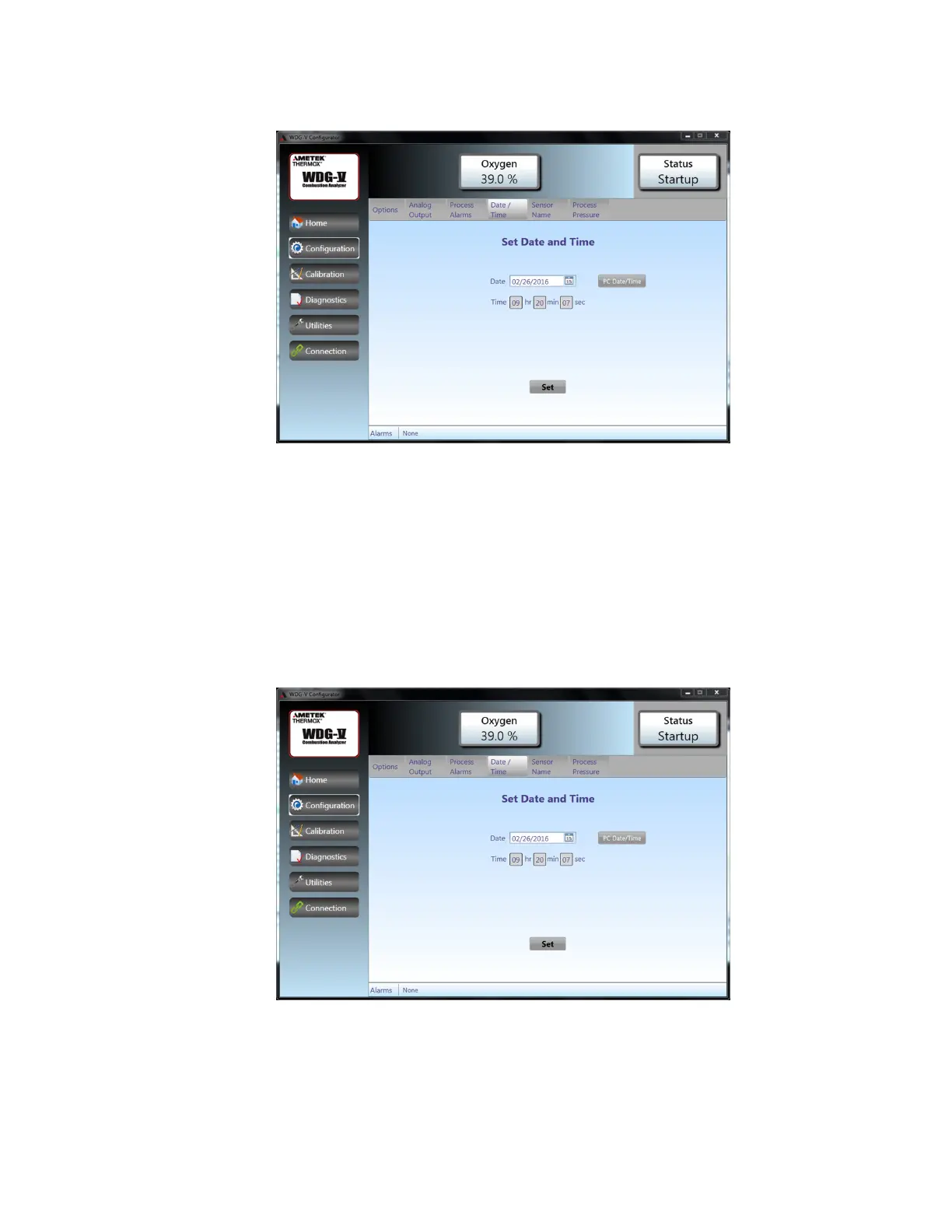
Figure7.Conguration_Date/Timescreen.
The analyzer date and time can be set manually by clicking on the cal-
endar for the date and entering the time in 24-Hour time format in the
boxes. Alternately, the time can be retrieved from the computer clock by
clicking on the PC DATE/TIME button. After you have set the time and
date, click the SET button at the bottom of the screen to apply the values.
Conguration_SensorName
Figure8.Conguration_Date/Timescreen.
Enter the sensor name with no more than 9 characters. Use of capitals,
symbols, numbers and spaces is allowed.



 To Next Page
 Loading...