S-4000
1-25
Revised 01/2005
e-mail: service@amfreece.cz; parts@amfreece.cz; website: www.amfreece.com
Phones: +420 582 309 146 (Service), +420 582 309 286 (Spare Parts); Fax: +420 582 360 606
LCD DISPLAY PROGRAMMING
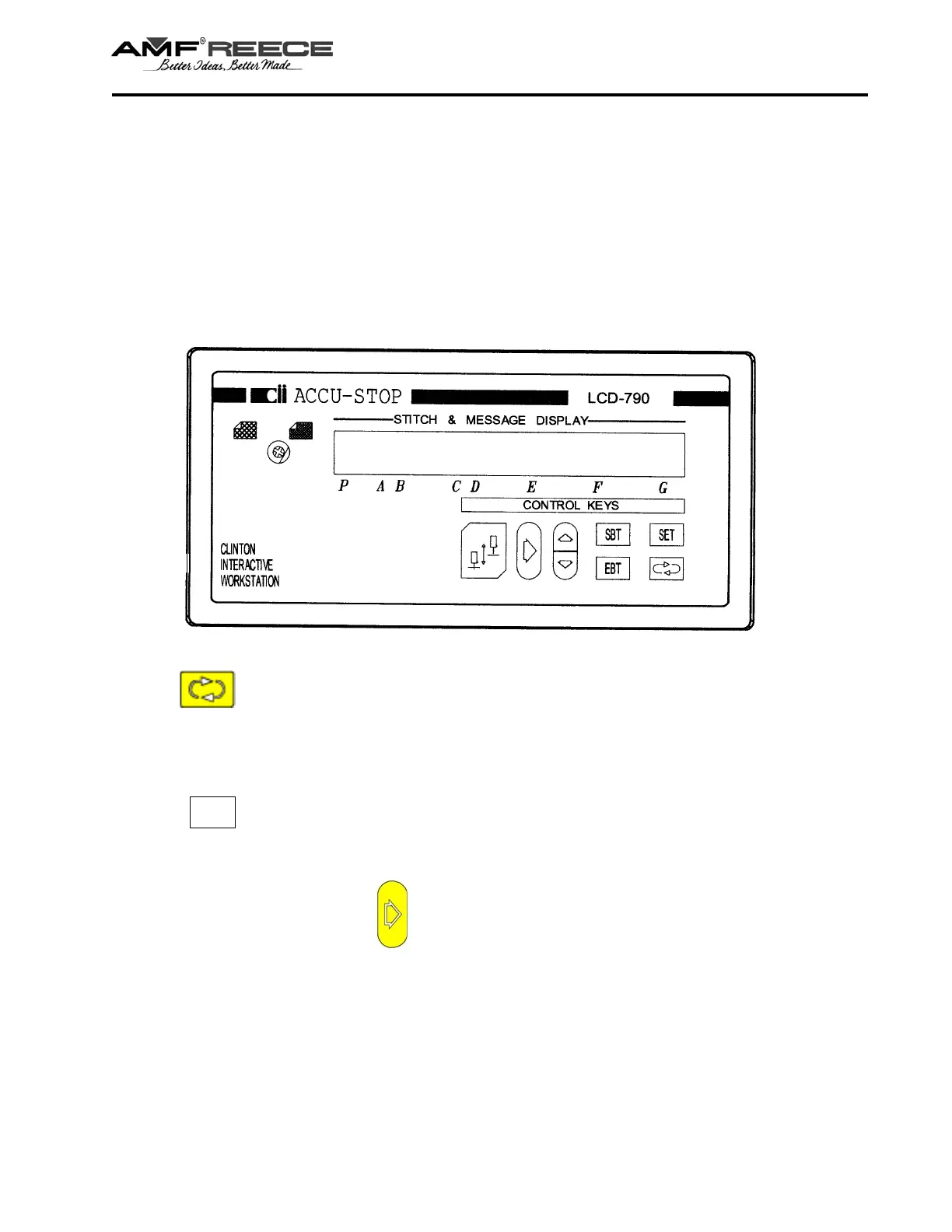
Press the Round arrow push button to access the first parameter - menu Speed. Continue
pressing to step through all of the categories.
or
Press the SET push button to access the last changed parameter.
After changing parameters, press the push button to save the new parameters and return to the
operating mode.
Air Pressure
Recommended air pressure is 5.5 bar, (80 PSI).
CAUTION! Operating the S-4000 without the proper air pressure may cause serious machine
damage.
Modes of Operation
The LCD display may be operated in three different modes, the Operating, Programming, and Test
Modes.
Programming Mode
There are two ways to change from the Operating mode to the programming mode to vary the
parameters.



 To Next Page