3.6. Individual Operations of Maintenance
3.6.40. Printer paper replacement
Only use the thermal paper suitable for the printer. It must be
inserted correctly in accordance with the illustrations. Incor-
rectly inserted thermal paper may lead to paper jams or “blank
printouts“.
Paper sort: Thermal paper roll
Paper roll width: 58 mm
Paper roll diameter: 32 mm
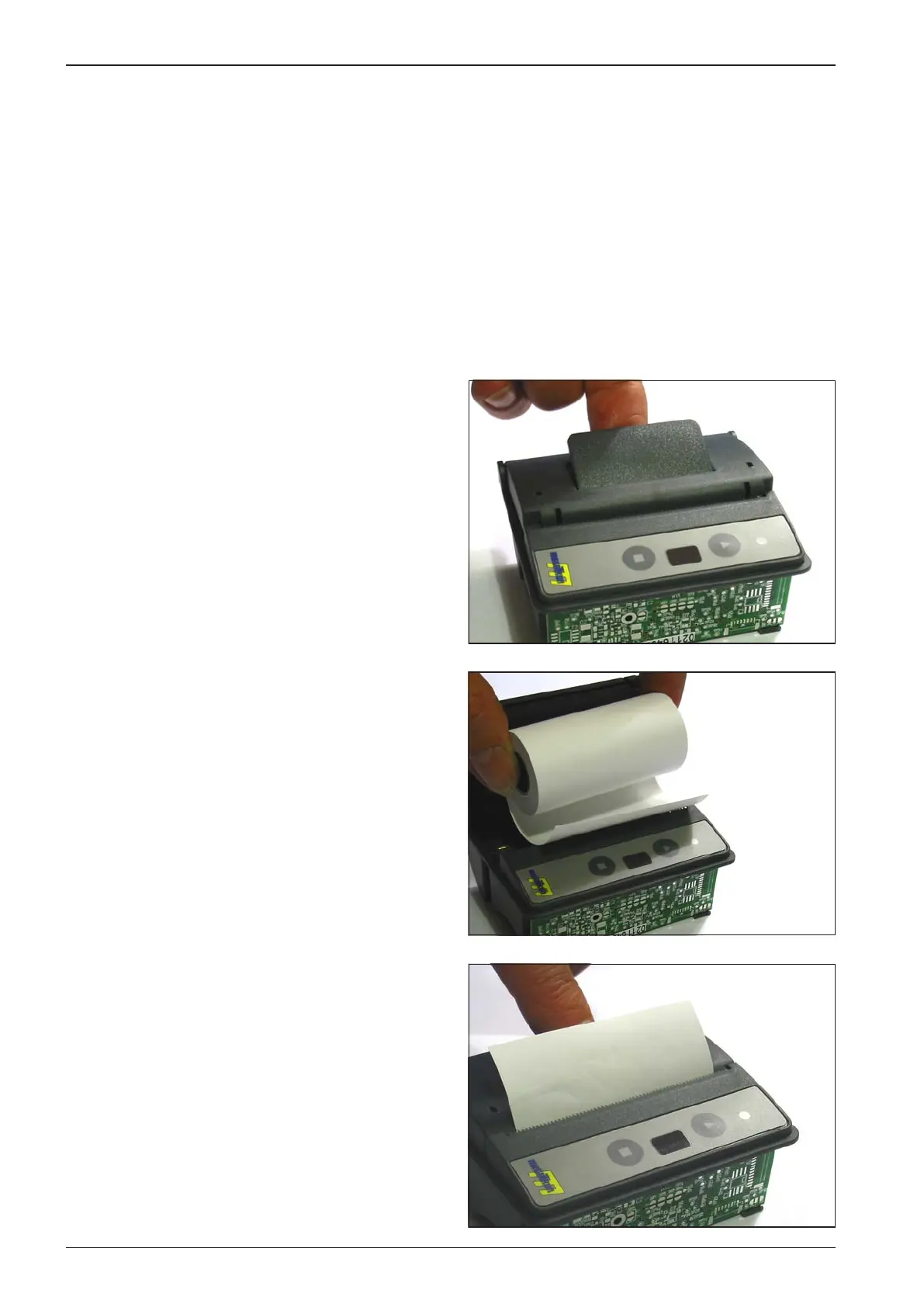
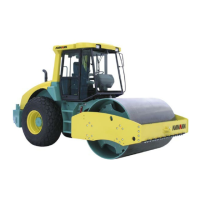
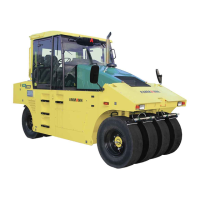
Printer paper replacement
Unwind approximately 10 mm of paper from the paper roll; •
grasp it so that individual threads of paper are not released.
Open the printer cover by means of pulling the moving le-•
ver of the cover slightly. The thrust roll for the paper trans-
port is released from the drive gear. Now, the cover can be
opened easily.
Insert the paper roll into the paper magazine with the sensi-•
tive coating as the outer side. Approximately 10 mm of the
end of paper should be left outside.
Press down the printer cover so that it ts in the bushing •
lock. Then, it is possible to tear o paper over the tear edge
without the cover being opened and the paper roll falling
out. The printer is ready for printing.


 To Next Page