ADJUST BACKLIGHT
ADJUST CONTRAST
UTILITIES
396030
2.6. Actuators and dashboard instruments
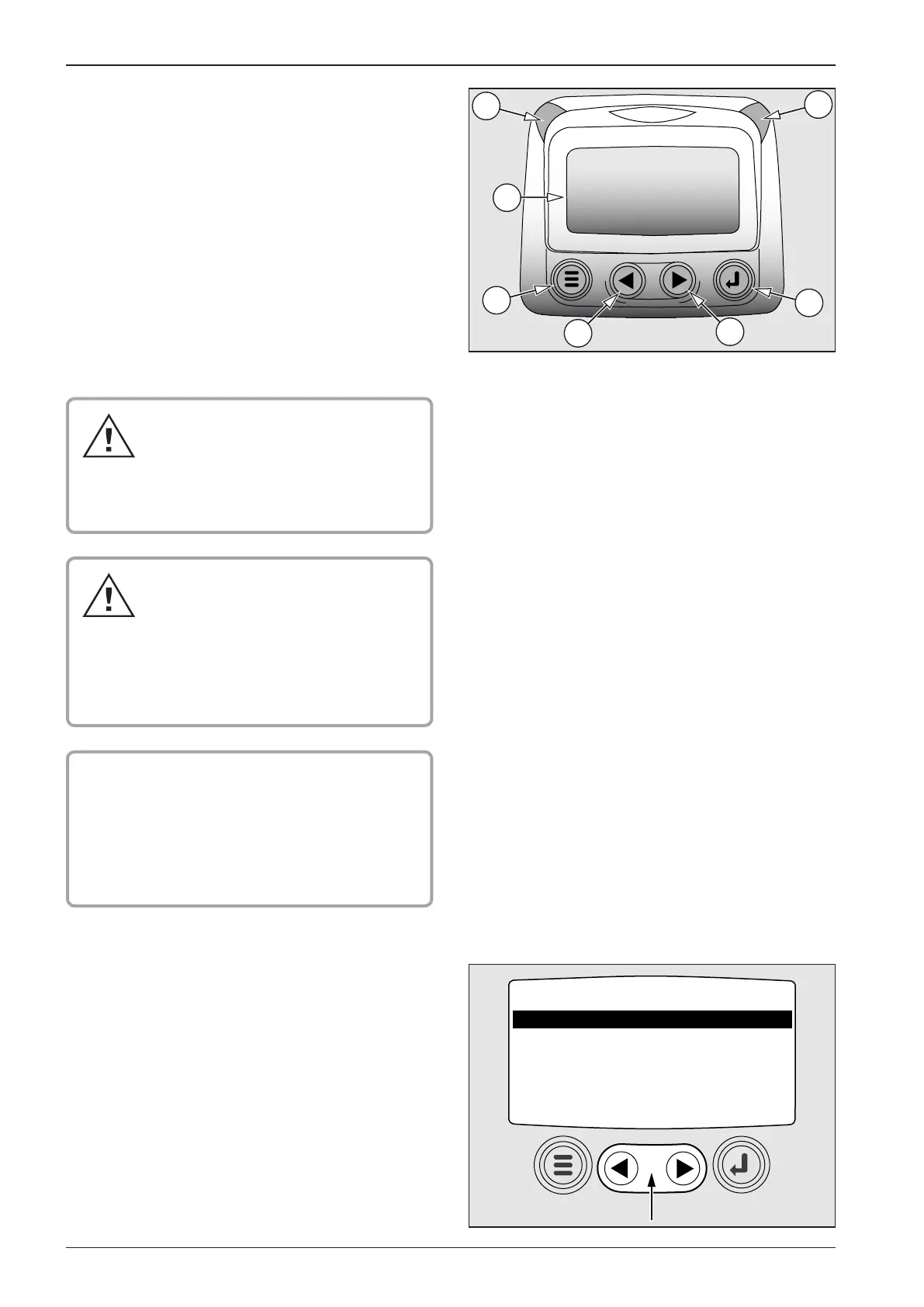
2.6.1. Power View control
1 Display
2 Red LED lights – ENGINE SHUTOFF – engine substantial
defect alarm
3 Yellow LED lights - WARNING – engine failure alarm, or
minimal fuel level in tank alarm
4 Menu selection pushbutton – to enter or exit menu
5 Pushbutton – to move cursor UP – illuminates data on dis-
play or moves parameter option to the left or up
6 Pushbutton – to move cursor DOWN – illuminates data on
display or moves parameter option to the right or down
7 ENTER pushbutton – selects menu or parameter, or con-
ceals/displays active error code
Red LED lights – reduce engine pow-
er, stop the machine immediately at
safe place and shut o the engine! Call
Cummins service centre to repair the de-
fect. Do NOT operate the machine unless
the defect has been repaired!
Yellow LED lights - warning – engine fail-
ure alarm, or minimal fuel level in tank
alarm. Reduce engine power, stop the
machine immediately at safe place and
shut o the engine! Repair the defect or
call Cummins service centre. Do NOT op-
erate the machine unless the defect has
been repaired!
! CAUTION !
When Power View Murphy display shows code and
engine failure outline, contact the regional repre-
sentative of Cummins engines and report the fai-
lure code. List of representatives and contact data
are given in the Engine Operation Manual supplied
with the machine.
NAVIGATION BASIS
Menus have pages with other items. Use CURSOR (ARROWS) to
select some of the items highlighted.
Operate pushbuttons with light touch.


 To Next Page